MT5000-0200-1 Rev f (10-2010) DCN0528 24
a. Measured Level / Raw Counts - Displays the Media Level or Ullage as determined by the transmitter. Press-
ing the SELECT button here will scroll this portion of the display between the Measured Level and the Raw
Counts at the Measured Level.
b. Volts DC - Scaling of the graphic display from 0 to 1 VDC. The return signal will rise up from 0 volts towards 1
volt.
c. Reference Measurement - The dotted vertical line to the left of the display provides a reference measurement
for the WAVEFORM. The measured value at this dotted line will be displayed in the bottom left hand portion of
the screen and provide a starting point for determining the position of the signal. Regardless of the MEASURE
MODE, reference measurements are made from the face of the coupler or the mounting flange.
d. Access to Functions - This section will allow entry to separate menu items to adjust the appearance of the
signal and the signal detection capabilities. Some of these settings will be determined by the values entered in
the BASIC SETUP menu and adjustments made to these settings are to be made only when absolutely neces-
sary. (Section 4.5.2.)
e. Measurement per Division - The WAVEFORM display will be divided into horizontal sections or divisions.
The separations in the divisions will remain constant on the display. Variation in the appearance of the signal
will be based on the Measurement per Division. The available measurements per division will be dependant
upon the UNITS set in the BASIC SETUP menu. To adjust the Measurement per Division, scroll down to high-
light the setting and press the SELECT button.
f. Scroll Left or Right - This function will allow the Reference Measurement to be shifted based on the Measure-
ment per Division giving access to the full WAVEFORM. Shifting the Reference will not affect the operation of
the MT5000. Pressing the SELECT button with < highlighted will shift the reference 5 divisions to the left. Press-
ing the SELECT button with > highlighted will shift the reference 5 divisions to the right. The displayed reference
may not be shifted to a value less than 0 measurement.
g. Signal - The actual return signal from the antenna of the MT5000. The signal from the measured level will ap-
pear as a rising wave that moves up from 0 volts toward 1 volt then falls back down towards 0. This signal must
cross the Threshold Voltage to the right of the blanking to be registered as a measurement by the MT5000.
h. Return to EXTENDED SETUP - Pressing the SELECT button while EXIT is highlighted will back out of the
WAVEFORM screen and revert back to the EXTENDED SETUP menu.
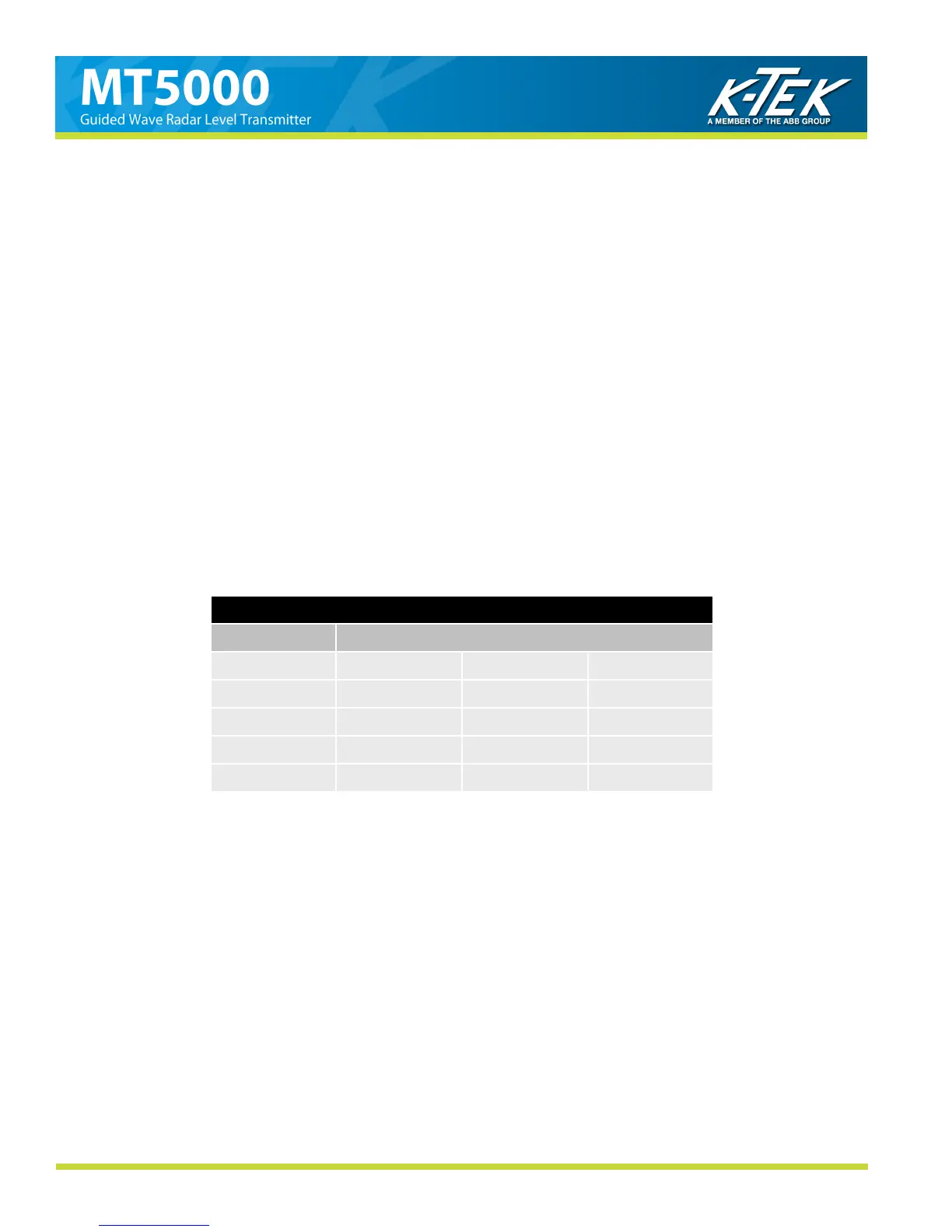
Table 1
UNITS Available Measurement per Division
inches 6 in / div 12 in / div 24 in / div
feet .5 ft / div 1 ft / div 2 ft / div
millimeters 100 mm / div 250 mm / div 500 mm / div
centimeters 10 cm / div 25 cm / div 50 cm / div
meters .1 m / div .25 m / div .5 m / div
After entering each of the WAVEFORM screens you may navigate through them by using the UP and DOWN but-
tons. To make adjustment to an item, highlight the item and press the SELECT button. Certain functions will require
holding the SELECT button for 2 seconds to enter the field. Functions on the WAVEFORM screen will only affect the
appearance of the graphic display not the operation of the MT5000.



 To Next Page