EasyManua.ls Logo

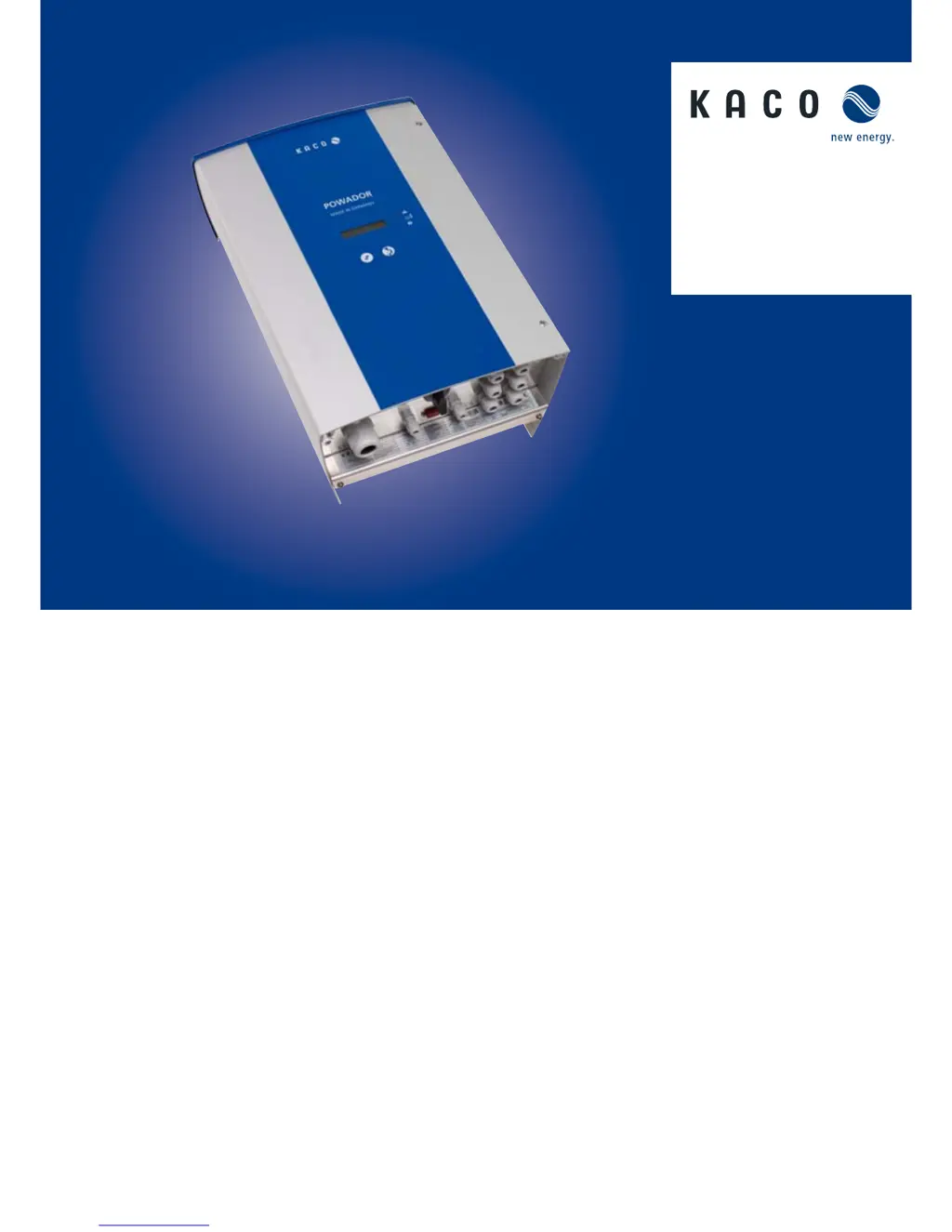
Kaco Powador 3200 - User Manual

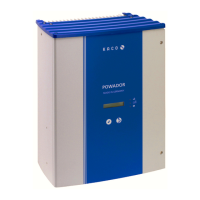
Kaco Powador 3200
56 pages
Print Icon
To Next Page IconTo Next Page
Loading...
Operating Instructions
English translation of German
original
Powador
3200 | 4200
4400 | 5300
5300 supreme
5500 | 6600

Questions and Answers

  • S
    Stephen MillerAug 16, 2025
    What to do if my Kaco Powador 3200 is active but does not feed into the grid even when the insolation is sufficient?
    • R
      reyesmaryAug 16, 2025
      If a fault such as line failure, overtemperature, or overload causes a feed-in interruption, the Kaco Inverter will check the line parameters for a period. The time it takes to switch back on may vary by country according to standards and regulations and can take several minutes. If the inverter shuts down regularly over several weeks (more than 10 times per day), contact your solar installer. Consult the fault signals for an explanation of the display error texts.
  • R
    romeroamandaAug 19, 2025
    Why is my Kaco Powador 3200 active but not feeding into the grid?
    • R
      Richard AllenAug 19, 2025
      The generator voltage or power from the solar modules may be too low to feed in, especially after sunrise, at sunset, or in bad weather. Also, the line voltage or PV array voltage may not be stable. The Kaco Inverter checks the line parameters before feed-in begins, and the switch-on time varies by country according to applicable standards and regulations and can take several minutes.
  • S
    Samuel AndrewsAug 22, 2025
    What to do if my Kaco Inverter stops supplying power to the grid shortly after being switched on?
    • G
      Grace MercadoAug 22, 2025
      If the Kaco Inverter feeds into the grid for only a few seconds before switching off again, and shows that the power being fed into the grid is between 0 and 5 W, and the inverter is receiving sufficient generator power, the grid separation relay is likely faulty. Contact your solar installer.
  • J
    jameshornAug 26, 2025
    What to do if the display of my Kaco Inverter is blank and the LEDs do not light up?
    • M
      Mariah TravisAug 26, 2025
      The Kaco Inverter may be in night shutdown mode because the PV array voltage is below the minimum feed-in voltage. You can switch on the inverter via the night start-up key to view the measured values. A grid failure will also cause the display to go blank and feed-in to stop. Wait until the public low-voltage grid is available again. If the display does not light up during normal daytime hours, please contact your solar installer.
  • A
    Antonio FisherAug 28, 2025
    What to do if my Kaco Inverter trips the line fuse?
    • N
      Nicholas ConradAug 28, 2025
      The capacity of the line fuse might be too low, or there may be damage to the Kaco Inverter’s hardware. The capacity of the inverter’s pre-fuse should be somewhat higher than the maximum feed-in current because the inverter can exceed its rated current for a short period in cases of high insolation. If the line fuse trips immediately when the inverter switches to feed-in mode, the inverter’s hardware is probably damaged. Contact your solar installer.
  • R
    Rachel CruzAug 31, 2025
    Why does my Kaco Inverter display an impossible daily peak value?
    • J
      justin92Aug 31, 2025
      The inverter may display an erroneous daily peak value due to faults in the grid voltage. However, the Kaco Inverter continues to operate as normal without losses to the yield. The value is reset overnight. To immediately reset the value, switch the inverter off and on again by disconnecting it from the grid and switching off the DC.
  • L
    Lisa HollandSep 3, 2025
    Why is my Kaco Powador 3200 making noise?
    • D
      Desiree DanielsSep 3, 2025
      The Kaco Inverter may emit audible noises due to particular ambient conditions or if Power Boost mode is activated. Line interference or failure, dynamic weather conditions, strong insolation, or resonances with grid conditions can be determining factors. People with sensitive hearing may hear the high-frequency hum caused by the inverter’s operating frequency. Such noise emissions do not affect the operation of the inverter, nor can they lead to loss of efficiency, failure, damage, or a shortening of the unit’s service life. When Power Boost mode is activated, noise emission is normal and should only be activated in environments where the operating noise is acceptable.
  • H
    hmorganSep 6, 2025
    What to do if additional devices connected via the potential-free contact of my Kaco Inverter suddenly start up?
    • D
      Derek Johnson Jr.Sep 6, 2025
      If the ”Relay 33” function is not activated, the potential-free contact functions as a fault signal relay and indicates errors. If devices provided for the ”Relay 33” function are connected to the Kaco Inverter via the contact, they can still start up when the inverter experiences an error. If you deactivate the ”Relay 33” function, disconnect devices from the inverter that were connected for this function.
  • P
    Paul SnyderSep 9, 2025
    Why don't the daily energy yields of my Kaco Powador 3200 correspond with the yields on the energy supply company’s feed-in meter?
    • I
      icastroSep 9, 2025
      The measuring elements on the Kaco Inverter have been selected to ensure maximum solar yields. Due to tolerances, the daily yields displayed on the inverter may deviate from the values on your supply grid operator’s feed-in meter by up to 15%.
  • T
    Taylor McdowellSep 12, 2025
    Why doesn't my Kaco Inverter feed in the maximum power into the low-voltage grid?
    • W
      wattsbradleySep 12, 2025
      The temperature inside the Kaco Inverter may be too high, causing the power to be reduced to prevent damage. The inverter limits the power starting from an internal temperature of 75°C and levels off between 75°C and 80°C. Ensure sufficient cooling of the unit, as an internal temperature of 85°C is only reached if convection cooling is impeded by external factors, like covering the cooling fins.

Summary

General Notes

About this documentation

Information about the manual's content and purpose.

Layout of Instructions

Explains symbols and structure used in the manual.

Other applicable documents

Refers to other assembly and installation instructions for system components.

Storing the documents

Instructions on where and how to store the manual and other documents.

Symbols used

Explains the meaning of various symbols used in the manual.

Safety warnings symbols guide

Details the different safety warning symbols and their severity.

Additional information symbols

Explains symbols for notes and country-specific information.

Instructions symbols guide

Explains symbols used in step-by-step instructions.

Abbreviations

Lists abbreviations used in the manual.

Safety

Proper Use

Defines the intended and unintended uses of the inverter.

Protection Features

Details the integrated safety and monitoring functions.

Standards and Directives

Lists relevant standards and directives for the inverter.

Description

Mode of Operation

Explains how the inverter converts DC to AC and feeds the grid.

Description of the unit

Details the components and system layout.

System layout

Illustrates a typical system layout with inverters and grid connection.

System with multiple inverters

Explains grid connection for systems with multiple inverters.

Summary of the components

Lists and briefly describes key components of the PV system.

Inverter diagram

Provides a diagram of the inverter with numbered parts.

Electrical functions

Explains specific electrical functions like fault signal and power limitation.

Mechanical components

Details mechanical components like DC disconnect and night start button.

Interfaces

Lists available communication and remote monitoring interfaces.

Technical Data

Electrical Data

Provides detailed electrical specifications for various models.

Mechanical data

Lists physical dimensions, weight, and environmental specifications.

Transportation and Delivery

Delivery

Information on checking the delivered inverter and reporting damage.

Transportation

Safety instructions and guidelines for transporting the inverter.

Mounting the Inverter

Installation space

Specifies ideal conditions and requirements for inverter installation location.

Installation location

Details requirements for the physical mounting site.

Instructions for wall mounting

Provides visual guidance for wall mounting the inverter.

Drill stencil for wall mounting

Offers a template for drilling mounting holes with clearance specifications.

Installing and securing the inverter

Step-by-step guide for physically mounting the inverter.

Installing the Inverter

Opening the connection area

Instructions on how to access the inverter's connection terminals.

Making the electrical connection

Details on connecting electrical wires to the inverter.

Connecting the inverter to the power grid

Specific instructions for connecting the inverter to the AC power grid.

Grid-type-specific connection conditions

Table outlining connection requirements based on grid type.

Making the grid connection

Detailed steps for connecting the AC cables to the grid terminals.

Connecting the PV generator

Instructions for connecting the DC input from the PV generator.

Before connecting

Pre-connection checks, including ground fault detection.

Connecting the DC generator using cable fittings

Step-by-step guide for DC connection using cable fittings.

Connecting the PV generator

Steps for connecting the PV generator via standard cable fittings.

Connection of the PV generator with solar plug connector

Instructions for connecting the PV generator using solar plug connectors.

Connecting the interfaces

Instructions for connecting communication and external interfaces.

Connecting the fault signal relay

Steps to connect the fault signal relay.

Connecting the S0 output

Steps to connect the SO output for pulse signals.

Connecting the RS485 bus

Guide for connecting the RS485 communication bus.

Limiting during asymmetric feed to the grid

Information on managing asymmetric grid feed.

Connecting CAN bus

Steps for connecting the CAN communication bus.

Wiring diagram for park operation

Wiring diagrams for connecting multiple inverters in groups.

Option 2

Second wiring option for CAN bus connection without RS485 conductors.

Option 3 (for example, for retrofitting to an existing system)

Third wiring option for CAN bus, suitable for retrofitting.

Connecting Inverter off digital input (optional)

Instructions for connecting an optional digital input for inverter shutdown.

Sealing the connection area

Steps to properly seal the inverter's connection area after installation.

Starting up the inverter

Instructions for safely starting up the inverter after installation.

Switching on the inverter

Detailed steps for powering on the inverter.

Configuration and Operation

Controls

Overview of the inverter's control buttons and status LEDs.

LED indicators

Explains the meaning of the different LED indicators and their states.

Display

Describes the inverter's LCD display, its functions, and backlighting.

Control buttons

Details the function of the two control buttons for inverter operation.

Inverter menu

Explains how to navigate and use the inverter's menu system.

Selecting menu level 3 (service technician)

Accessing advanced parameters typically for service technicians.

Entering password or unlock code

Procedure for entering passwords to access protected settings.

Saving changed settings

How to save modified settings within the inverter's menu.

Initial start-up

Guides through the first-time setup and configuration process.

Menu structure

Provides a detailed overview of the inverter's menu hierarchy and options.

Maintenance;Troubleshooting

Visual inspection

Instructions for performing a visual check of the inverter and cables.

Cleaning the inverter externally

Safety precautions and steps for cleaning the inverter's exterior.

Shutting down for maintenance and troubleshooting

Detailed procedure for safely shutting down the inverter for maintenance.

Faults

General information about identifying and addressing faults.

Procedure

Steps to follow when a fault occurs.

Troubleshooting

A table listing common faults, causes, and remedies.

Messages on the display and the “Fault” LED

Explains fault messages and LED indicators.

Display of status and fault messages

Shows how fault and status messages are displayed.

Status and fault signals

Lists possible status and fault signals shown on the LCD and LEDs.

Service

Shutdown;Disassembly

Shutting down the inverter

Step-by-step instructions for safely shutting down the inverter.

Deinstalling the inverter

Procedures for removing the inverter from its installation.

Dismantling the inverter

Steps for dismantling the inverter after deinstallation.

Disposal

Packaging

Instructions for proper disposal of packaging materials.

Documents

EU Declaration of Conformity

Official statement confirming compliance with EU directives and standards.

Kaco Powador 3200 Specifications

General IconGeneral
ModelPowador 3200
TypeString Inverter
Rated Output Power3200 W
Max. apparent AC power3200 VA
CoolingConvection

Related product manuals