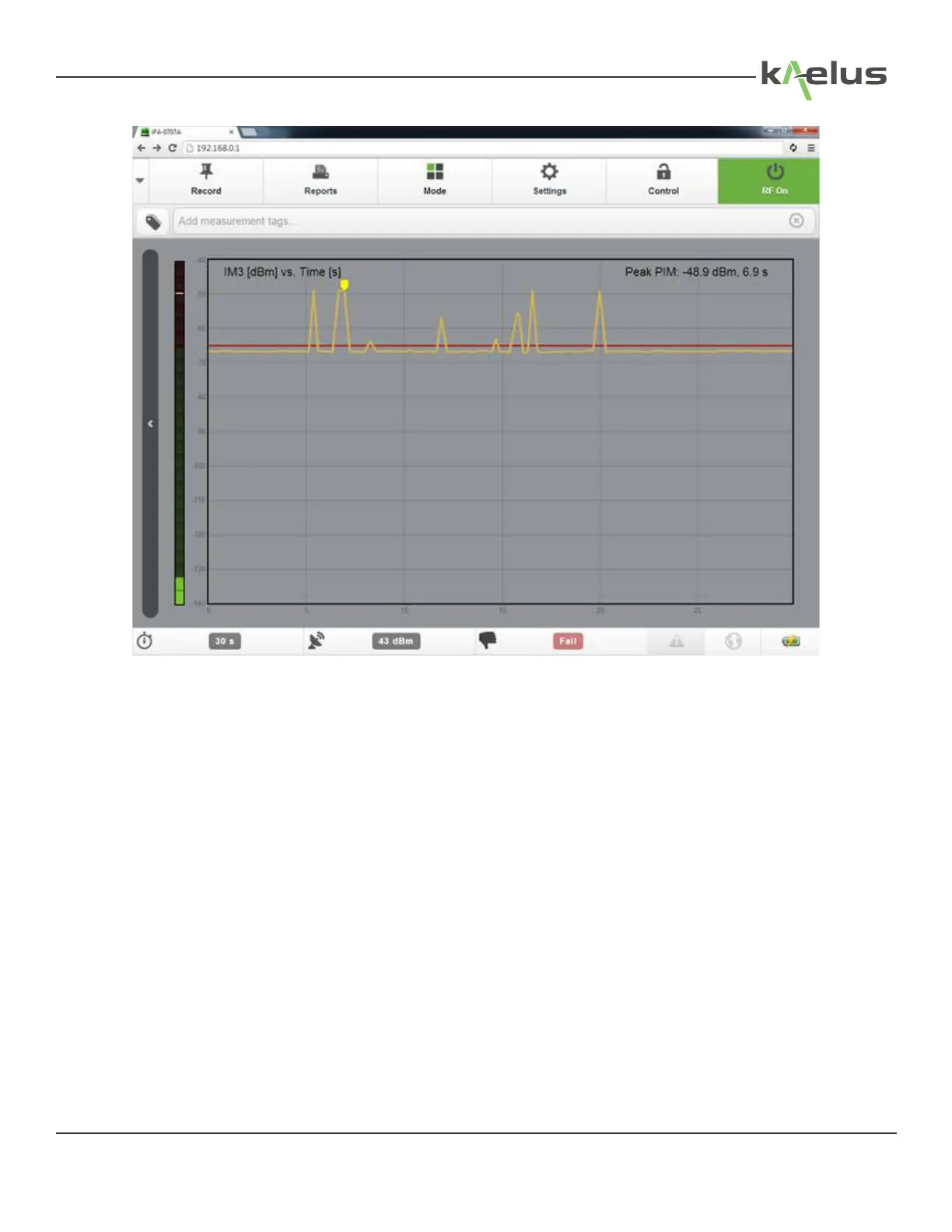
Figure 46 Default Measurement Window
The RF power can be switched o by pressing the red RF ON button and it will return to green. If you want to record the
peak measurement on the report before switching o the RF, press the Record Test Point button. The RF power will also
turn o when the RF Timer reaches zero.
Note: All test reports are marked with a Pass or Fail Certication stamp. A Pass will only occur when the Peak PIM
reading is equal to or below the test state setting for the Pass/Fail threshold.
65
© 2017 Innite Electronics, Inc., All Rights Reserved.


 To Next Page