CAMERA SETTINGS
Using your Camera
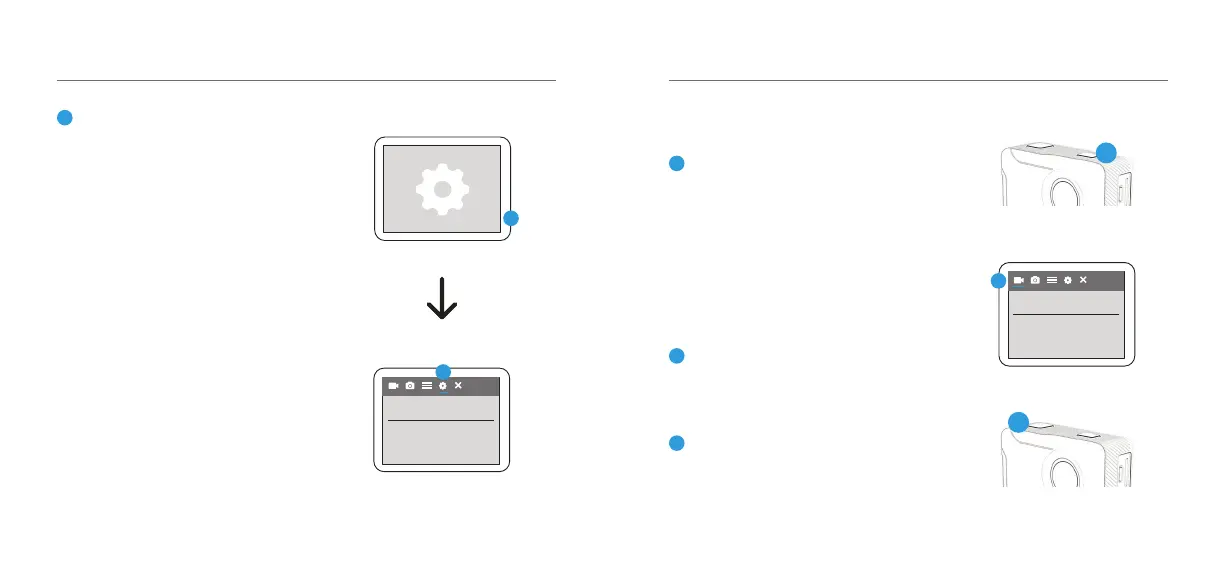
To turn your camera on/o - hold the
Power/Mode button on the top of your
X230 for few seconds.
To toggle between Video, Photo, Playback
and Settings Mode, press the Mode
button consecutively until your desired
mode appears.
To change the Video/Image resolutions, go
to Settings and select the Video or Photo
on the top menu bar.
To start recording video, press the Record
button on the top of your camera.
1
3
4
1
4
03 - ENG
GETTING STARTED
02 - ENG
Format your SD Card before using
the camera for the rst time
Press the Mode button consecutively
until Settings mode appears. Select the
Settings mode and press the Record/
OK button to conrm.
Press the Mode button again to scroll
through dierent settings and select the
General Settings.
Scroll down the menu using the arrow
keys on the side until you get to Format
SD Card. Select Format SD Card and
press the Record/OK button. Select on
Conrm to format your SD Card.
NOTE: This will clear all data on the
card and ensure it is ready for recording.
3
3
3
3
Video Resolution
Format SD Card



 To Next Page