REVIEWING YOUR FOOTAGE
Reviewing your footage
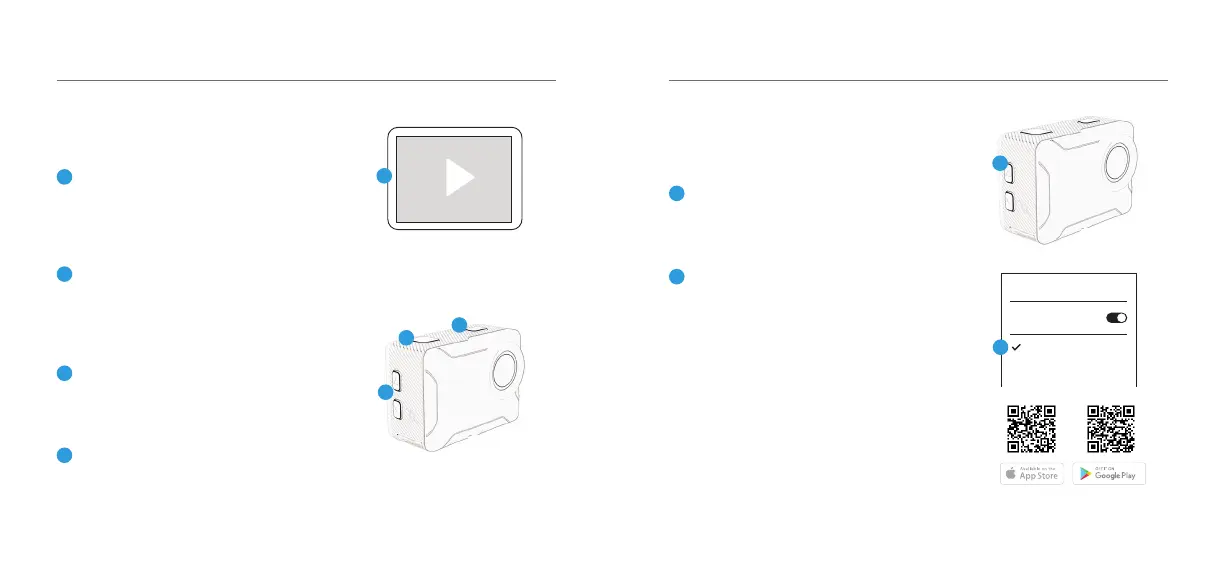
To review footage, go to the the
Playback mode using the Mode
button.
Scroll through the les using the Up/
Down keys and press Record/OK
button to review footage.
Press and hold the Record/OK
button to delete the selected le.
Press Mode button to exit the
Playback mode.
5
6
7
8
Playback Screen
04 - ENG
Wi-Fi & KB APP
Connecting to the
KB Capture App
Press the Up arrow key at the side to
activate the Wi-Fi.
Go to your Smartphone settings
and ensure your Wi-Fi is turned on.
Select KB-X230 network. The default
password is: 12345678. If your
connection fails, please close down
the App and relaunch it and restart
the camera.
App Name: KB Capture
05 - ENG
1
2
Scan these codes to access the KB-X230 App.
Wi-Fi
Wi-Fi
KB-X230
2
5
6
1
7
8



 To Next Page