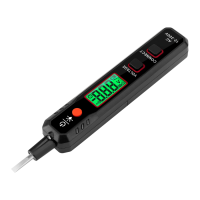
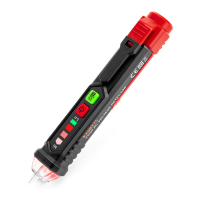
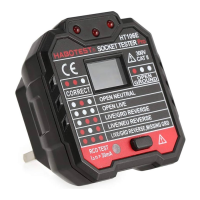
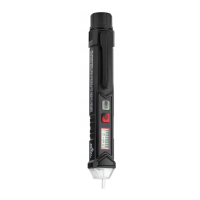
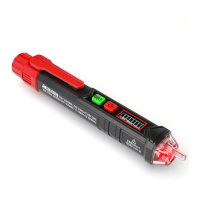
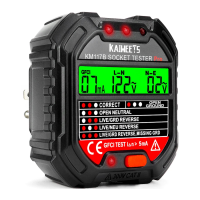
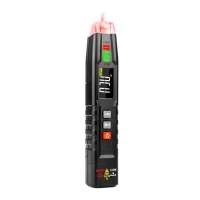
This document describes the KAIWEETS VT501 Voltage Tester, an instrument designed for measuring voltage, resistance, and continuity. It emphasizes safety precautions and provides detailed operational and technical specifications.
Function Description:
The KAIWEETS VT501 is primarily a voltage tester, but it also features resistance and continuity measurement capabilities. It operates in a "Smart Measurement Mode" by default, which automatically recognizes the measured signal (DC voltage, resistance, or on-off). The device includes a flashlight and backlight for improved visibility in various conditions. Data hold functionality allows users to lock and release measurement data on the display.
Important Technical Specifications:
- Security Level: CAT.III 300V
- Pollution Level: 2
- Altitude: <2000m
- Working Temperature and Humidity: 0~40 °C (<80% RH, <10 °C non-condensing)
- Storage Temperature and Humidity: -10~60 °C (<70% RH, remove the battery)
- Sampling Rate: About 3 times/sec
- Indication of Excess Range: Display "OL"
- Battery Low Voltage Indication: Display " "
- Polarity Indication: Auto display "-" sign
- Power: 1 x 1.5V AAA Batteries
DC Voltage Measurement:
- Range: 0.8V~100V
- Resolutions:
- 2V: 0.001V
- 20V: 0.01V
- 100V: 0.1V
- Accuracy: ±(1.0% +5)
Resistance Measurement:
- Overload Protection: 250V
- Resolutions:
- 200Ω: 1Ω
- 20kΩ: 0.01kΩ
- 200kΩ: 0.1kΩ
- 2MΩ: 0.001MΩ
- 20MΩ: 0.01MΩ
- Accuracy: ±(1.2% +5)
Continuity Measurement:
- A buzzer sounds when resistance is less than 50Ω.
Usage Features:
- Power On/Off: Press the power button for approximately 2 seconds.
- Data Hold: Short press the HOLD button to lock/release data.
- Flashlight: Press the Light/Backlight button for approximately 2 seconds to turn on/off.
- Backlight: Short press the Light/Backlight button to turn on/off.
- Auto Power Off: The instrument automatically shuts down after 15 minutes of inactivity. This feature can be canceled by holding down the Light/Backlight button while turning on the instrument.
- Smart Measurement Mode: This is the default mode upon power-on. It automatically recognizes DC voltage, resistance, and continuity signals. The display shows "---" upon entering this mode. The minimum discernible voltage in this mode is 0.8V.
- Safety Instructions:
- Always read the manual and follow safety guidelines to prevent electric shock or injury.
- Exercise caution when measuring voltages exceeding 60VDC due to electric shock risk.
- Do not measure voltage higher than the rated value.
- Verify instrument functionality by measuring a known voltage before use.
- Inspect the instrument for cracks or damaged plastic parts; do not use if damaged.
- Use the instrument according to its specified measurement category and voltage rating.
- Observe local safety regulations and wear appropriate personal protective equipment (gloves, masks, fire-retardant clothing) when working with live conductors.
- Replace batteries when the low battery indicator appears to avoid measurement errors.
- Do not use the instrument in explosive or humid environments.
- Do not operate the meter if the battery cover is open or removed.
- Avoid measuring voltage above 110V to prevent damage to the instrument.
- Be aware that readings may be affected by other circuits between the meter and pen when the measuring circuit is on or off.
Maintenance Features:
- Cleaning: Stop measuring and turn off the instrument. Wipe the case with a damp cloth or mild detergent. Do not use abrasives or solvents. It is crucial to keep the inside of the instrument clean and dry to prevent electric shock or damage.
- Battery Replacement:
- Turn off the power.
- Use a screwdriver to unscrew and remove the battery cover.
- Remove the old battery and replace it with a new 1.5V AAA battery of the same size, paying attention to the correct polarity.

 Need help?
 General

 To Next Page