26
Verifying HDMI Video Performance
Once your Strato has been connected and configured, it’s a good idea to verify
that you are seeing the expected video resolution and frame rate.
Strato includes a new tool to help you ensure that things are working as
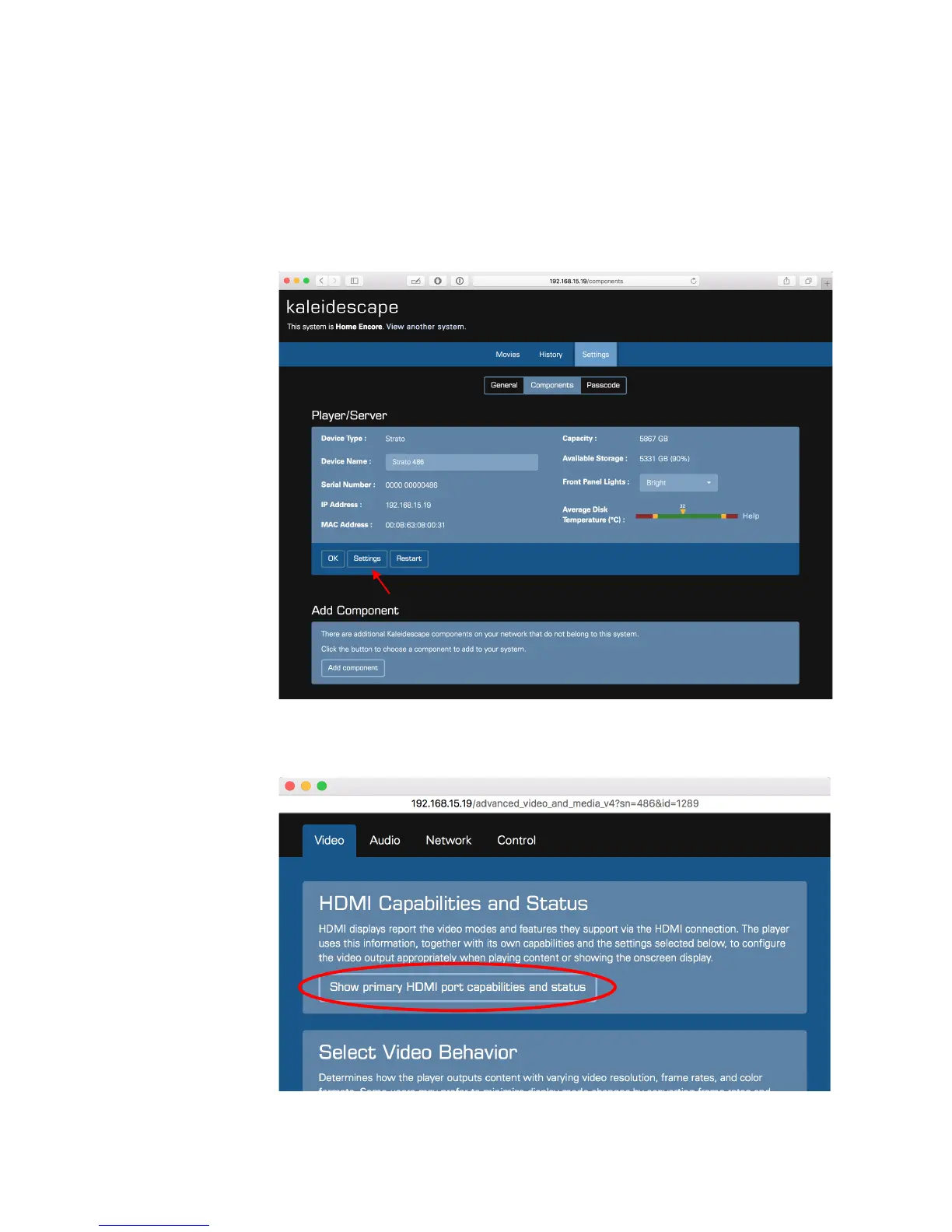
expected. Go to the system’s Browser Interface, and click on the Settings tab.
You should see the Components page.
In the section for your Strato, click the Settings button:
In the window that opens, click the “Show primary HDMI port capabilities and
status” button:



 To Next Page