30
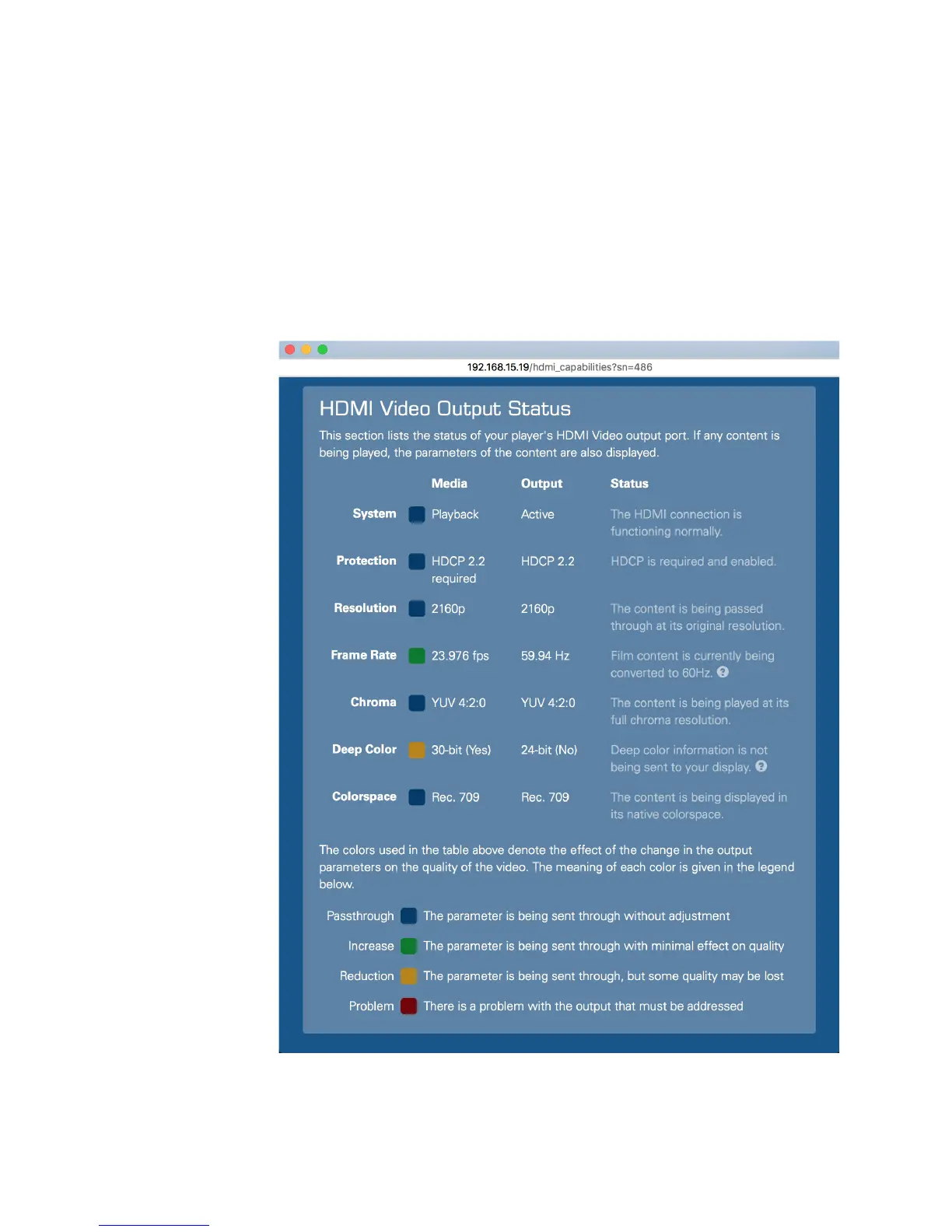
The colored indicators show whether content is being passed through in its
native format, if it is being up- or down-scaled, or if there is a problem. The
status text gives more details
Click the Refresh button at the bottom of the window to easily update the status
information, for example when trying different types of content.
The example above shows Strato connected to a 4K projector, displaying the
onscreen display. This particular projector does not support 18 Gbps HDMI 2.0,
so the onscreen display is being rendered at 60 frames per second with YUV
4:2:0 color sampling and 8-bit color.
Here is another example:
The example above shows Strato playing 4K Ultra HD film content on the same
projector. Strato has been set to minimize display mode changes, so it is



 To Next Page