09
Program setting
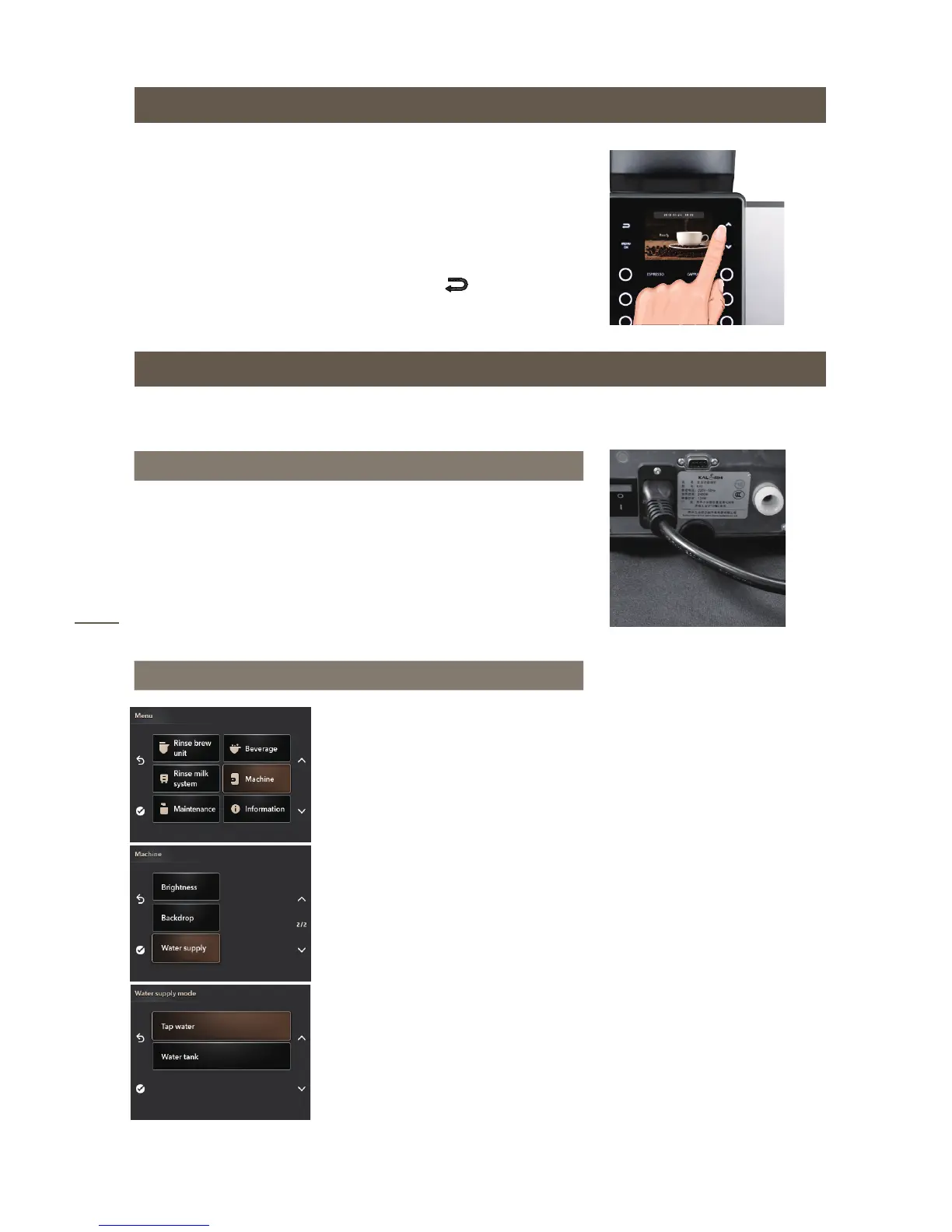
Ensure the coffee machine shows “READY”, press
the“MENU/OK” button , then you can enter into the program
Setting menu.
Setting content
Including maintenance setting,beverage setting,machine
setting and so on,you can switch between the different setting
options by pressing the arrow button “∧∨”.
Press “MENU/OK”for confirming settings and press
button to exit the menu.
• The factory settings for water supply is water tank.
Automatic water inlet mode setting
● Install the connector with 1/2 screw-thread side and 1/4 side
on the connector of coffee machine.
● Connect the 1/4 water tube with coffee machine and purified
water supply.
Step1: water pipe connection
Step2:program setting
Enter “Menu” and select “Machine”
setting;
Enter “ Water supply”.
Select “Tap water” and press
“MENU/OK”for confirming settings


 To Next Page