08
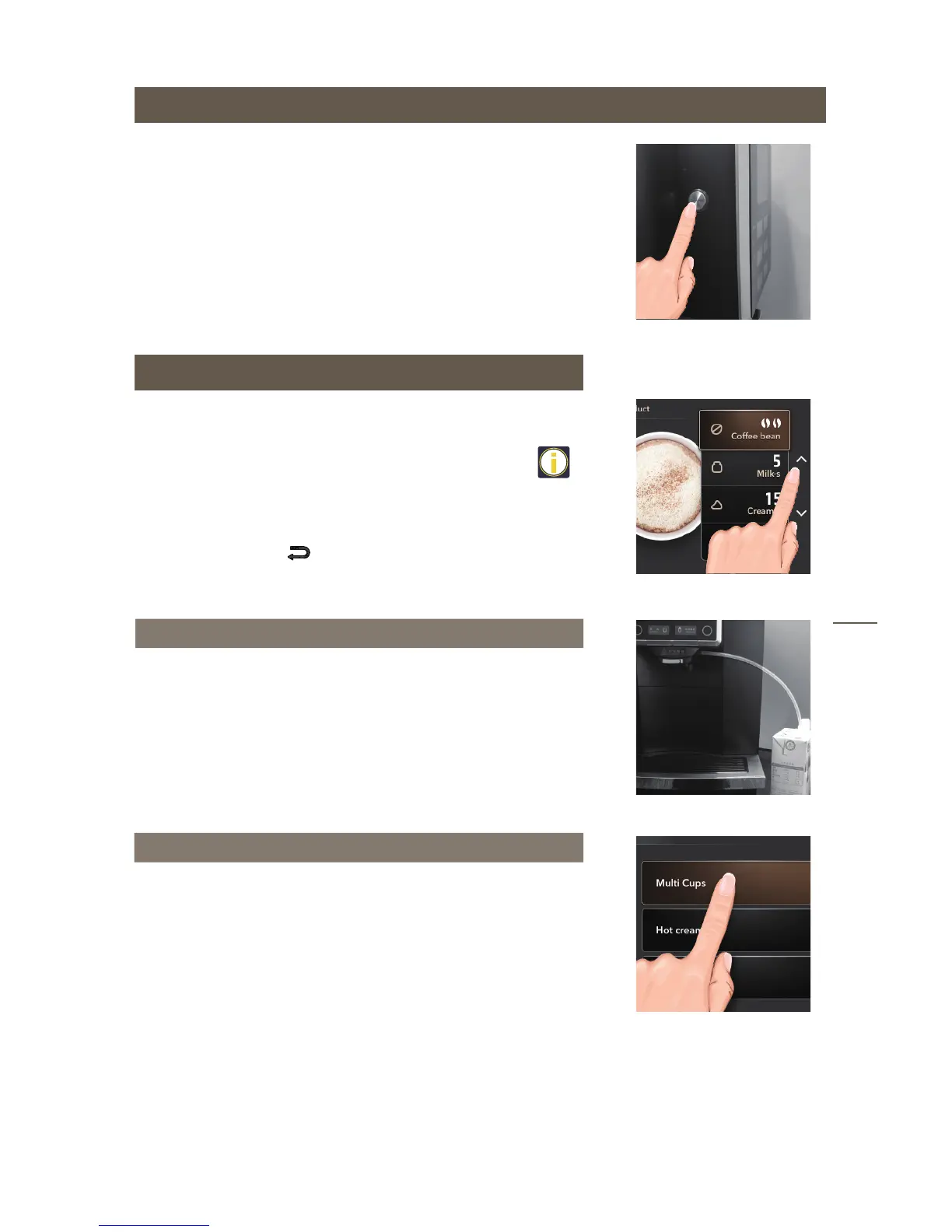
Power off
Making beverages
Take ‘cappuccino’ and ‘Multi-cup/milk/cream’ for example
to explain how to make coffee by touch icons.
● There may be some coffee powder for testing left in
machine. Therefore do not drink the first cup of beverage
and second one.
● You can use “∧∨” to select further options, such as the
coffee strength and per-cup quantity. This setting won’t be
saved. You can press to cancel making beverage.
Firmly connect the milk pipe with milk frother and milk box.
Touch the ‘cappuccino’ icon for cappuccino function.
When the screen displays‘enjoy’, it means the cappuccino is
ready, please enjoy it.
After using milk or milk foaming , the Rinse Milk Unit function
will be operated when power off.
Remove the milk pipe from the milk box/container and insert
to the hole of the drip tray grid according to the display.
Making cappuccino
● Touch ‘∧∨’ icon to select ‘Multi-cup/milk/cream’function.
● Select the quantity of cups.
● Select the beverage type.
● When the screen displays‘enjoy’, it means the beverage is ready, please
enjoy it.
Multi-cup/milk/cream


 To Next Page