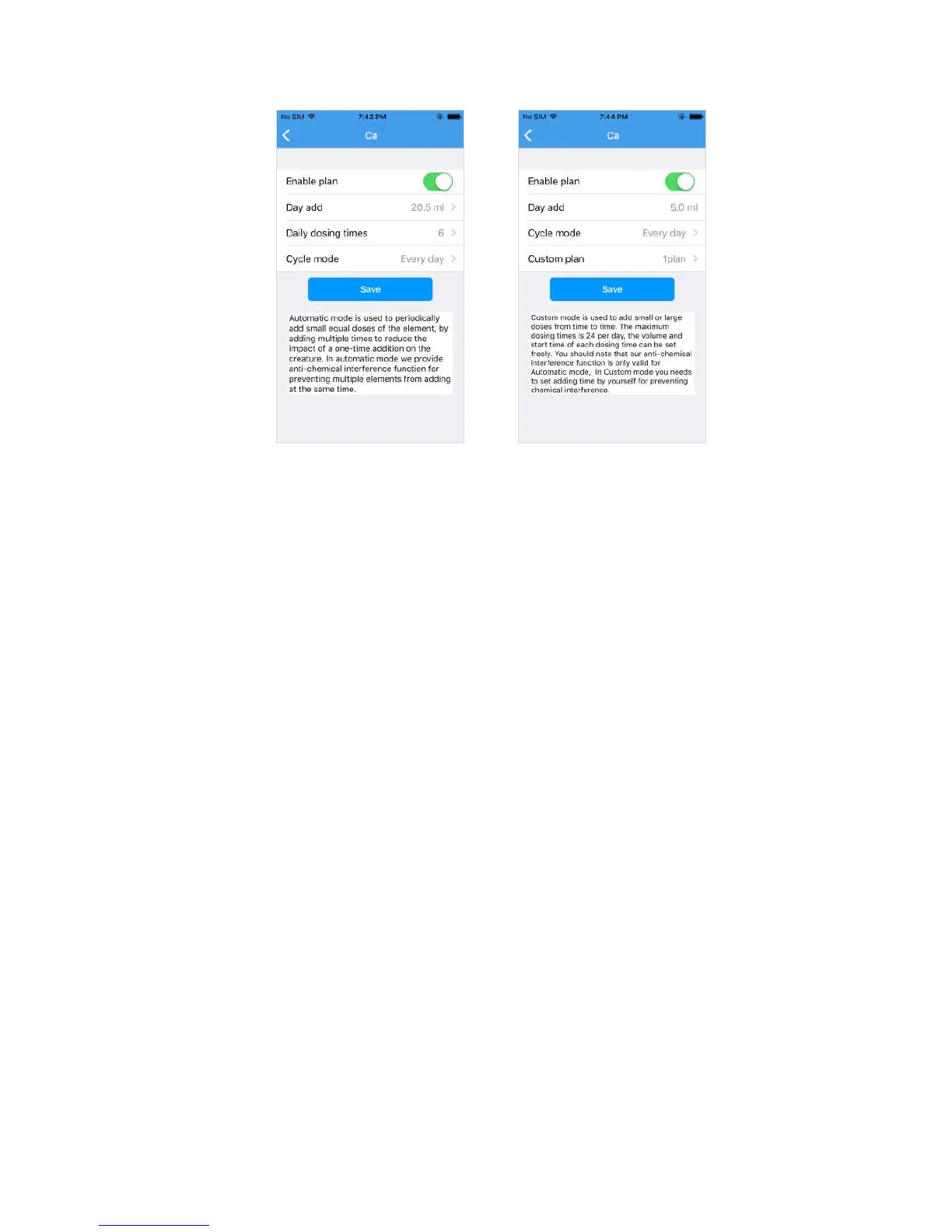
Automatic mode setting Custom mode setting
a. Enable plan
When enable, the corresponding pump head will be automatically run according
to the setting parameters, when disenable the pump head will stop running
automatically.
b. Daily dosing amount
The total amount of liquid per day, automatic mode needs to set this parameter,
custom mode does not need to set.
c. Daily dosing times (auto mode)
The add times per a day, the dosing pump will automatically calculates the added
time by the number of times, the specific start time can be viewed in the plan list;
d. Cycle mode
Every day": Add every day
Every two days": add every one days
Every three days": add every two days
Weekly": can choose to add in the days of the week
e. Custom plan (Custom mode)
Add a custom plan that contains a start time and a single drop amount similar to
"08:30", with a maximum of 24 plans per day.


 To Next Page