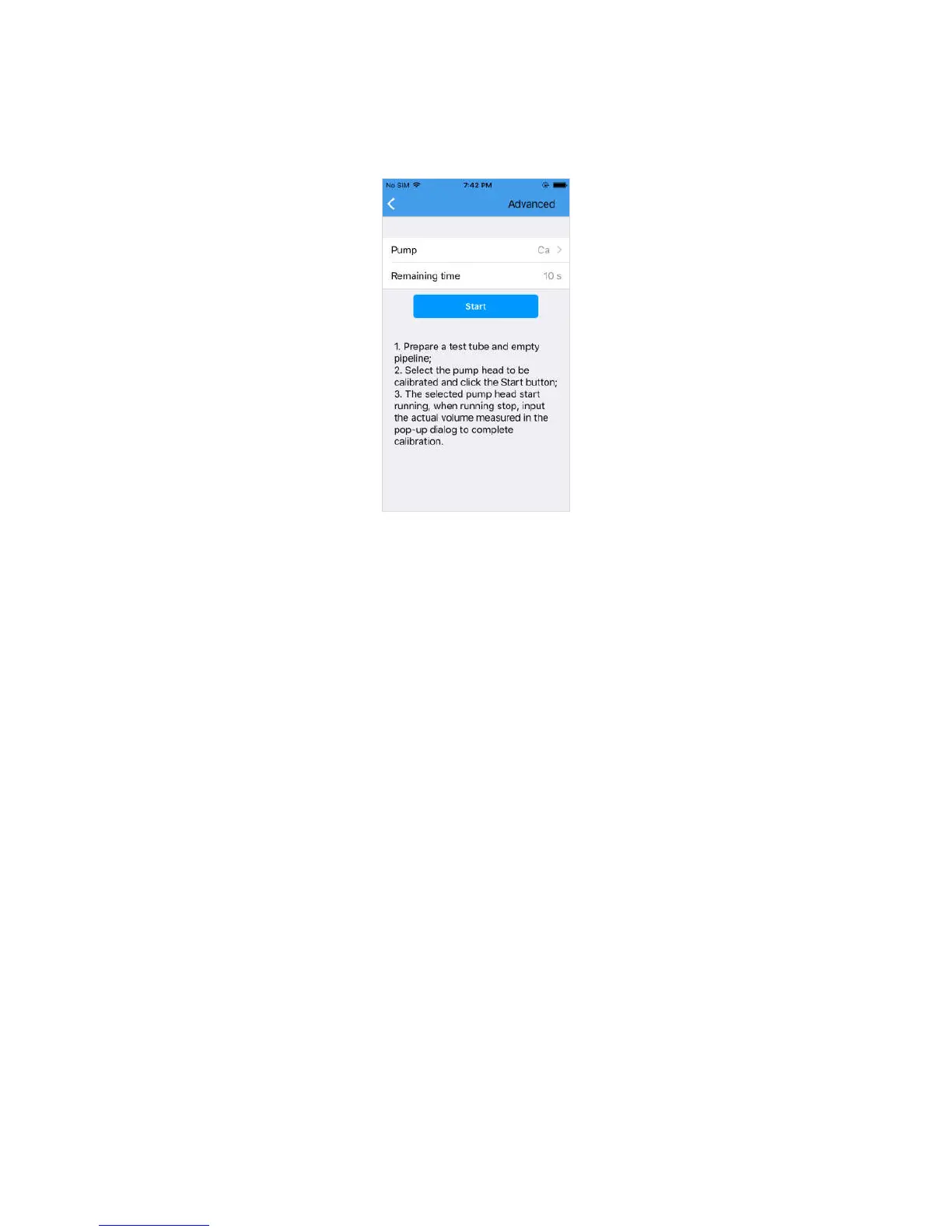
Click "Flow Calibration" in the upper right corner to enter the flow calibration page, as
shown in the following figure.
The purpose of the flow calibration is to improve the accuracy of the added element.
a. Select Pump Head
Optional pump 1, pump 2, pump 3, pump 4;
b. Remaining time
The time from now to the end of the calibration
After selecting the pump head and click the “Start” button to start the flow calibration,
then the “Start” button changes to “Stop”, you can click the “Stop” button at any time to
stop the flow calibration.
Please follow the prompts in the app for flow calibration.
Note:
a. Emptying the air in the pipeline with liquid prior to calibration.
b. In view of the different concentration of dosing liquid, the size and length of
the pipeline, please do the flow calibration before the first use.


 To Next Page