17KANE 258 MANUAL
Make sure you do not exceed the analyser’s operating specications. In
particular:
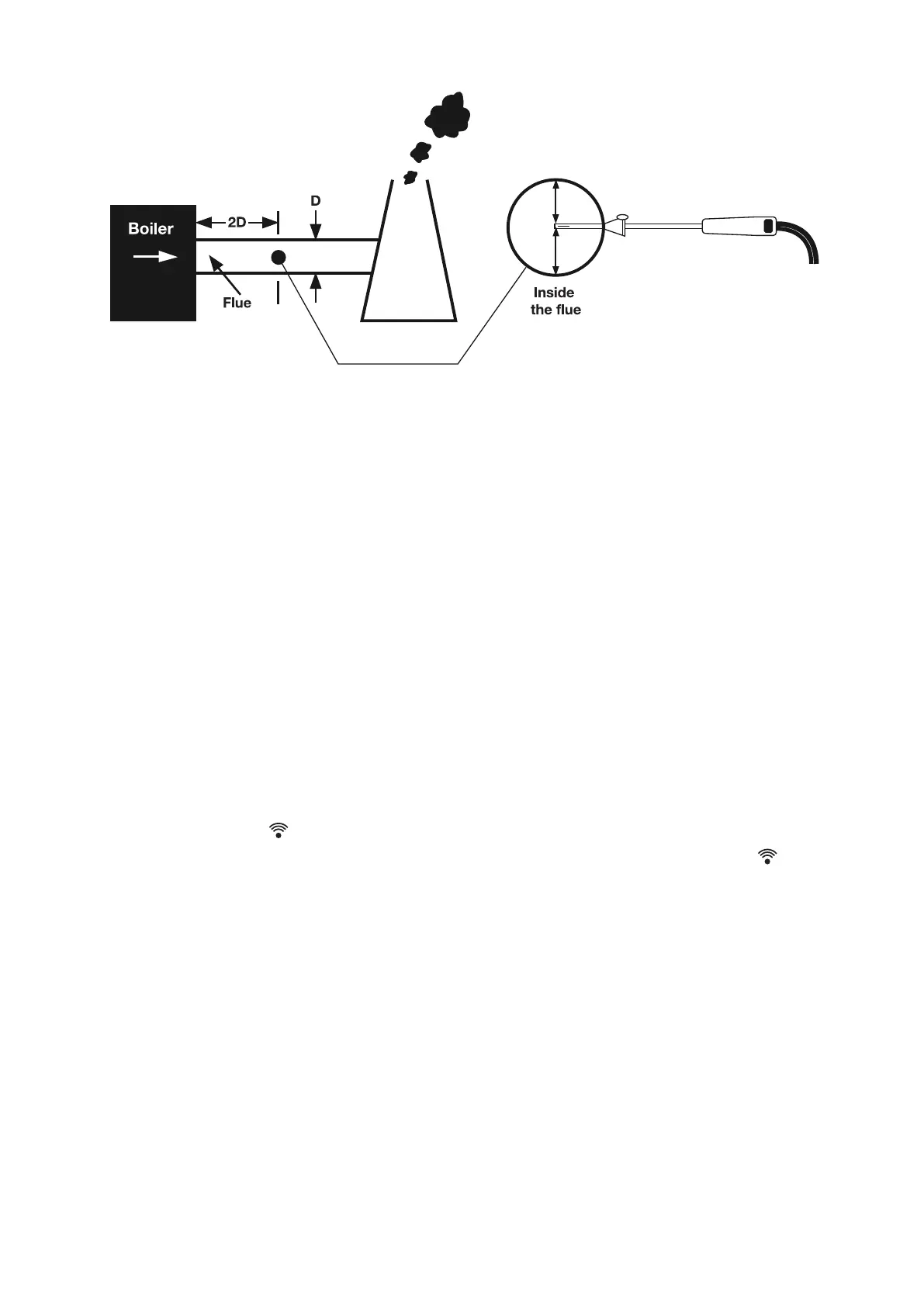
• Do not exceed the ue probe’s maximum temperature (600°C)
• Do not exceed the analyser’s internal temperature operating range
• Do not put the analyser on a hot surface
• Do not exceed the water trap’s levels
• Do not let the analyser’s particle lter become dirty & blocked
Look at your analyser’s displayed data to ensure stable operating
conditions are achieved & readings are within expected range.
PRINTING
Press & release to send your test results to our optional KANE
IRP-2 printer or KANE App. You can stop printing by pressing the
button again.
KANE INFRARED PRINTER
To use your printer, switch it on & place its infrared receiver in line with
the emitter on top of your analyser – allow a 15cm gap between your
analyser & printer.


 To Next Page