EasyManua.ls Logo

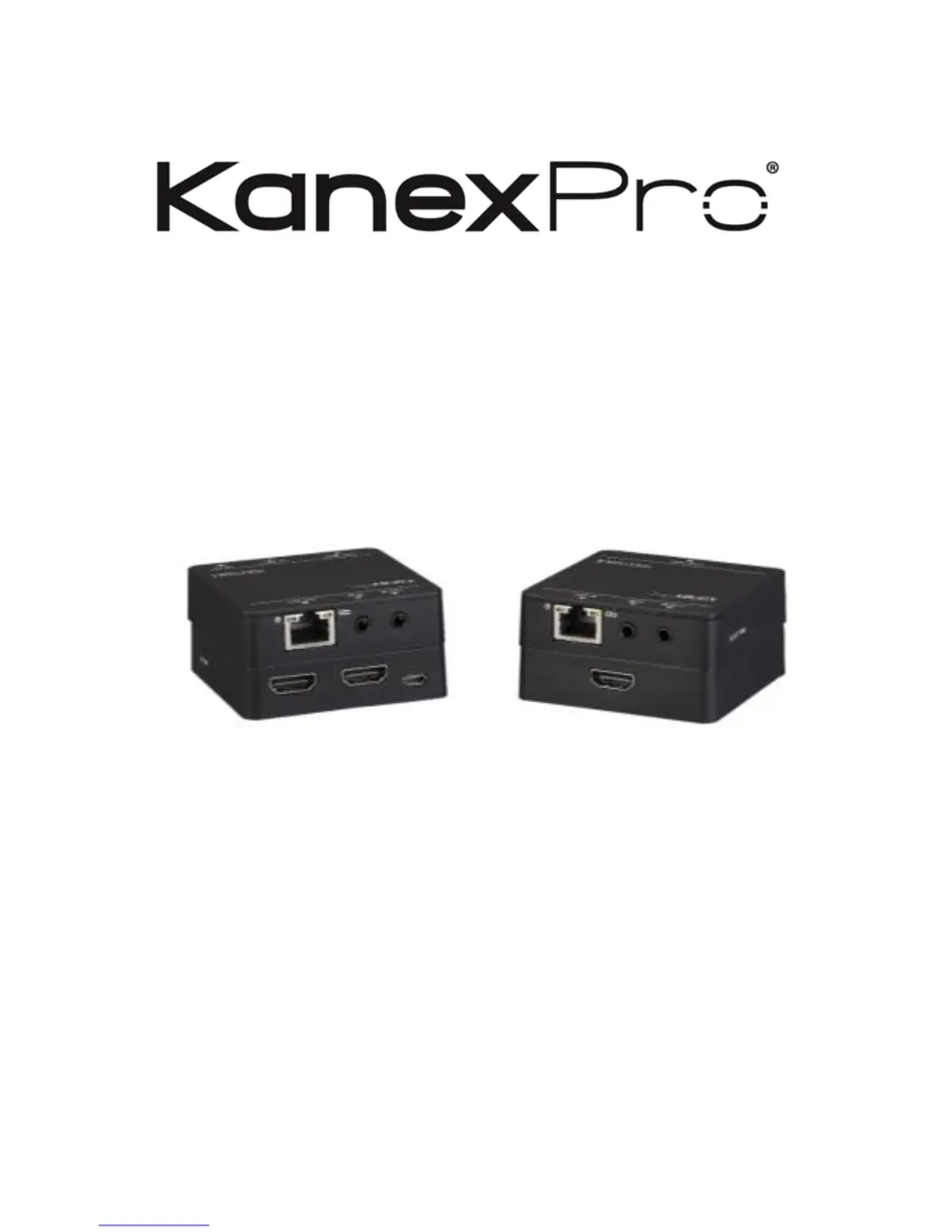
KanexPro HDEXT50M - User Manual

KanexPro HDEXT50M
12 pages
Print Icon
To Next Page IconTo Next Page
Loading...
HDEXT50M
USER MANUAL
Extend HD Signals over CAT 5/5e/6 up to 164ft.(50m)
All Rights Reserved
Version: HDEXT50M_2017V1.2

Other manuals for KanexPro HDEXT50M

Questions and Answers

  • E
    Eric HarrisonJul 28, 2025
    What to do if there is no output image when switching KanexPro Extender?
    • B
      Brian ShepherdJul 28, 2025
      If you're not seeing an output image when switching with your KanexPro Extender, here's what to check: * First, ensure there's a signal at both the input and output ends. Use an oscilloscope or multimeter to verify. * Confirm all connections are secure and not loose. * If the issue persists, the extender might be defective and should be sent to an authorized dealer for repair.
  • R
    Rebecca SmithAug 7, 2025
    How to fix output images in display show with ghost on KanexPro HDEXT50M Extender?
    • R
      Regina WilliamsAug 7, 2025
      If the display images from your KanexPro Extender appear with a ghost effect, it could be due to a couple of things. First, review your display settings to ensure they are correctly configured. Secondly, the cable you're using might be of poor quality. Try swapping it out for a high-quality cable to see if that resolves the issue.
  • K
    Kathy OwensAug 16, 2025
    Why static becomes stronger when connecting the video connectors of KanexPro HDEXT50M?
    • A
      Alison SweeneyAug 16, 2025
      If you notice static increasing when connecting the video connectors on your KanexPro Extender, it might be due to a grounding issue. Ensure the grounding is properly connected and secure.

Summary

Introduction

Panel Description

System Connection

Usage Precautions

Precautions for safe installation and operation in appropriate environments.

System Diagram

Visual guide illustrating the system connection layout for the extender.

Connection Procedure

Step-by-step guide for connecting source, display, CAT cable, and power.

Specification

Troubleshooting & Maintenance

After-sales Service

Product Limited Warranty Details

Details the product warranty period and conditions for defects in materials and workmanship.

Warranty Coverage Exclusions

Lists exclusions from warranty coverage, including misuse, unauthorized servicing, and missing proof of purchase.

Technical Support Information

Provides contact information and required details for seeking technical assistance or reporting issues.

Warranty Policy

Limited Warranty Terms

States the warranty terms for product performance and freedom from defects for 36 months.

Customer Remedies and Voiding Conditions

Outlines customer remedies like return, repair, or replacement, and conditions that void the warranty.

Disclaimer of Other Warranties

Disclaims other warranties beyond the stated limited warranty, as permitted by law.

Limitation of Liability for Damages

Limits the manufacturer's liability for various types of damages arising from product use or inability to use.

KanexPro HDEXT50M Specifications

General IconGeneral
CategoryExtender
TypeHDMI Extender
Maximum Distance50 meters
Transmission MethodHDBaseT
HDMI VersionHDMI 2.0
Power Supply5V/1A DC
Video Bandwidth10.2 Gbps
HDCPHDCP 2.2
Transmission Distance at 1080p50 meters
Supported ResolutionsUp to 4K
Video Resolution4K@30Hz
Connector TypeHDMI, RJ45
Input PortsHDMI
Output Ports1
Operating Temperature0°C to 40°C
Storage Temperature-20°C ~ 60°C (-4°F ~ 140°F)
Humidity20~90% RH (Non-condensing)

Related product manuals