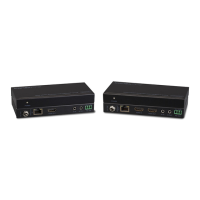
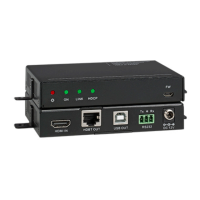
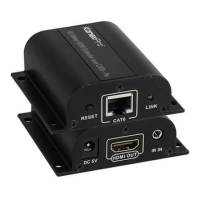
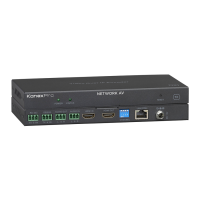
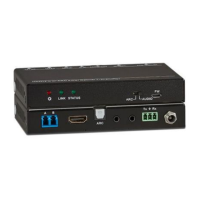
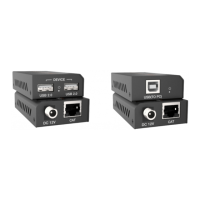
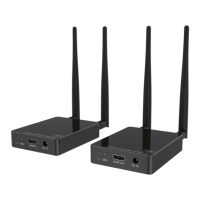
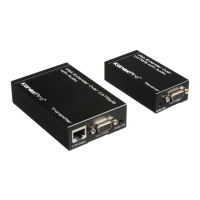
The KanexPro HDBASE100ME is a sophisticated HDBaseT extender system designed to transmit Ultra HD 4K, multi-channel audio, Ethernet, and IR signals over a single Cat 6 cable. This transmitter-receiver set is capable of extending high-definition signals up to 330 feet (100 meters), making it ideal for a wide range of commercial A/V applications such as digital signage, hotels, restaurants, large screen displays, tradeshows, conference rooms, education, and banking institutions.
Function Description
The core function of the HDBASE100ME is to extend various signals over a single twisted pair cable, simplifying cabling and installation. It comprises a transmitter unit and a receiver unit, both housed in durable metal enclosures with a sturdy finish.
- HDMI Extension: The device supports the extension of HDMI signals, including Ultra HD 4K, 1080p, and 3D resolutions. It is fully compliant with HDCP, EDID, and DDC channels, ensuring compatibility with a broad array of HDMI source devices and displays. The HDMI connectors are designed with a locking mechanism to prevent accidental disengagement and signal loss.
- Ethernet Integration: A key feature of this extender is the integration of two Ethernet ports on both the transmitter and receiver units. These ports allow for the connection of standard network devices such as Apple TVs, network-based media players, Smart TVs, 100Base-T routers, switches, and hubs, providing LAN access over the same Cat 6 cable used for video and audio. When setting up as a LAN, one of the four Ethernet ports (two on the transmitter, two on the receiver) should be used for Internet access, while the others can connect to computers. Yellow LED indicators on the corresponding ports will blink when well connected, and green ones will stay on when working.
- Audio Transmission: The HDBASE100ME supports multi-channel audio, including Dolby TrueHD and DTS Master Audio, as well as uncompressed audio formats like LPCM. Audio signals are embedded over the extension, ensuring high-quality sound delivery alongside video.
- IR Signal Extension: Infrared (IR) signal input/output is also embedded over the extension. This allows users to control source devices from the display location or vice versa, enhancing convenience in remote setups. Both the transmitter and receiver have IR IN and OUT ports. If one unit acts as an IR signal receiver, the other must send out the IR signal. For example, if the "IR IN" of the transmitter is connected to an IR receiver, the IR Emitter must be connected to the "IR OUT" of the receiver.
- RS-232 Control: The extender provides bi-directional RS-232 control between the transmitter and receiver. This enables connection with a control terminal to manage the controlled terminal, facilitating integration into larger control systems. The RS232 port of a computer can be connected to either the transmitter or receiver, as the RS232 signal can be transmitted bi-directionally.
Usage Features
The HDBASE100ME is designed for straightforward installation and reliable performance.
- Simple Connection Procedure:
- Connect the HDMI source device (e.g., DVD player) to the HDMI IN port of the transmitter using an HDMI cable.
- Connect the HDBASE100ME port of the transmitter to the HDBASE100ME port of the receiver with a single CAT5e (or better) cable.
- Connect the HDMI displayer (e.g., HDTV) to the HDMI OUT port of the receiver using an HDMI cable.
- Configure IR and Ethernet connections as needed, ensuring proper routing for control and network access.
- Connect the RS232 port of a computer to either the transmitter or receiver for bi-directional control.
- Finally, connect the DC5V power adapters to both the transmitter and receiver units.
- LED Indicators: Front panel LEDs provide visual feedback on link activity and HDCP authentication status.
- HDCP LED: Stays on when connected to an HDCP-compliant device that is working normally; blinks if the device does not support HDCP.
- Link LED: Indicates the Twisted Pair Link status; stays on when the connection is successful.
- Mode LED: Shows the working status; blinks during normal operation, turns off when stopped.
- Power LED: Turns red and stays on when power is supplied.
- Robust Design: The metal enclosure and locking power connectors contribute to the unit's durability and prevent accidental power disconnection.
- Cable Recommendation: For optimal transmission, it is recommended to use a CAT5e cable with low impedance. Shielded twisted pair cables are preferred and should be well grounded for the best transmission effect.
Maintenance Features
The HDBASE100ME includes several considerations for troubleshooting and safe operation to ensure longevity and reliable performance.
- Troubleshooting Guide:
- No Video/Color Loss: Check HDMI and Cat5e cables, or try different cables.
- COM Port Control Issues: Verify the COM port number in the software, ensure the COM port is in good condition, and confirm the communication protocol is correct.
- No Output Image:
- Check for input signal presence.
- Check for output signal presence (using an oscilloscope or multimeter). If no signal, inspect cables and connectors.
- Ensure the output port number matches the controlled one.
- If issues persist, contact technical support.
- Increased Static: This may indicate poor grounding. Check grounding connections.
- Unit Malfunction: If the extender cannot be controlled via RS232 or IR remote, contact support.
- Safety Operation Guide:
- Grounding: The system must be properly earthed. Avoid two-blade plugs and ensure the alternating power supply is within 100V-240V and 50Hz-60Hz.
- Temperature Control: Do not place the device in excessively hot or cold environments.
- Ventilation: Ensure fine ventilation in the working environment to prevent overheating, as the device generates heat during operation.
- Power Disconnection: Cut off the general power switch in humid weather or if the unit will be unused for a long time. Always pull out the alternating current wire from the power supply before:
- Taking off or reshipping any components.
- Taking off or rejoining any pin or other link of the equipment.
- Professional Service: Do NOT attempt to open the casing or repair the equipment yourself without professional permission, to avoid accidents or increasing damage.
- Liquid/Chemicals: Do NOT splash any chemical substances or liquids on or around the equipment.
The KanexPro HDBASE100ME is a comprehensive solution for extending high-quality multimedia and network signals over long distances, offering robust features and ease of use for professional installations.

 Need help?
 General

 To Next Page