HDEXT50M
7 | P a g e
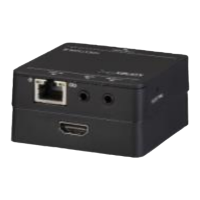
① CAT IN: RJ45 connector with Green& Yellow indicators. Connect to Transmitter
over CATx cable.
② IR IN: Connect with IR Receiver.
③ IR OUT: Connect with IR Emitter.
④ HDMI OUT: Connect to display.
⑤ EQ SETTING: After the system is connected, press this button three to six times
repeatedly until the best image output. When the cable, source, or display is
changed, or reset the output resolution, it is need to press this button repeatedly to
ensure the best image.
Pictures shown in this manual are only for reference.
3. System Connection
3.1 Usage Precautions
▪ System should be installed in a clean environment, which should have a proper
temperature and humidity.
▪ All the power switches, plugs, sockets and power cords should be insulated and
safe.
▪ All devices should be connected before powered on.
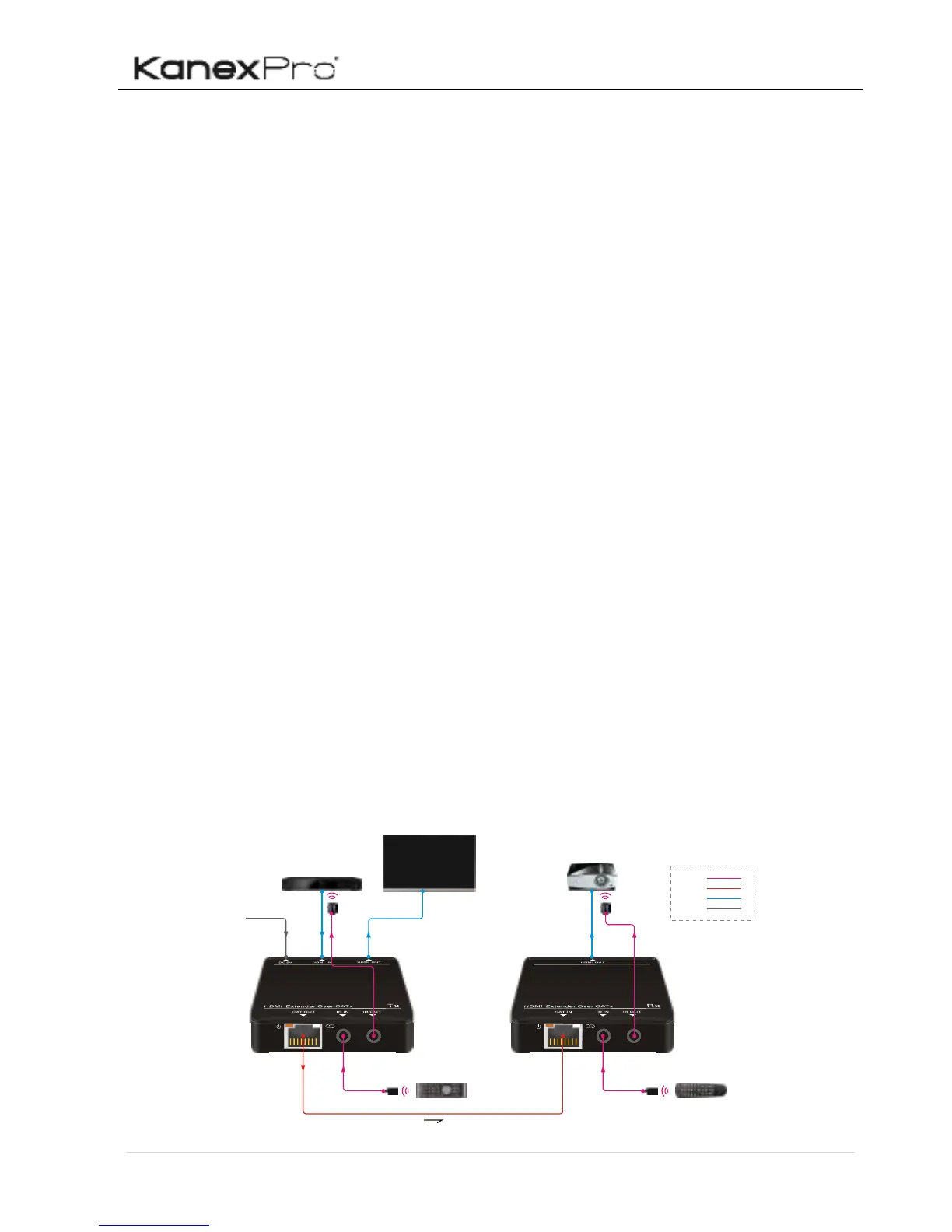
▪ System Diagram shown in this manual is for reference only; more specific
schemes depend on real-time applications.
3.2 System Diagram


 To Next Page