7 of 24 © 2011 D 538e - 02/11
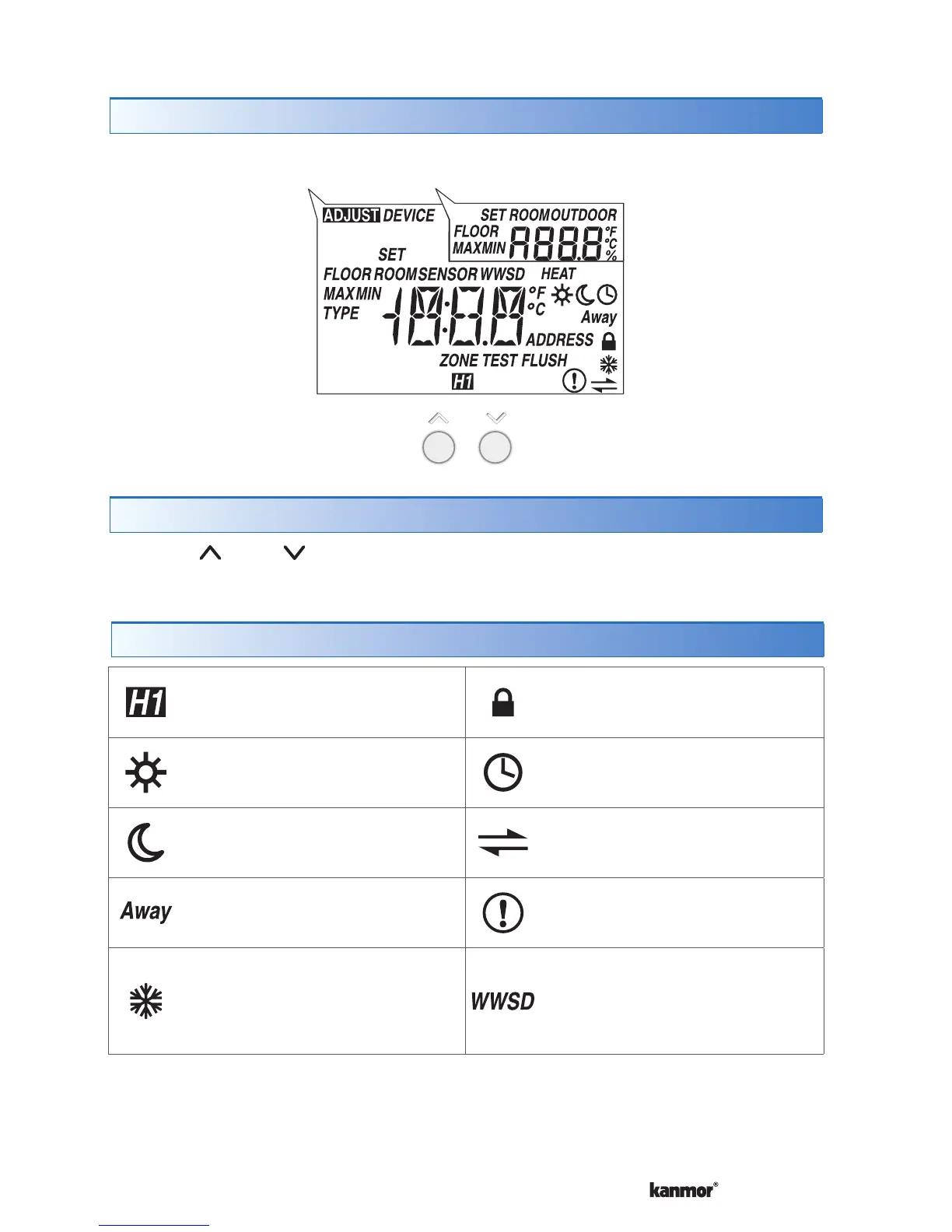
SECONDARY DISPLAYMAIN DISPLAY
HEAT
Heat is turned on.
SUN
Operating at the occupied
(day) temperature.
MOON
Operating at the unoccupied
(night) temperature.
AWAY
Operating at the Away scene
temperature.
COOL GROUP
The cooling group is cooling.
Heating can start once the
cooling is finished.
LOCK
Locked to ‘User’ access level.
CLOCK
Operating on a
programmable schedule.
tekmarNet
®
Communication is present.
WARNING SYMBOL
Indicates an error is present.
WARM WEATHER SHUT
DOWN
The heating system has been
shut off for the summer.
Display
Symbols Description
User Interface
Button Operation
Press the or the button to select the room temperature.


 To Next Page