8 of 24© 2011 D 538e - 02/11
Settings (1 of 7)
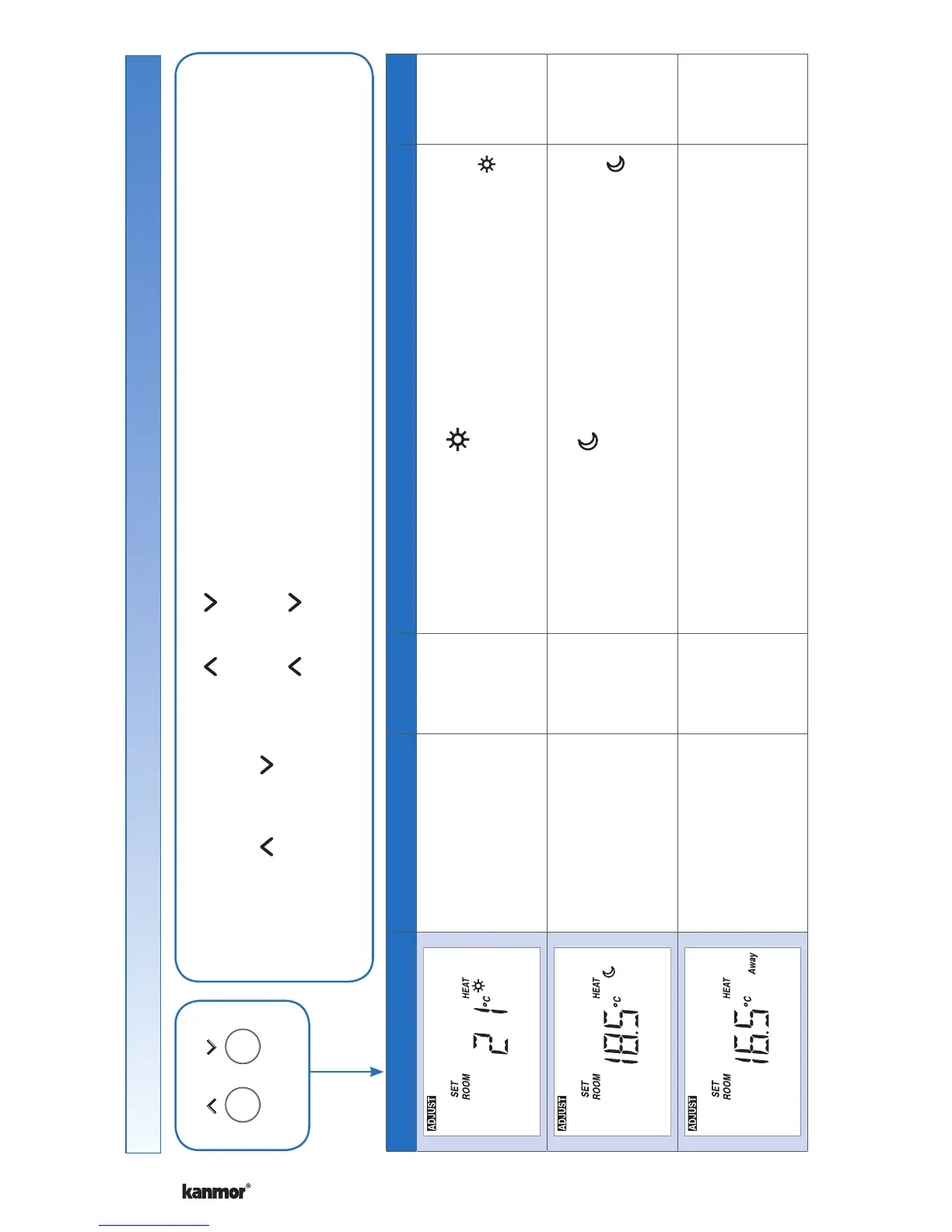
Display Range Access Description Set to
40 to 95°F
(4.5 to 35.0°C)
Default = 70°F
(21.0°C)
Installer
User
SET ROOM HEAT
Set the room heating temperature while in the
event.
40 to 95°F
(4.5 to 35.0°C)
Default = 65°F
(18.5°C)
Installer
User
SET ROOM HEAT
Set the room heating temperature while in the
event.
40 to 95°F
(4.5 to 35.0°C)
Default = 62°F
(16.5°C)
Installer
SET ROOM HEAT AWAY
Set the room heating temperature while in the Away
scene.
Continued on next page.
• Press and hold down both the and buttons for 2 seconds to change from one step to the next.
• Release both buttons once the step has been reached.
• Press the or the button to change the setting, if available.
• Press and hold down both the
and buttons for 2 seconds to go to the next step, OR
• After 10 seconds of no button activity, the display goes back to normal operation.
• Note: Set switch setting #4 and tekmarNet
®
system control to Unlock to change Access level to Installer.
Press
+
Together


 To Next Page