10
Connecting to a Smart Home Device or Network Streamer
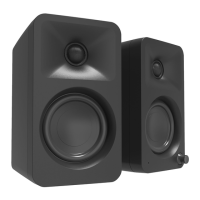
REN features an optical input and Bluetooth
®
to cover all connection methods a smart home
device or network streamer may utilize. Please note the following steps are a general overview –
the actual procedure will vary depending on device.
1. Setup your device using the manufacturer's instructions or app. Ensure it is working correctly
before trying to connect it to REN.
2. If your device has an audio output, plug one end of the required cable into the device and the
other into REN.
3. If your device only has Bluetooth
®
, refer to the device’s instructions or app to complete
Bluetooth
®
setup.
4. Turn ON or wake REN and select the input that your device is connected to using REN's control
knob or remote.
After you adjust the volume on the speakers, you should hear the audio from your device being
played through the speakers. You have the option to disable the automatic power down feature
on REN to prevent the speakers from going into standby so you don’t miss any notications or
prompts (see Pg. 14).
If you’d like the speakers to automatically power down while your device is not in use you may
want to enable the wake up sound on your device. REN takes several seconds to wake up when it
detects audio. Enabling a wake up sound will give the speakers a head start before audio begins
streaming from your device. Refer to your device’s manual for instructions on how to enable the
wake up sound if available.
USB Charging Operation
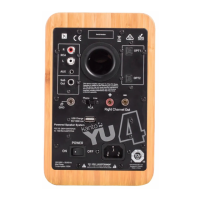
REN features one 5 V / 1 A USB charging port on the back panel. This is a convenient power source
for smart home devices or network streamers.
USB charging is available while REN is awake or in standby.



 To Next Page