14
LED
RESET
sec
sec
Special Functions
Sound Modes
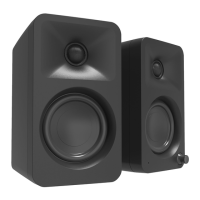
REN oers two sound modes to solve some common issues faced when watching modern content.
Vocal Boost increases midrange frequenices found in the human voice to improve intelligibility
when dialogue is quiet.
Night Mode applies a high-pass lter to the speakers and mutes any attached subwoofer to reduce
low frequency content that could transmit to other areas of your home or through walls. A small
amount of compression is also applied in this mode to gently reduce the volume of quick, loud
sound eects.
Press the Sound Mode button once to enable Vocal Boost, and one more time to enable Night
Mode. Pressing the button a third time will revert the speakers to normal, but you can quickly hold
the Sound Mode button for 5 seconds to quickly revert back to normal without cycling through the
Sound Modes.
Automatic Power Up (APU) / Automatic Power Down (APD)
REN is designed to save power when not in use. When no audio signal has been detected for 15
minutes, REN will automatically power down (APD) into standby. If the audio
signal returns via the same input that REN was playing when it entered standby,
REN will automatically power up (APU). It can also be woken up manually by:
• Pressing the Standby Button on the Remote
• Pressing the Control knob
If you do not nd the APU feature useful, you can disable it by pressing the
Treble Reset button on the remote and holding it for 5 seconds. The LED will
blink once to indicate that you have disabled the APU feature. To enable APU if
you have disabled it, simply press and hold the Treble Reset button again for 5
seconds. The LED will blink twice to indicate that you have enabled APU.
If you do not nd the APD feature useful, you can disable it by pressing the Bass
Reset button on the remote and holding it for 5 seconds. The LED will blink once
to indicate that you have disabled the APD feature. To enable APD if you have
disabled it, simply press and hold the Bass Reset button again for 5 seconds.
The LED will blink twice to indicate that you have enabled APD.
Factory Reset
From active state, press and hold the control knob for 10 or more seconds.
The front LED will blink twice, then the unit will go into standby with all factory
settings restored.
LED Brightness
REN's LEDs on the front panel can be adjusted to 5 brightness levels including o. Cycle through
the brightness settings by pressing the LED button on the REN remote.



 To Next Page