Chapter 7 - Commands and Messages
51
BUdlist ON|OFF default OFF
When ON, only packets from the stations specified in
BUDCalls
will be monitored. If there are
no calls in
BUDCalls
the setting of
BUdlist
is ignored.
CALibrat
The
CALibrate
command is used to generate a square-wave signal which may be used as an
aid in tuning the transceiver for operation with the KAM. Use of this command is explained in the
Calibrate Section of the manual, Chapter 5.
CAnline
n
default $18 (CTRL-X)
This command is used to change the cancel-line input editing command character. For exam-
ple, entering CTRL-X will cancel a partial line typed to the unit.
CANPac
n
default $19 (CTRL-Y)
n
may be set to any value between 0 and $7F, or, with
8bitconv
set to ON, to any value be-
tween 0 and $FF, specifying an ASCII character. This command is used to change the cancel pack-
et command character. This character functions as a cancel output character in command mode.
Typing the cancel output character a second time restores normal output.
CCitt ON|OFF default OFF
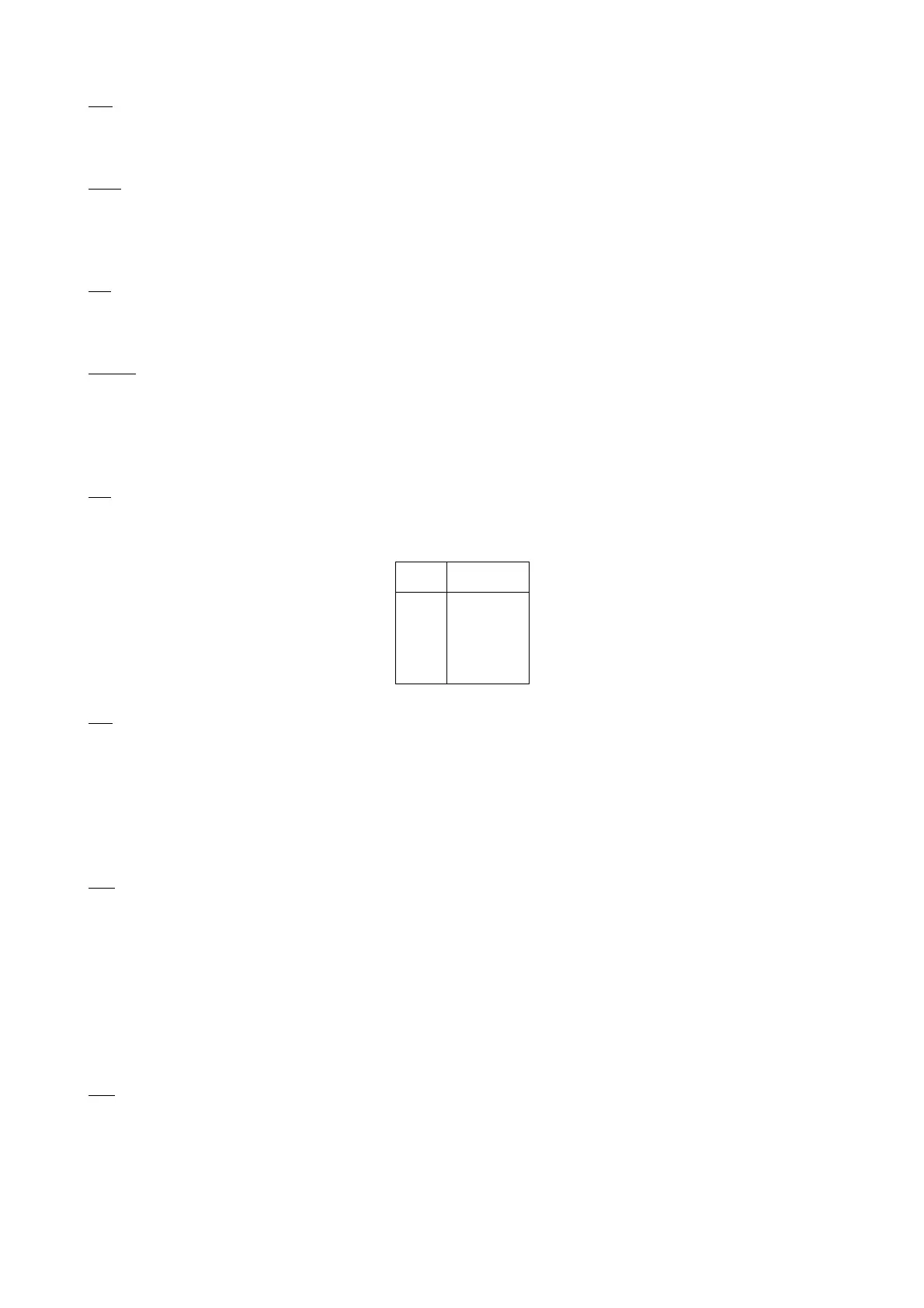
When ON, the European RTTY code (ITA2) is used in the RTTY Mode. This code differs from
US TTY codes in the following 4 characters:
ITA2 US TTY's
BELL
'
+
=
'
BELL
"
;
CHeck
n
default 0/0
n
may be set to any value between 0 and 31 , each increment specifying 10 second intervals.
If n is greater than zero, then a periodic check will be made to determine that a connected state
still exists when no activity has occurred for
n
× 10 seconds. This prevents "hang-up" in a con-
nected mode when a link failure occurs as a result of conditions beyond control of the connected
stations. If
n
=0, then this timeout function is disabled. If using version 1 protocol, a check timeout
will initiate a disconnect.
CMdtime
n
default 1
n
may be set to any value between 0 and 15, each increment specifying 1 second intervals.
This command sets the time allowed for entry of required characters to escape the Transparent
Mode. In order to allow escape to Command Mode from Transparent Mode, while permitting any
character to be sent as data, a guard time of
CMdtime
seconds is set up. Three command charac-
ters must be entered within
CMdtime
of each other, with no intervening character, after a delay of
CMdtime
since the last data characters were typed. After a final delay of
CMdtime
the unit will exit
Transparent Mode and enter Command Mode. At this time you should see the cmd: prompt. If
CMdtime
is set to zero, the only exit from Transparent Mode is a break.
CMSg ON|OFF default OFF/OFF
This command enables the automatic sending of the message entered as
CTEXT
. If ON, this
message will be the first packet sent whenever another station connects to you.



 To Next Page