Chapter 7 - Commands and Messages
75
APPENDIX I - SAMPLE TERMINAL PROGRAM
The following BASIC programs can be used to operate the Kantronics All Mode Unit (KAM) with
the computers listed.
CAUTION: Each of the programs is a simple example of the necessary statements required to con-
figure the computer for operation with an external device via the RS-232/TTL port. These simple
terminal programs will NOT do file transfers buffering of data and typing
BASIC PROGRAM FOR THE VIC-20/C-64 AND THE KAM
10 CLOSE2
20 OPEN2,2,3,CHR$(6)
30 GET#2,A$
40 REM
50 GET B$
55 IF B$=CHR$(133) THEN GOTO 100
60 IF B$<>""THEN PRINT#2,B$;
70 GET#2,C$
80 PRINT C$;
90 GOTO 50
100 CLOSE2
110 END
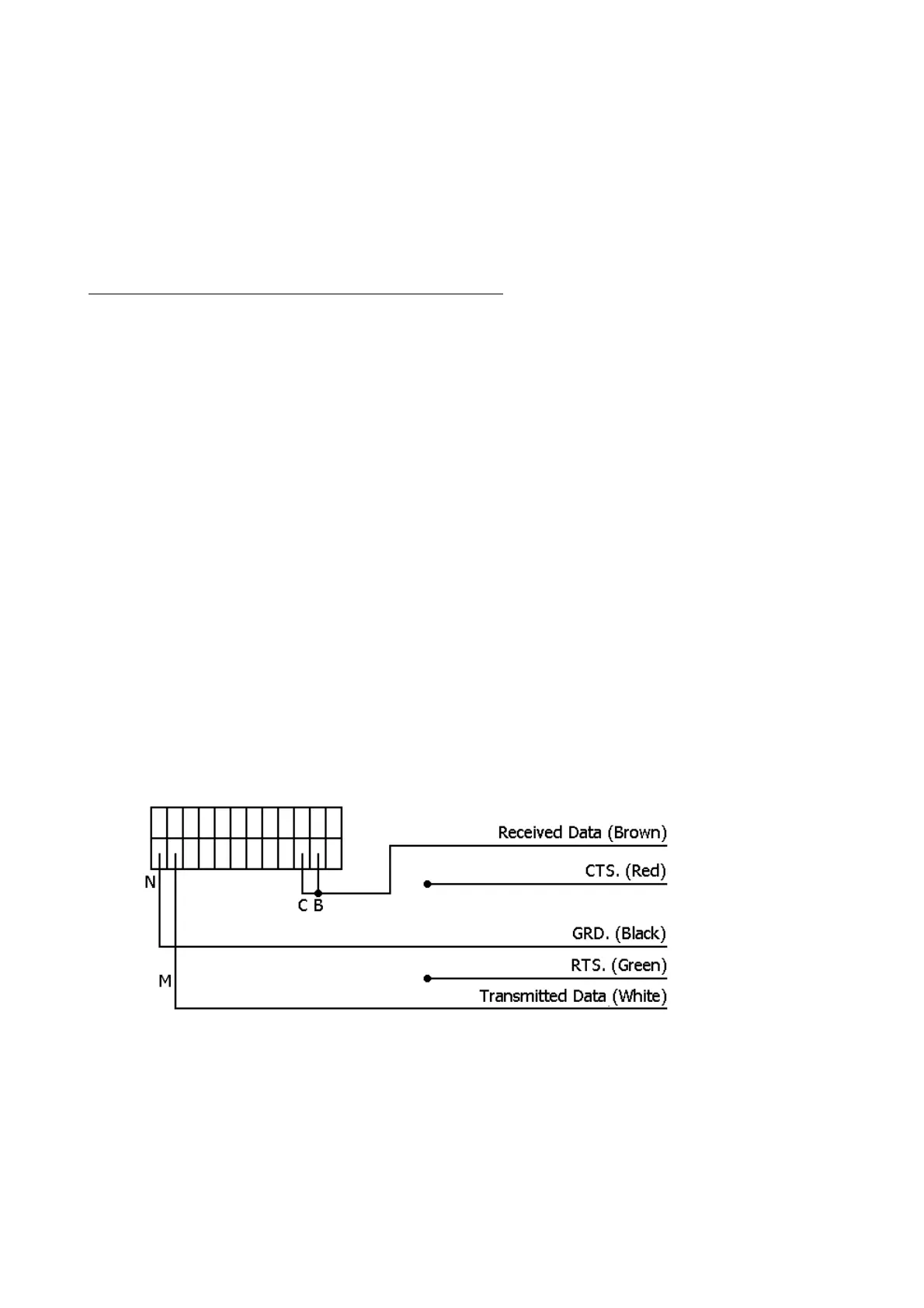
Wire a 24 pin edge connector, as shown, to the cable provided with the KAM. The #1 function
key will return the C-64 computer to BASIC. For use with the VIC-20, change the
COMmand
(see
command section) parameter to $05. A CTRL-2 command will return the unit to the Command
Mode. The VIC-20 does not have a CTRL-C command. Also, if graphics characters appear, use the
shift key with the Commodore key to change the character set.
Don't forget to change the jumper behind the front, panel from RS-232 to TTL for the COMMO-
DORE-64 or VIC-20.
Commodore 64 & Vic-20
▲
24 pin Double Edge
Card Edge Connector



 To Next Page