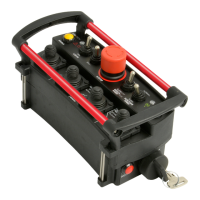
MACRO REMOTE
1. Press and hold the POWER
button for more than 10
seconds. LEDs should blink
at this point
2. Apply power to the receiver
and press any switch.
Green LED stays on when
teaching is in progress and
it turns off when teaching
is complete
3. Teach complete
OUTPUTS
Each of the outputs from the
receiver module is designed with
built-in short circuit and
overload protection. The
outputs can also detect a no-
load or broken wire condition.
These error conditions are
evident by the red LED indicator
or alphanumeric display on the
receiver module or the
HISTOGRAM page on the
optional Gate.
The ON/OFF outputs will indicate
an error under no load or broken
wire status if NOT activated, and
current regulated outputs will
detect a short IF activated.
INSTALLATION
Refer to the WIRING CHART in
this manual for hookup of the
harness.
To install the receiver module,
use the two mounting holes
provided on the enclosure to
attach it in a vertical manner
with the connectors facing down.
Please take extra caution not to
damage internal components
while installing. For high
vibration applications, use shock
absorbing mounts. It is advised
to mount the radio receiver as
high as possible, keeping clear
of metal obstructions around the
antenna which might affect RF



 To Next Page