EasyManua.ls Logo

Kärcher CVH 2 - User Manual

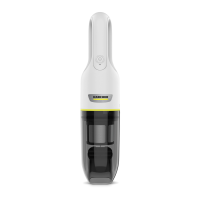
Kärcher CVH 2
40 pages
Print Icon
To Next Page IconTo Next Page
Loading...
CVH 2
97698560
(12/23)
OPERATOR MANUAL. . . . . . . . . . .
MANUAL DE USUARIO . . . . . . . . .
MANUEL D’UTILISATION. . . . . . . 


Other manuals for Kärcher CVH 2

Questions and Answers

  • L
    Leah SpenceJul 29, 2025
    Why is my Kärcher Vacuum Cleaner suction decreasing?
    • B
      brossJul 29, 2025
      Decreased suction capacity in your Kärcher Vacuum Cleaner, along with unusual sounds, may be due to a full dust container or a clogged HEPA filter set. To resolve this: * Check the dust container. * Empty or clean the dust container, HEPA filter, and steel net filter. * Inspect and clean the filter.
  • S
    Sheryl MartinezAug 3, 2025
    What to do if my Kärcher CVH 2 does not run?
    • M
      Matthew MurphyAug 3, 2025
      If your Kärcher Vacuum Cleaner isn't running, it could be due to a nearly empty battery. Charge the battery. Alternatively, the appliance may be overheating. In this case, check if the dust container is clogged, clean the dust container, and then switch the appliance on again.
  • W
    William ThompsonAug 9, 2025
    Why does my Kärcher Vacuum Cleaner have decreased suction?
    • M
      mooneytracyAug 10, 2025
      If you notice the suction capacity decreasing or hear abnormal, louder noises from your Kärcher Vacuum Cleaner, the dust container might be full or the HEPA filter set could be clogged. Check the dust container and clean the filter to resolve this.
  • D
    Daniel CrossAug 15, 2025
    Why is my Kärcher Vacuum Cleaner suction weak?
    • S
      Samantha OrtizAug 15, 2025
      If you notice the suction capacity decreasing or hear abnormal, louder operating noises, it could be due to a full dust container. Check the dust container and empty it if necessary. Also, the HEPA filter set might be clogged, so inspect and clean the filter.
  • J
    Jeffrey EdwardsAug 22, 2025
    What to do if my Kärcher CVH 2 Vacuum Cleaner won't turn on?
    • C
      Corey GrayAug 22, 2025
      If your appliance isn't running, the battery might be nearly empty. Try charging the battery. Also, the appliance could be overheating. Check if the dust container is clogged, and if so, clean it. Then, switch the appliance on again.

Summary

Operation Manual

Hazard Levels and Safety Precautions

Explains different danger levels and provides key safety instructions for device use.

Intended Use and User Responsibilities

Details the device's intended household use and outlines owner/user responsibilities.

Customer Service Information

Provides contact information and procedures for customer support.

Usage Guidelines and Environmental Considerations

Improper Use and Prohibited Vacuuming

Lists prohibited uses and specific substances or items that should not be vacuumed.

Environmental Protection and Disposal

Guidance on recycling packaging materials and proper disposal of the device.

Product Support and Information

Registration, Warranty, and Service Contacts

Instructions for product registration, warranty details, and customer service contact information.

Scope of Delivery Check

Advice to check package contents for completeness upon unpacking.

Technical Specifications

Electrical and Performance Data

Details electrical connection, device performance metrics, and sound levels.

Dimensions and Weights

Provides the physical measurements and weight of the appliance.

Unit Overview and Components

Component Identification

Labels and descriptions of the various parts of the vacuum cleaner.

Operating the Vacuum Cleaner

Starting and Stopping Operation

Instructions on how to turn the appliance on and off for vacuuming.

Charging and Battery Status Indicators

Steps for charging the device and understanding its battery status indicators.

Accessories, Transportation, and Storage

Standard Accessories and Their Use

Describes the use of different nozzles for specific cleaning tasks.

Transportation and Storage Guidelines

Information on safe transport and recommendations for storing the appliance.

Care and Maintenance

Maintenance Precautions and Filter Replacement

Reminders for maintenance, filter checks, and when to replace filters.

Cleaning the Filter Set and Dust Container

Filter Cleaning and Drying Procedures

Step-by-step guide for cleaning, drying, and reassembling filters and container.

Troubleshooting Common Issues

Appliance Not Running or Low Suction

Solutions for common problems like the appliance not starting or experiencing reduced suction.

Kärcher CVH 2 Specifications

General IconGeneral
Battery typeBuilt-in
Power sourceBattery
Charging time- h
Battery voltage7.2 V
Battery capacity2 Ah
Maximum input power- W
Runtime with motorized brush (high speed)10 min
Product colorBlack, White
Dust container typeBagless
Noise level78 dB
Cleaning typeDry
Vacuum air filteringHEPA
Dirt separating method-
Weight and Dimensions IconWeight and Dimensions
Depth75 mm
Width76 mm
Height330 mm
Weight1600 g

Related product manuals