English 23
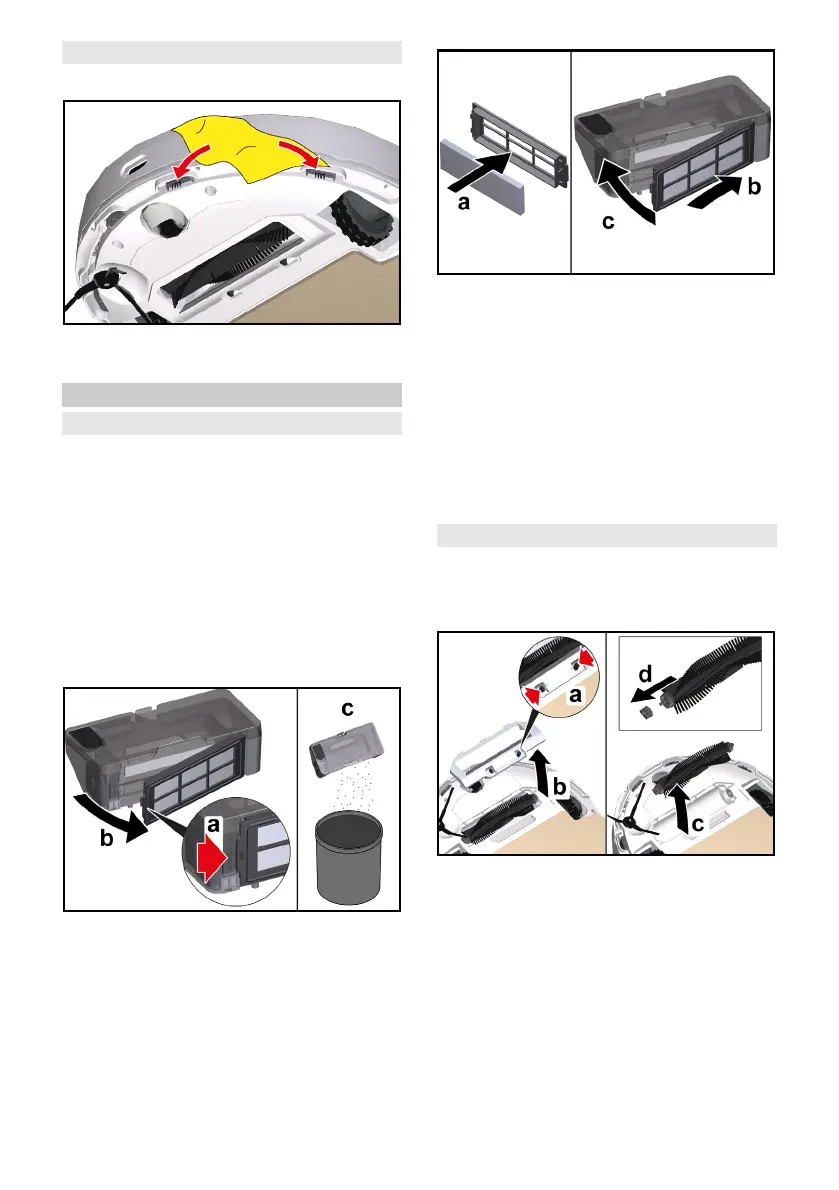
Cleaning the fall sensors
Clean the fall sensors monthly.
1. Wipe the fall sensors with a soft
cloth.
Replace
Replacing the filter
We recommend replacing the filter af-
ter 3 to 6 months.
1. Press any key.
The cleaning robot stops.
2. Remove the 2-in-1 dust container
with water reservoir or the dust con-
tainer, see chapter Removing the 2-
in-1 dust container with water reser-
voir or Removing the dust container.
3. Remove the filter.
a Open the filter flap.
b Remove the filter flap.
c Remove the filter.
4. Install the new filter.
a Insert the filter.
b Insert the filter flap.
c Close the filter flap.
5. Install the 2-in-1 dust container with
water reservoir or the dust container,
see chapter Installing the 2-in-1 dust
container with water reservoir or In-
stalling the dust container.
6. Press the On / Off button.
The cleaning process continues.
Replacing the brush
We recommend replacing the brush af-
ter 6 to 12 months.
1. Remove the brush.
a Press the clamps together.
b Remove the brush cover.
c Remove the brush.
d Remove the brush bearing.
2. Install the new brush.




 To Next Page