Karel MS128 Installation & Maintenance Guide
Edition 3.2
56
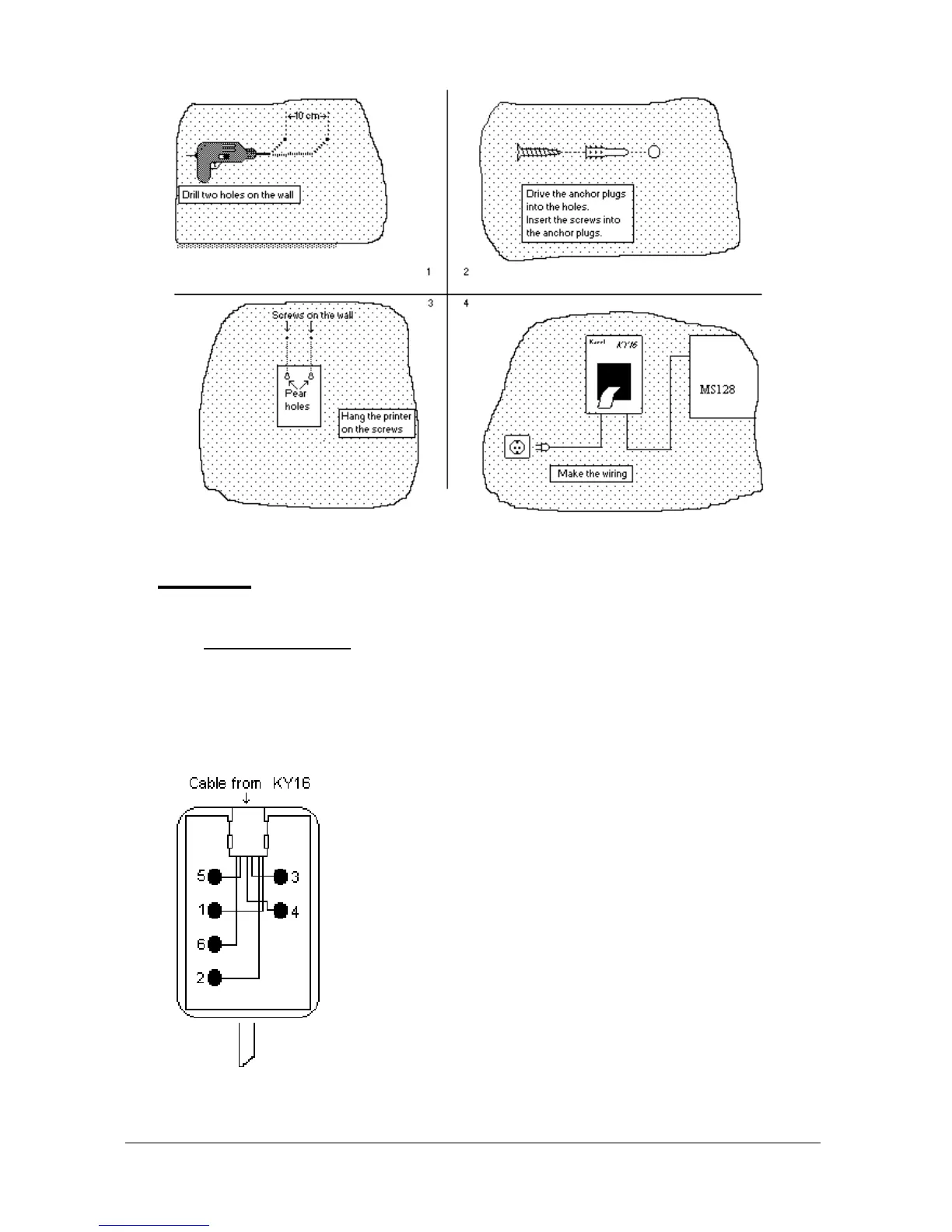
Figure B-11
• C
ABLING
The power cabling can be established via the built-in mains cable.
The printer data cable that emerges from the bottom of the KY16 Mini Printer
has a connection box (with a cable) at its free end. The printer end of the data
cable is attached to the connection box through a 6-pin RJ plug. The cable that
comes out of the connection box is not used for connecting KY16 to the
MS128 system.
The following signals are present on the connection box of printer data cable :
1- Data Signal
2- GND
3- No Connect
4- No Connect
5- Busy Signal
6- No Connect
Figure B-12



 To Next Page