Karel MS128 Installation & Maintenance Guide
Edition 3.2
60
It is also necessary to enter the related programming code for selecting the PC
as the CRL (Call Record Listing) media, as explained in the MS128
Programming Guide.
III.3.B. SERIAL PRINTER INTERFACE
• C
ABLING
:
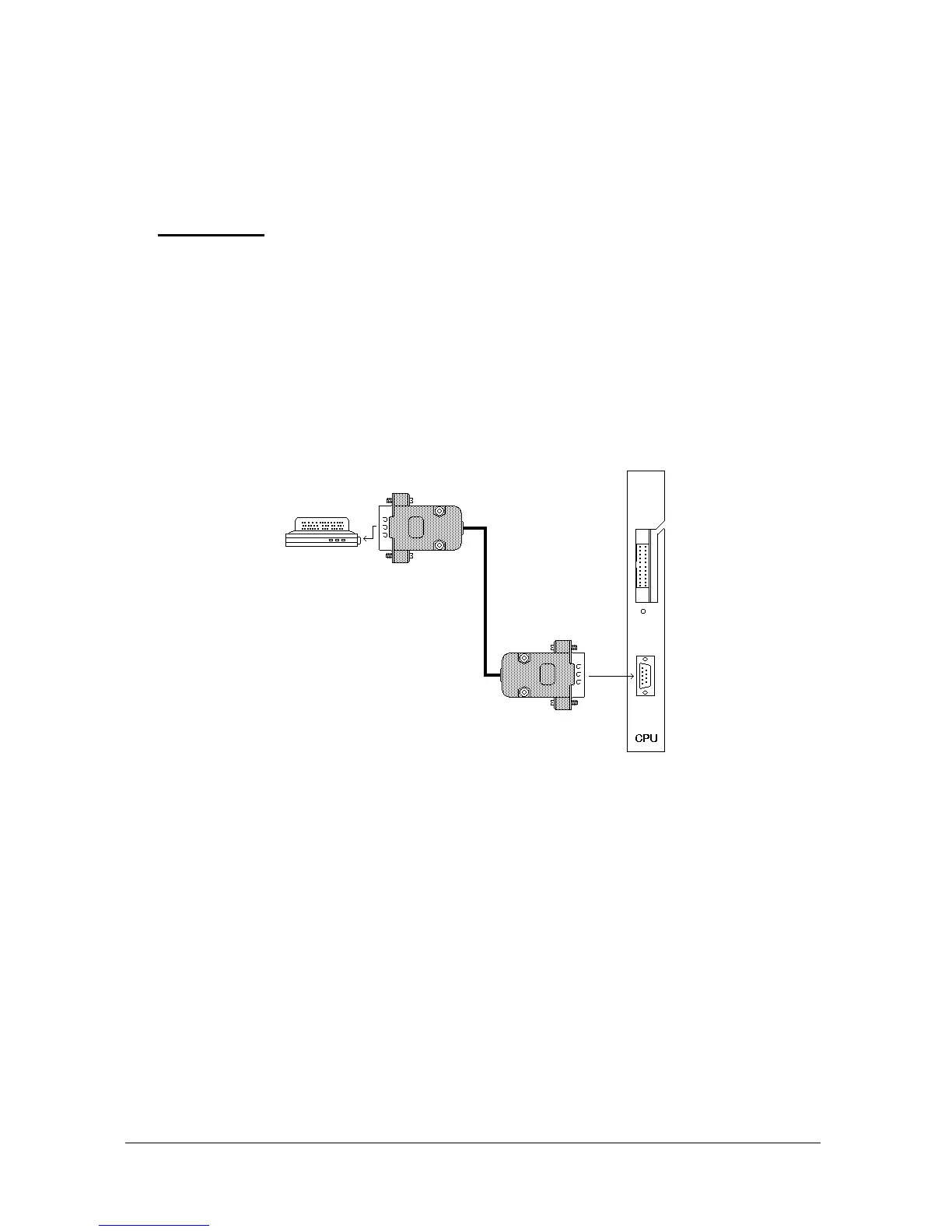
1) The free end of the Printer-Exchange cable with 9-pin D-type plug (which
is to be procured locally) should be passed through the cable hole on the
bottom cover of the system cabinet (the hole below the SPS128 module).
2) This 9-pin D-type plug must be then connected to the socket on the front
panel of CPU128 card.
3) The 25-pin or 9-pin D-type plug at the other end of the cable should be
attached to the serial port of the printer.
The following figure illustrates the cabling .
Figure B-16
It is also necessary to enter the related programming code for selecting the
serial printer as the CRL (Call Record Listing) media, as explained in the MS128
Programming Guide.



 To Next Page