32
06
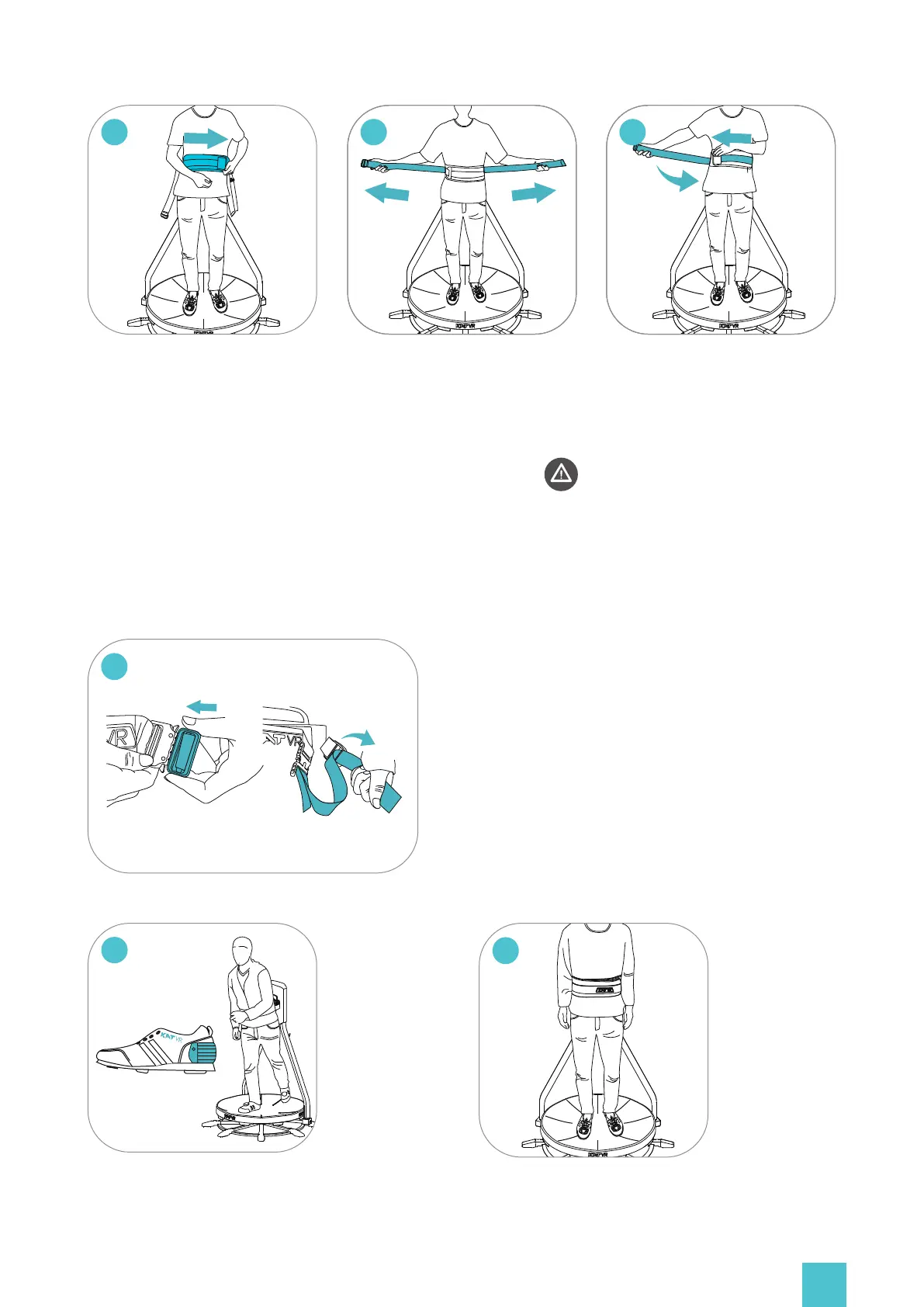
In the same order from left to
right, fasten the belts on your
waist making sure the Velcro is
well aligned. Press the end to
ensure it is fastened firmly
(DANGER: Fastening the belts
too loose or diagonally may
cause safety hazards, walking
direction deviation etc.)
07
In the same order from left to
right, fasten the belts on your
waist making sure the Velcro
is well aligned. Press the end
to ensure it is fastened firmly.
05
Grab and pull forward the outer
belts. Stretch them hard to
tighten the harness.
Buckle up and adjust the buckle
belt to a comfortable length.
08
09
You’re all set and
take on your VR
HMD and ready
to go!
10
Pull up the anti-slip
protection straps from
the shoe heel.Prac-
tice walking for a few
minutes until you get
used to the simula-
tive gait.


 To Next Page