33
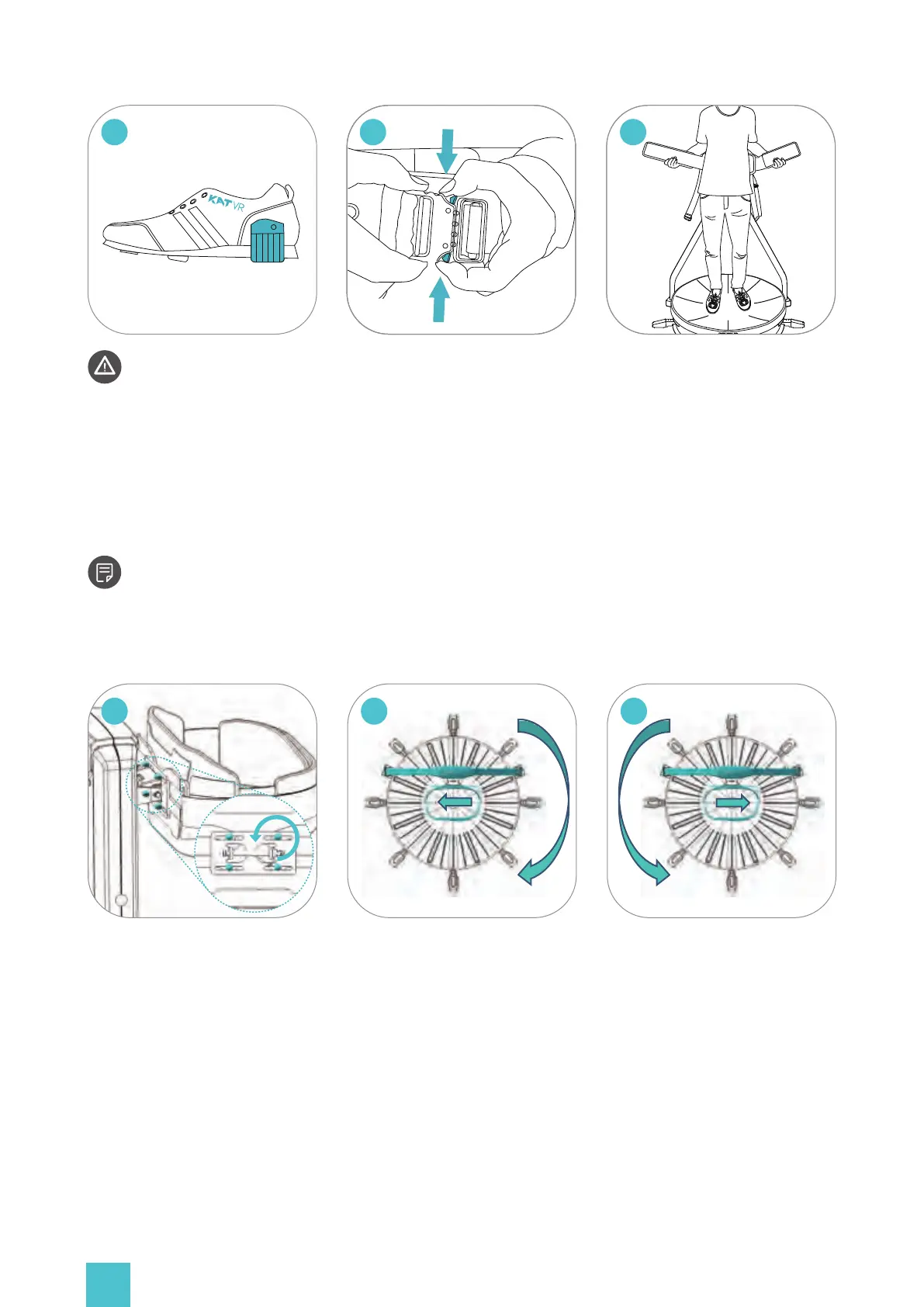
It may occur that the rotational structure gets continuously pulled towards a certain side
of the platform due to uneven ground or other reasons. If that happens, please follow the steps
below to adjust the device:
Loosen the nuts holding the
waist harness.
If the beam tends to continu-
ously turn clockwise, please
move the waist harness slightly
a
b
If the beam tends to continu-
ously turn counterclockwise,
please move the waist harness
slightly to the right.
c
11
12
Before getting off, Take
off your VR HMD and place it
on the hook at the back of
the supporting rods,pull down
the anti-slip protection straps
onto the shoe heel.
Press the silver buttons on side
of the buckle to open it.
13
Unfasten the belts and get off
the platform.


 To Next Page