MIDI Settings
3
CA99/CA79 MIDI Settings Manual
1
MIDI Channel
The MIDI Channel setting allows the transmit/receive channel to be specied. The selected channel will function as
both the transmit and receive channel (separate transmit/receive channels cannot be specied).
Changing the MIDI Channel
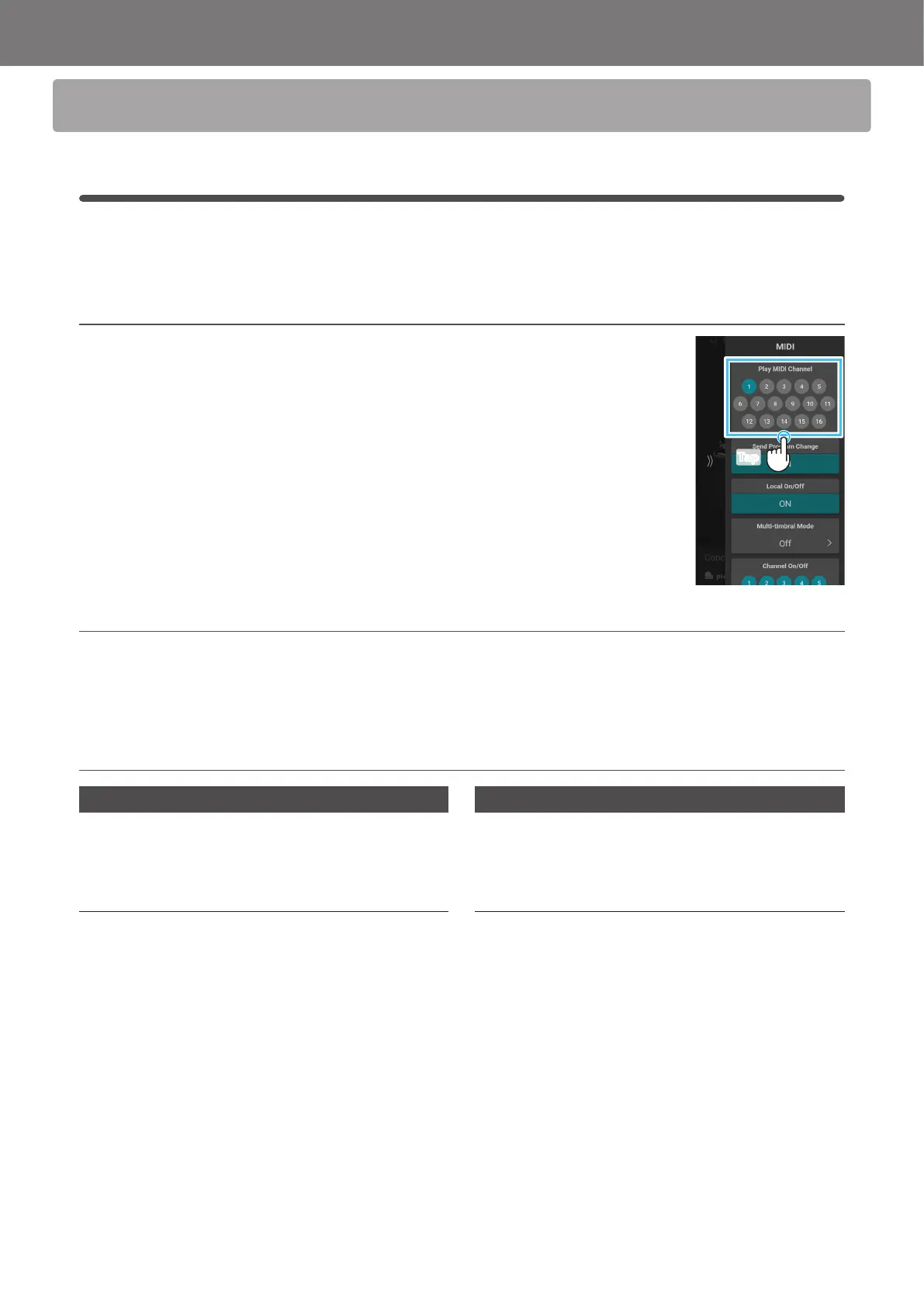
In the Play MIDI Channel area, tap the number buttons to select the transmit/receive MIDI channel.
The MIDI channel can be set from 1 to 16.
Omni mode
When the CA99/CA79 digital piano is turned on, the instrument is automatically set to “omni mode on”, allowing MIDI information to
be received on all MIDI channels (1-16). When the MIDI Channel setting is used to specify a transmit/receive channel, the instrument
will be set to “omni mode o”.
Multi-timbral mode and Split/Dual modes
Using Split mode with Multi-timbral mode enabled
Notes played in the lower section of the keyboard will be
transmitted on the channel that is 1 channel higher than the
specied channel. For example, if the MIDI channel is set to
3, notes played in the lower section of the keyboard will be
transmitted on channel 4.
Using Dual mode with Multi-timbral mode enabled
Notes played will be transmitted on two channels: the
specied channel and the channel that is 1 channel higher.
For example, if the MIDI channel is set to 3, notes played on
the keyboard will be transmitted on channels 3 and 4.
* If the specied MIDI channel is 16, the lower section / layered part will be transmitted on channel 1.
Tap



 To Next Page