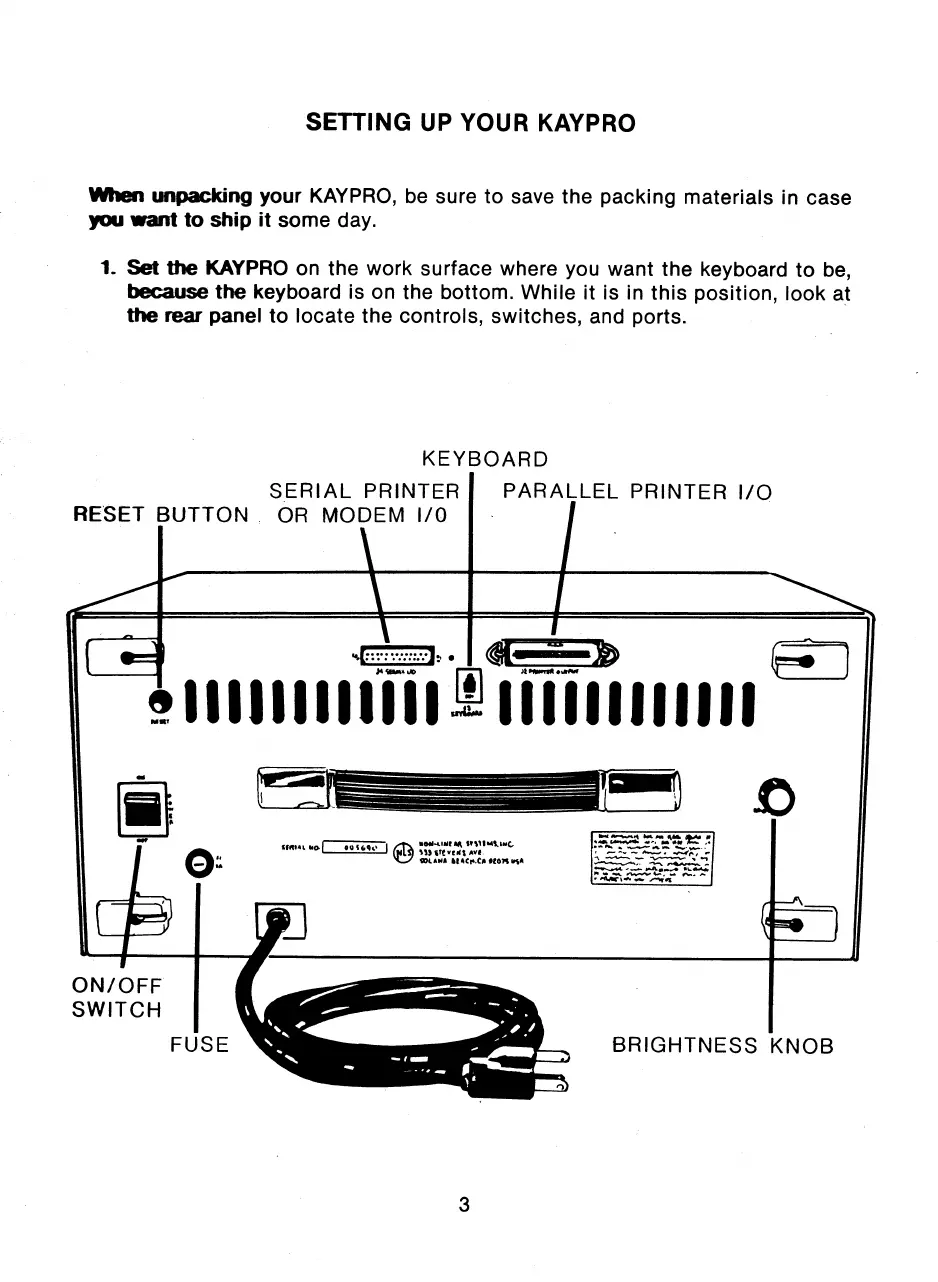
ON/OFF
SWITCH
FUSE
BRIGHTNESS KNOB
KEYBOARD
SERIAL PRINTER
RESET BUTTON OR MODEM I/O
PARALLEL PRINTER I/O
WI. 1.1 00 COW
rem...a
AR
sl) itt ye.% AV.
911 ANA 11g00,C0 010
,
10i.
4:
411;1.• /.40;
IA
3
SETTING UP YOUR KAYPRO
when
unpacking your KAYPRO, be sure to save the packing materials in case
you want to ship it some day.
1_ Set the KAYPRO on the work surface where you want the keyboard to be,
because the keyboard is on the bottom. While it is in this position, look at
the rear panel to locate the controls, switches, and ports.



 To Next Page