STARTING THE KAYPRO
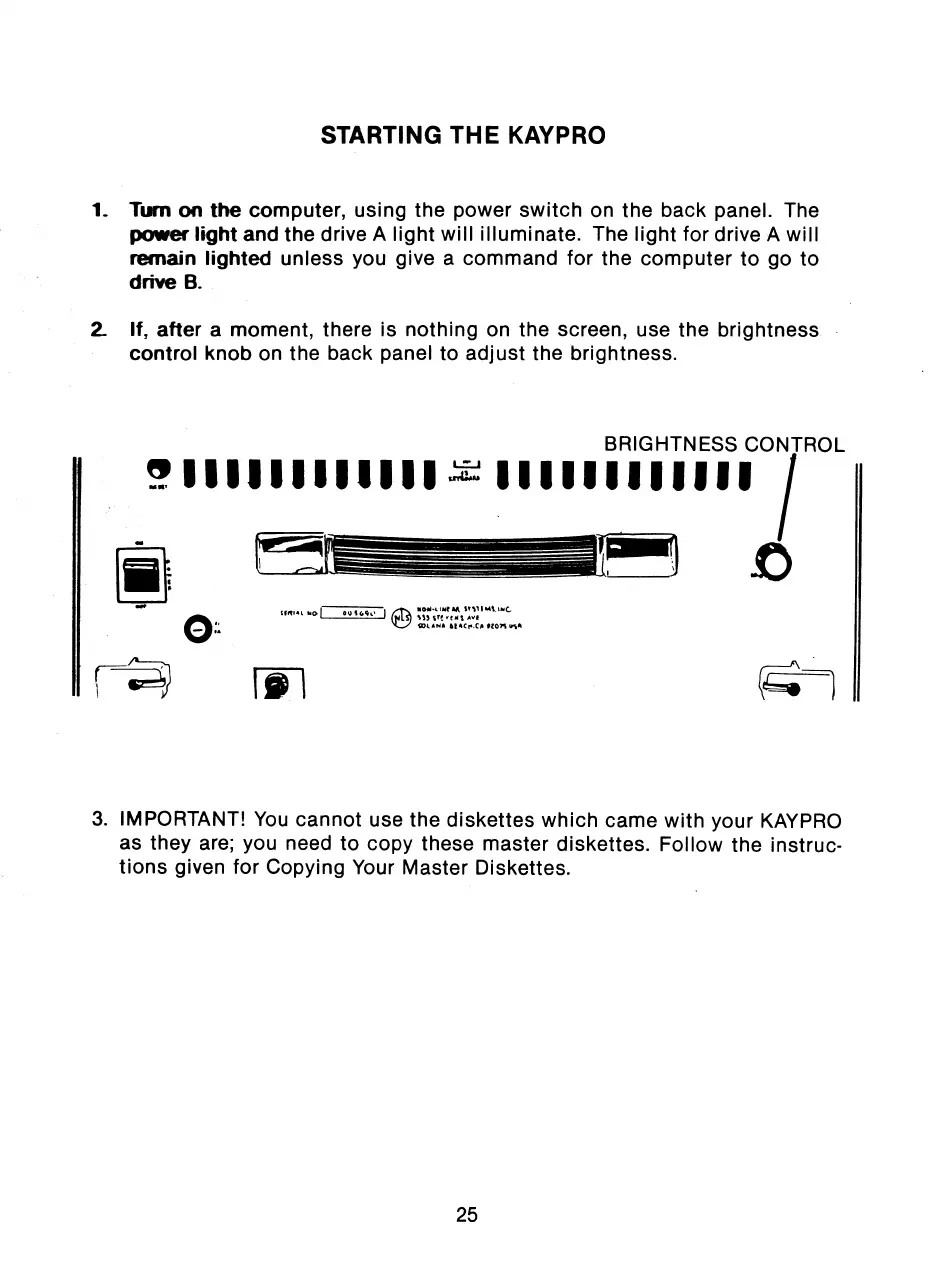
Turn on the computer, using the power switch on the back panel. The
power light and the drive A light will illuminate. The light for drive A will
remain lighted unless you give a command for the computer to go to
drive B.
2_ If, after a moment, there is nothing on the screen, use the brightness
control knob on the back panel to adjust the brightness.
BRIGHTNESS CONTROL
3. IMPORTANT! You cannot use the diskettes which came with your KAYPRO
as they are; you need to copy these master diskettes. Follow the instruc-
tions given for Copying Your Master Diskettes.
25



 To Next Page