LS30 CONTROLLER INSTALLATION AND OPERATING GUIDE
14
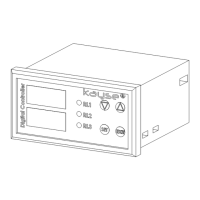
4.1 Useing the Keypad
4.1.1 'Set' Buon
With 'Set' buon, entry to menu transion between param-
eters and approval transacons can be made. For entry to
menu 'Set' buon is pressed unl 'R1' on parameter appears
on screen. Aer entry to menu the transion between pa-
rameters is made by pressing 'Set' buon. At each pressing of
'Set' buon the parameter value at the top line of screen are
stored is memory and approved.
4.1.2 'Up Arrow' Key
Aer entry to menu by pressing with 'Up Arrow' buon this is
used to increase numerical parameter value and to advance
other parameter values. The values changed with 'Down Ar-
row' buon are stored into memory by approving with 'Set'
buon.
4.1.3 'Down Arrow' Key
The 'Down Arrow' buon is used for decreasing the numerical
parameter values and to backspace other parameter values
aer entry to the menu. The values changed with 'Down Ar-
row' buon are stored into memory by approving with 'Set'
buon.
4.1.4 'Exit' Key
'Exit' buon is used for exing from menu and to return to
main operang screen and exing without storing of other
changed parameter values.


 To Next Page