Address bar
Input the address of the website.
Go
Load the webpage.
Previous page
Back to the previous webpage.
Next page
Forward to the next webpage.
Navigation/Page mode
There are navigation mode and page mode when using remote
control to browse webpage, you can select one of them by
pressing RED button. In navigation mode, remote control is used
to move the cursor. While in page mode, remote control is used to
page up and down.
Bookmarks
Add the website to your bookmark.
Text encode
Select the text encoding of the webpage.
Text Zoom
Adjust the size of the text in the webpage.
3.7 Movie Jukebox
Good help to manage movies with many humanistic functions. Here you can classify your
movies into different categories, get the cover art and overview from internet and build the film
poster of your movie.
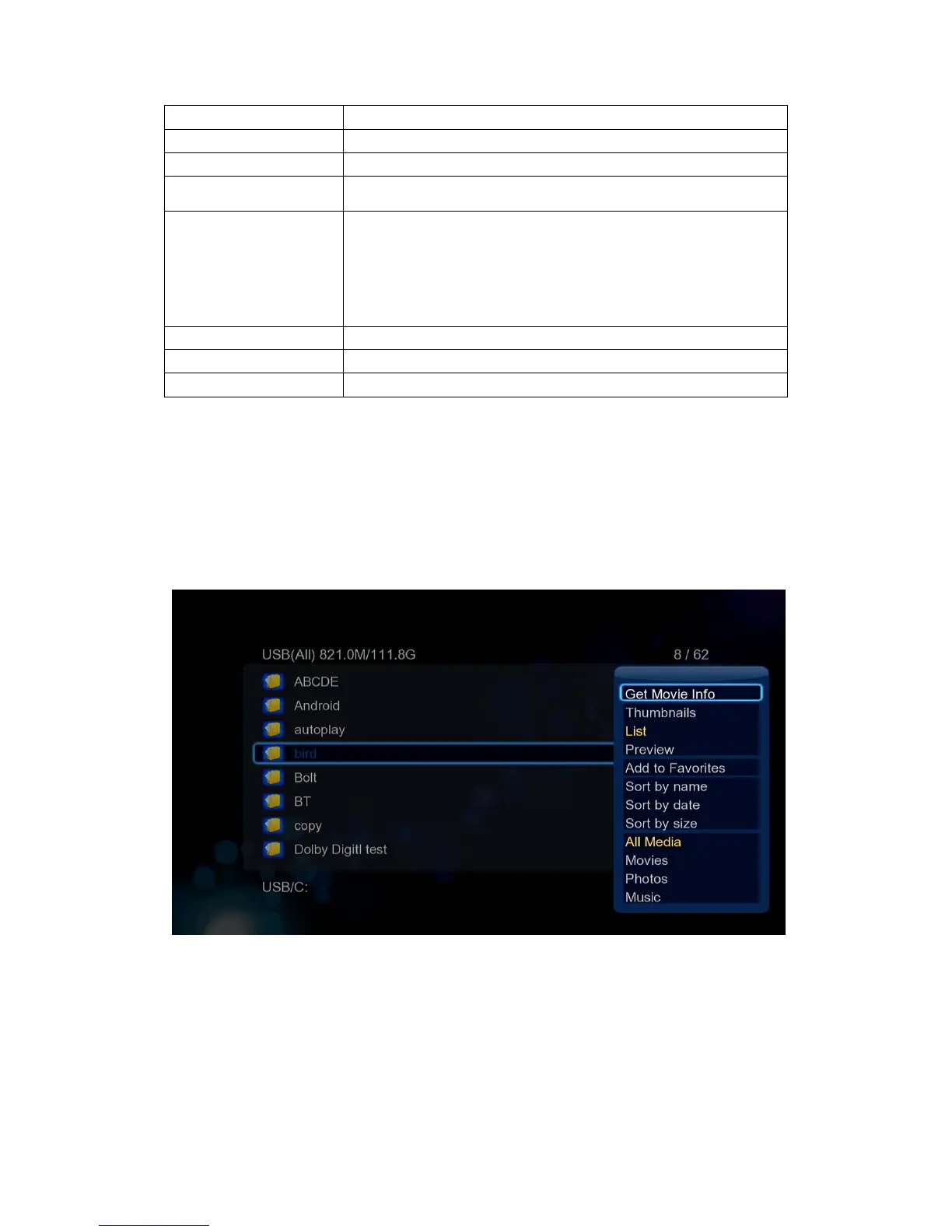
First, download the movie info and add your movies to jukebox.
Enter into file managerpress Menu button SelecttheoptionGetMovieInfo.
Download the poster, movie reviews from appointed movie database. You can change the
movie title, select the movie database by yourself.


 To Next Page