3.13 NAS function
This product functions as a NAS (Network Attached Storage) device when it is attached to the
home network. This feature allows users to store and retrieve large amounts of data from their
own local network.
Step 1, Enter into SetupNetworkmenu,
connect your player to home network.
Step 2, Enter into SetupNetworkmenu, turn on Samba process.
Step 3,
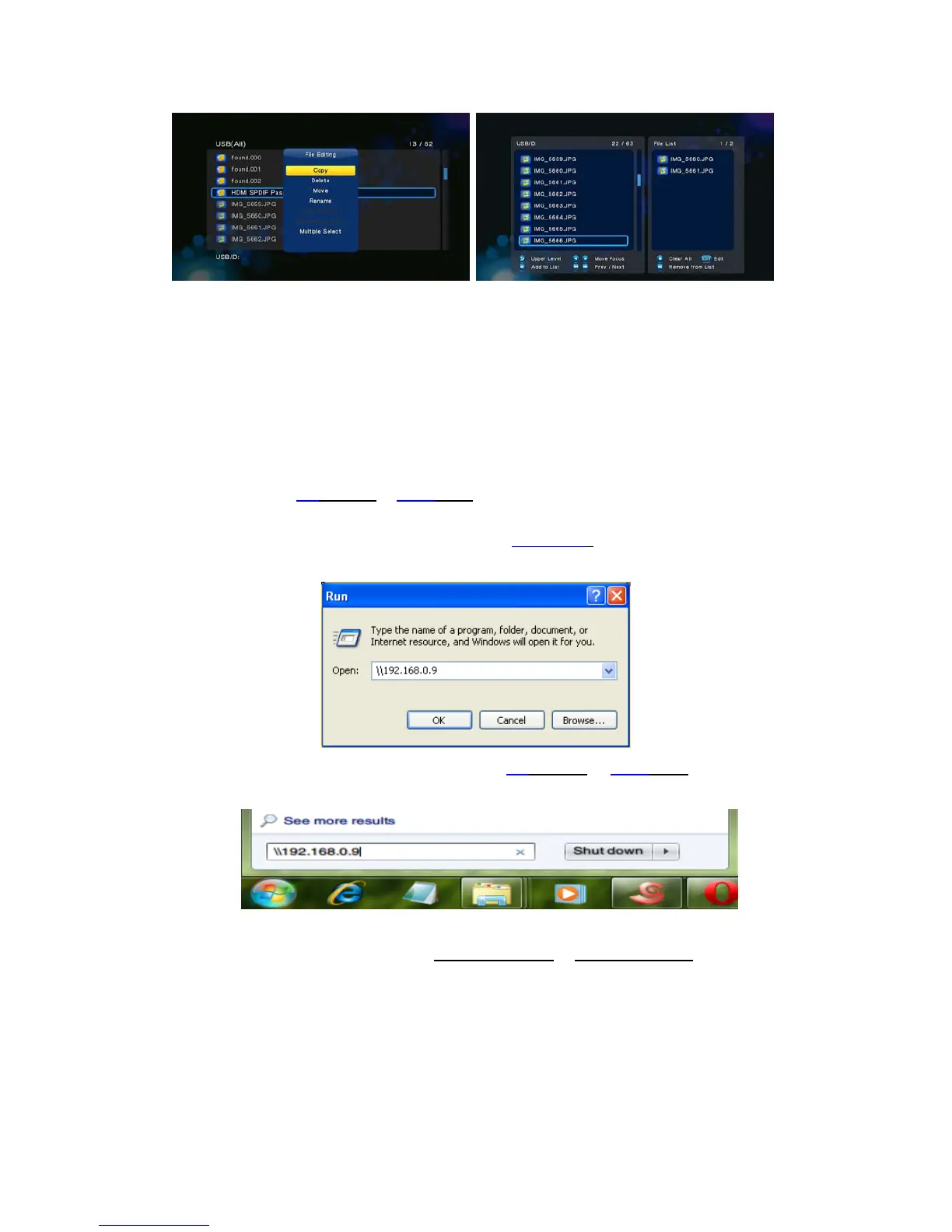
On Win XP, key in \\IP Address
or \\Hostname in the Run window (click Run in the start menu)
or in the address bar of a web browser, for example Internet Explorer on your PC (if the IP
address of the product is 192.168.0.9, please key in \\192.168.0.9
), and click OK or press the
Enter button on the keyboard.
On Windows Vista or Windows 7, please key in \\IP Address
or \\Host name at the search
bar, then press the Enter button on the keyboard.
On Mac,
FinderGo Connect to Server, key in smb://IP Address
or smb://Host name and click
Connect.


 To Next Page