3 Main Functions
3.1 Setup
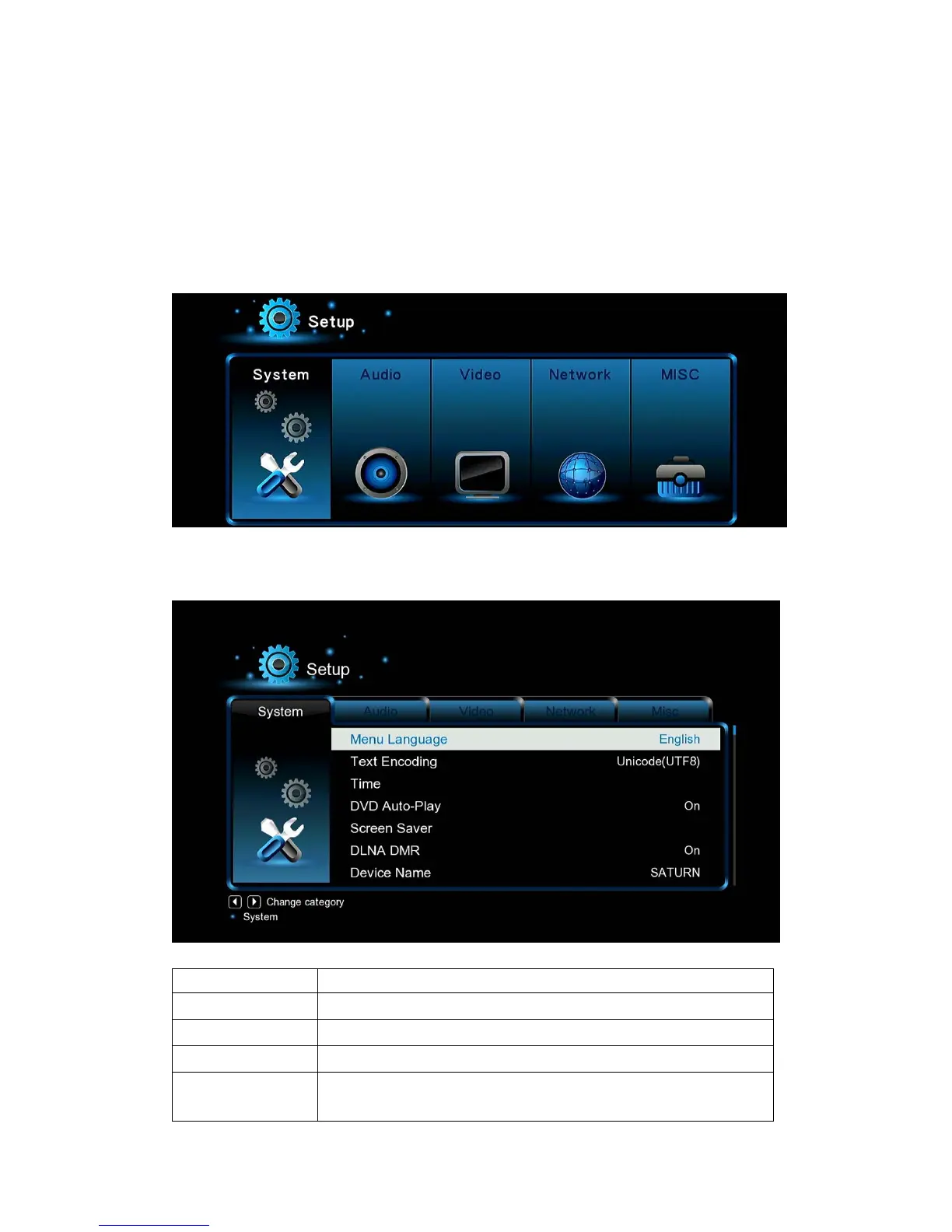
The Setup menu allows you to personalize and configure the preferences for your player.
- Select the Setup icon on the home screen, or press Setup button on the remote control.
- Use the Left/Right navigational buttons to select an option, and then press OK.
There are five setup options, including System, Audio, Video, Network and MISC.
3.1.1 Changing System Settings
Option Description
Menu Language
- Select to choose the OSD (On-Screen Display) language.
Text encoding
- Select to set the text encoding option (subtitle display)
Time
- Here you can select the right time zone.
Screen Saver
- Here you can set the timing of screen saver and change screen
saver.


 To Next Page