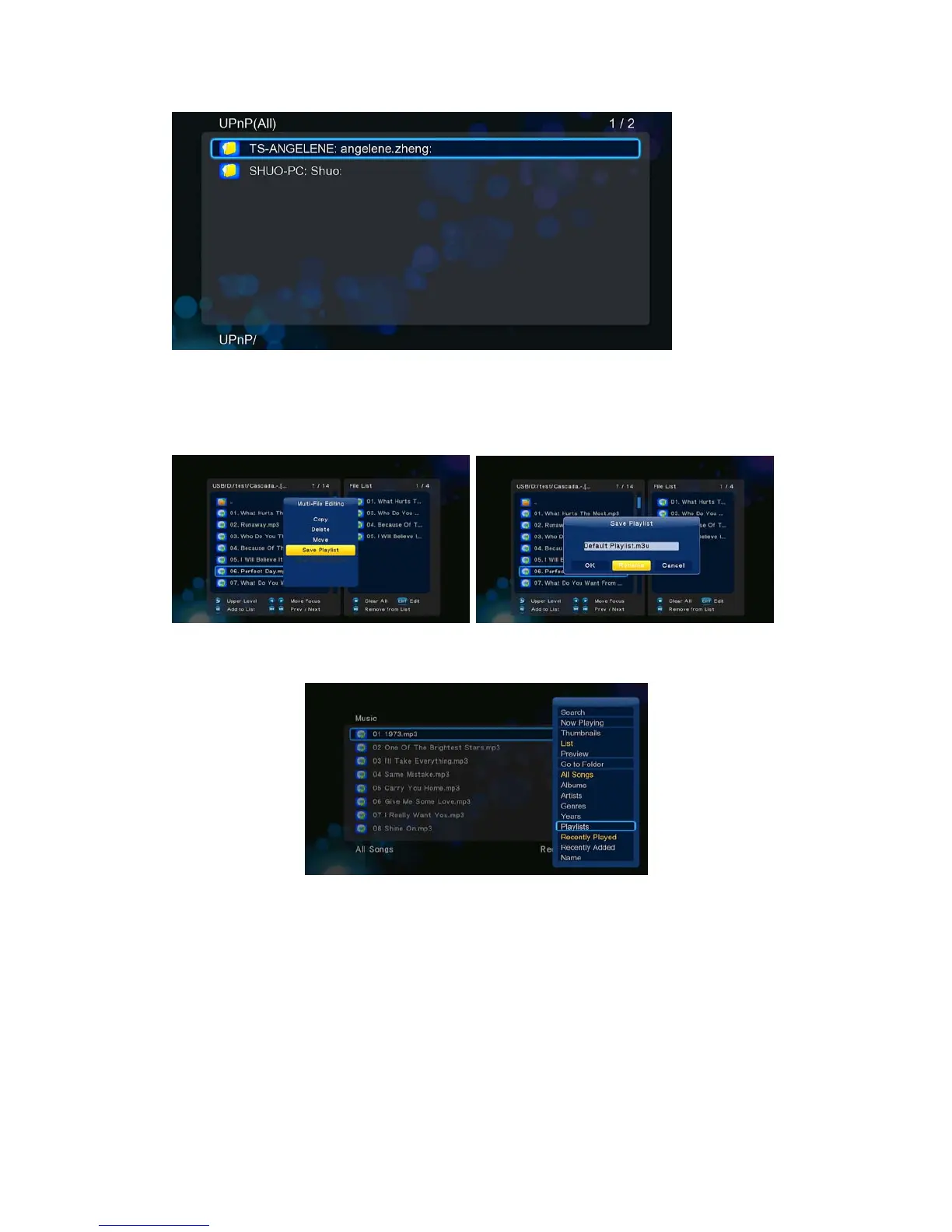
3.11 Music playlist & Photo Album management
Step 1, Enter into Music/Photo interface.
Step 2, Press Copy button to enter file selecting menu, follow the on-screen information to
finish creating music playlist or photo album.
Step 3, Enter Music/Photo interface, press Menu button and choose Playlists/ Albums to
view your music playlists/ photo albums.
3.12 File Copy/Delete/Move/Rename
Step 1, Enter into File Manager.
Step 2, Locate the file or folder which you want to copy/delete/move/rename.
Step 3, Press Edit button to enter file editing menu, or press Copy button to enter file
selecting menu, then follow the on-screen information to finish file copy/delete/move/rename.


 To Next Page