Adapter Configuration
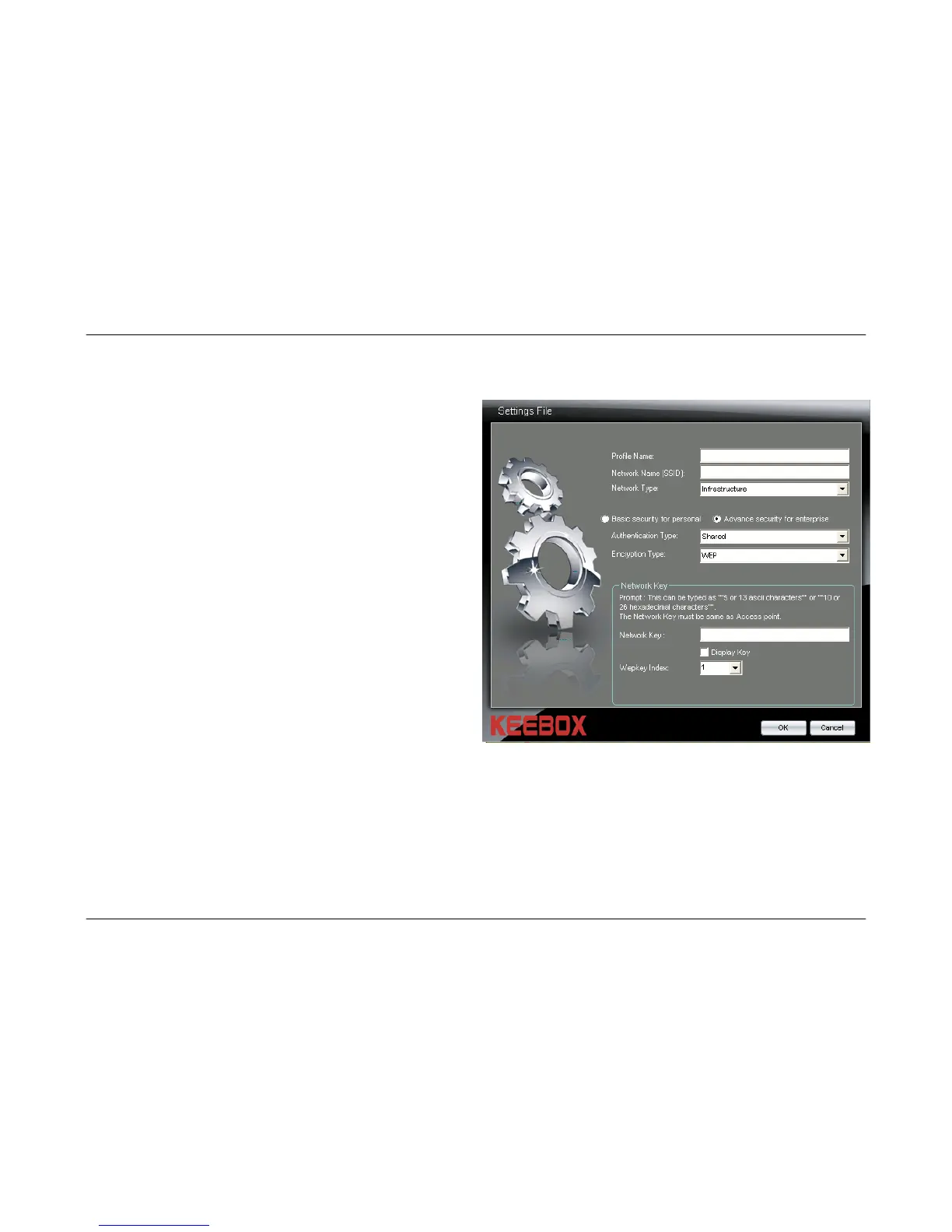
Creating an Advanced Security Wireless Profile-Shared Authentication
Authentication
Type:
Select the Shared authentication type from
the drop-down menu.
Encryption
Type:
The Shared authentication option only
supports the WEP encryption method.
Network Key:
Enter the WEP key that is used on your
access point or wireless router.
Display Key:
Check this box if you would like to view the
key that has been entered in the Network
Key field. If this box is left unchecked, the
Network Key will appear as a series of *.
Wepkey Index:
Use the drop-down menu to select the WEP
Key Index Number that is being used on your
access point or wireless router.
OK Button:
Click this button when you have finished
configuring the advanced wireless profile.
Cancel Button:
Click this button to cancel any changes
made.
30



 To Next Page