Adapter Configuration
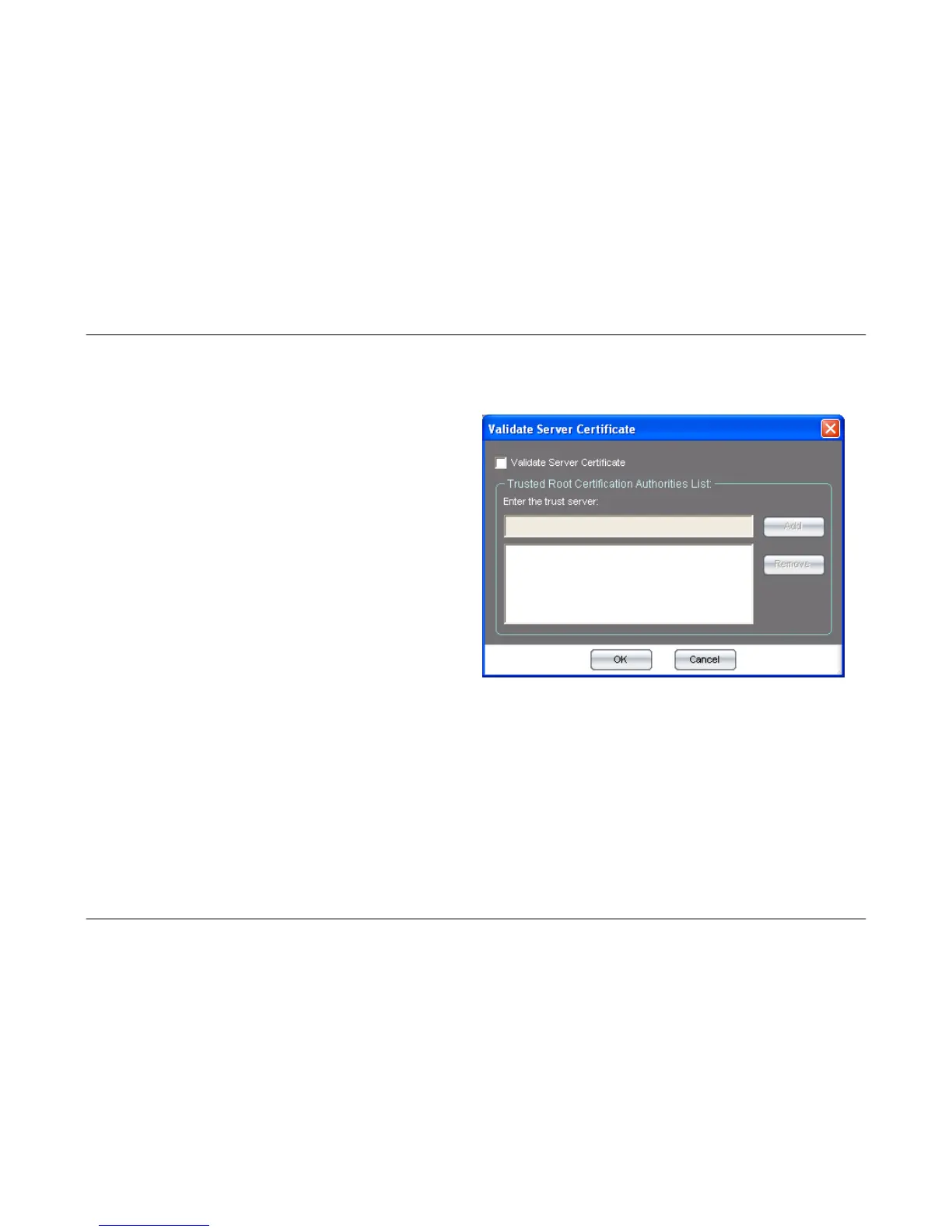
Configuring 802.1x Validate Server Certificate Settings
Carry out the following to configure the 802.1x Validate Server Certificate Settings.
Validate Server
Certificate:
Check this box to enable the 802.1x Validate
Server Certificate option.
Trust Root
Certification
Authorities List:
Carry out the following to add a new Trust
Server:
1. Enter the DNS host name of the Trust
Server in the input field.
2. Click the Add button.
Carry out the following to remove a Trust
server.
1. Select the Trust Server that you want
to remove from the list.
2. Click the Remove button.
OK Button:
Click this button when you have finished configuring the Validate Server Certificate settings.
Cancel Button:
Click this button to cancel any changes made to the Validate Server Certificate settings.
38



 To Next Page