Adapter Configuration
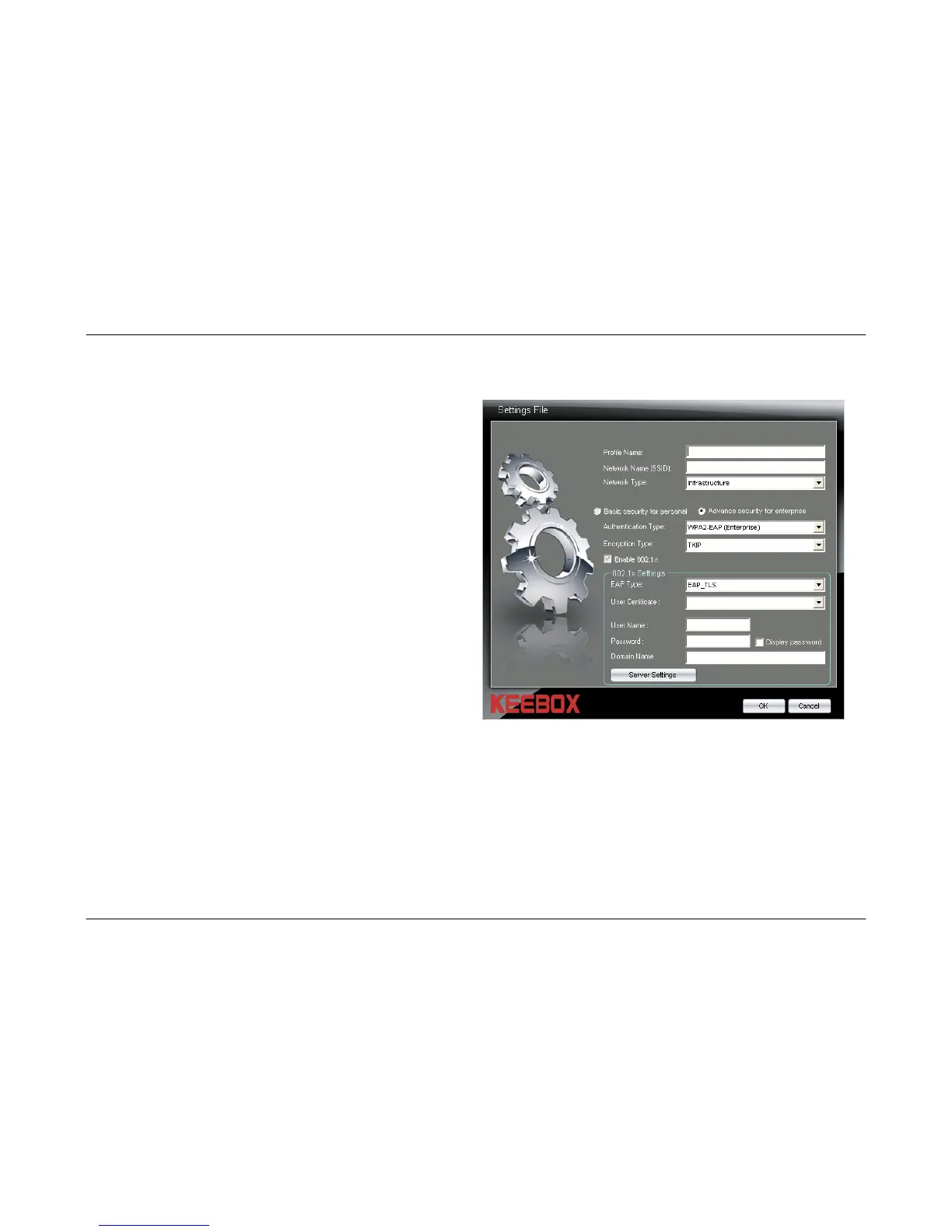
Creating an Advanced Security Wireless Profile-WPA2-EAP (Enterprise) Authentication
Authentication
Type:
Select the WPA2-EAP (Enterprise)
authentication type from the drop-down
menu.
Encryption
Type:
Use the drop-down menu to select whether
the TKIP or AES encryption method is being
used on your network.
Enable 802.1x:
The WPA-EAP (Enterprise) authentication
method uses 802.1x.
EAP Type:
Use the drop-down menu to select the EAP
Type being used by your network.
If selecting the EAP_TLS option, select the
User Certificate that is being used from the
User Certificate drop-down menu.
If selecting the EAP_PEAP option, select the
PEAP Inner value that is being used from the
PEAP Inner drop-down menu.
If selecting the EAP_TTLS option, select the
TTLS Inner value that is being used from the
TTLS Inner drop-down menu.
User Name:
Enter the user name that is being used for 802.1x in this field.
Password:
Enter the password for the 802.1x user name in this field.
Server Settings:
Click this button to configure the Trusted Root Certification Authorities List. See page 38 for more information.
34



 To Next Page