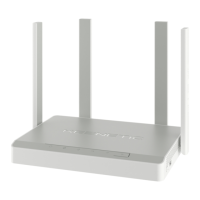
Need help?
Do you have a question about the KeeNetic GIGA KN-1011 and is the answer not in the manual?
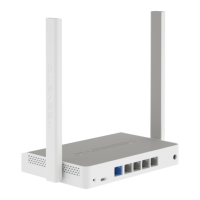
Details the reset button functionality and the first four network ports, including indicators.
Explains the Combo Port '0', DC power connector, and key status/internet indicators.
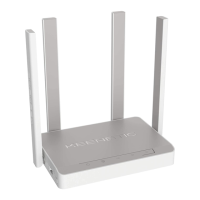
Covers FN buttons, Wi-Fi controls, USB ports, and Wi-Fi antennas of the Keenetic Giga.
Access the web interface via my.keenetic.net for initial setup and configuration using the quick setup wizard.
Install and use the My.Keenetic app on your smartphone for easy setup and remote network management.
Connects the Keenetic to the Internet using an Ethernet cable or a fiber optic line via an SFP module.
Connects via a DSL or PON modem, requiring the modem to be in bridge mode for full features.
Connects to 3G/4G Internet using a USB modem, requiring SIM card setup and disabling PIN code.
Guidelines for safe operation, including avoiding outdoor use, heat, and using only the supplied adapter.
Tips for optimizing Wi-Fi speed, including channel width, client capabilities, and interference reduction.
Guidelines for optimal Wi-Fi performance, such as placement, channel selection, and network security.
Supports NTFS, FAT32, EXT2-4, HFS+ file systems. USB applications require USB disk connection.
Guidelines to prevent data corruption on USB drives, including safe removal and power considerations.
Steps to resolve internet connectivity problems, including checking cables, restarting devices, and contacting ISP.
Information on automatic operating system updates and accessing support resources on help.keenetic.com.
Provides 3-year hardware warranty from purchase date, up to 4 years from manufacture date. Details claim process.
Lists conditions that void the warranty, such as missing labels, misuse, unauthorized repairs, or damage.
Lists package contents and specifies operating temperature (0-40°C) and humidity (20-95%) ranges.
Covers legal restrictions on network equipment use and the function of the service tag for support.
Information on proper electronic waste disposal and the manufacturer's legal address in Hong Kong.
Details software licensing (GNU GPL/LGPL) and copyright information for the document and product.
 General
| Frequency Bands | 2.4 GHz, 5 GHz |
|---|---|
| WAN Ports | 1 |
| LAN Ports | 4 |
| RAM | 256 MB |
| Flash Memory | 128 MB |
| Antenna Type | External |
| Antennas | 4 |
| Model | GIGA KN-1011 |
| Ethernet Ports | 5 |
| Ethernet Speed | 1 Gbps |
| Security | WPA3 |


 To Next Page