XL - pro
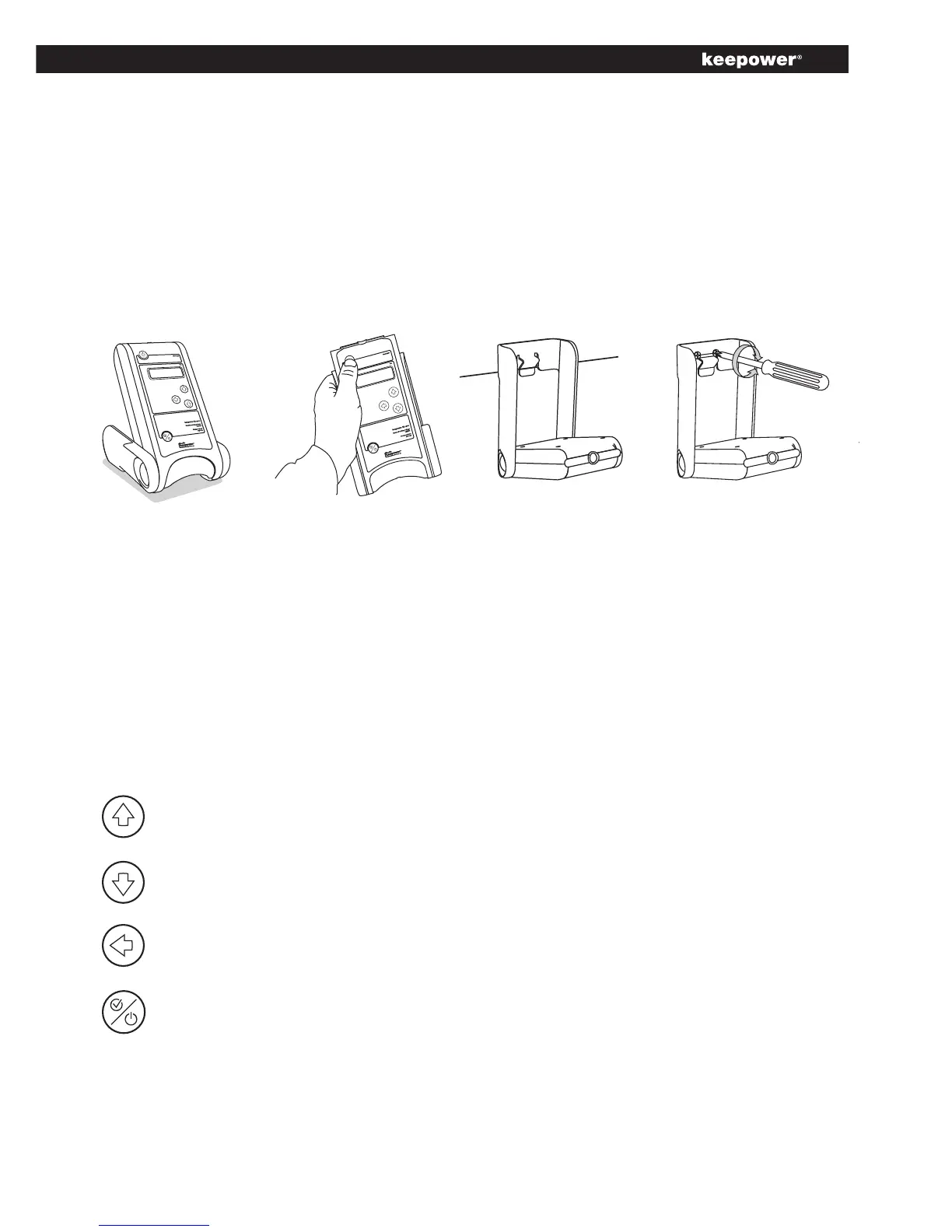
Thechargercanbeinstalledin4differentpositionswhileplacedonaat
surface,hangingonanedgee.g.acarwindoworscrewedtoawall.
As a stationary
device
How to install the charger
As a device on
the wall
As a device
hanging on an
edge.
Navigation in the menu
Thereare4buttonsfornavigationinthemenu.
Arrow Upisusedformovingthecursorupinthemenu
Arrow Downisusedformovingthecursordowninthemenu
Arrow Backisusedforgoingbacktothepreviousmenu
Select buttonshastwofunctions:
• Makingaselectioninthemenu
• Turningthechargeronandoffbypressingthebuttonfor
minimum3sec.
As a handheld
device.



 To Next Page