XL - pro
How do I charge and select different charging
modes
Thedifferentchargingmodesareselectedinthemenu.
Normal chargingisusedonnormalbatteries(Wet,opentype),
maintenance-free,GEL,AGMandsealedbatterywithagaslimit
at14.0Vor14.4VinBulkcharging,and14.4Vor14.8VinAfter-
charge.(batterytypeisselectedfordeterminingthegaslimet).
Inthedisplaythecurrentvoltageonthebatteryisshowed
togetherwiththechargingcurrent
Boost modeisusedwhentryingtorepairdeepdischarged
batteries,andisfurtherdescribedunder"Theintelligentcharging
curve".
Inthedisplaythecurrentvoltageonthebatteryisshowed
togetherwiththechargingcurrent
Supply Modeisusedasapowersupplywhene.g.thecaris
inashowroomandthecarsfacilitiesisusedwithoutthemotor
running.Incaseofoverload,awarningisgivinginthedisplay.If
heavyoverload,thechargerswitchesofftoprotectitself.
Abatteryhastobeconnectedforactivationof"Supplymode"
Please note that spark protection is not active when in
supply mode.
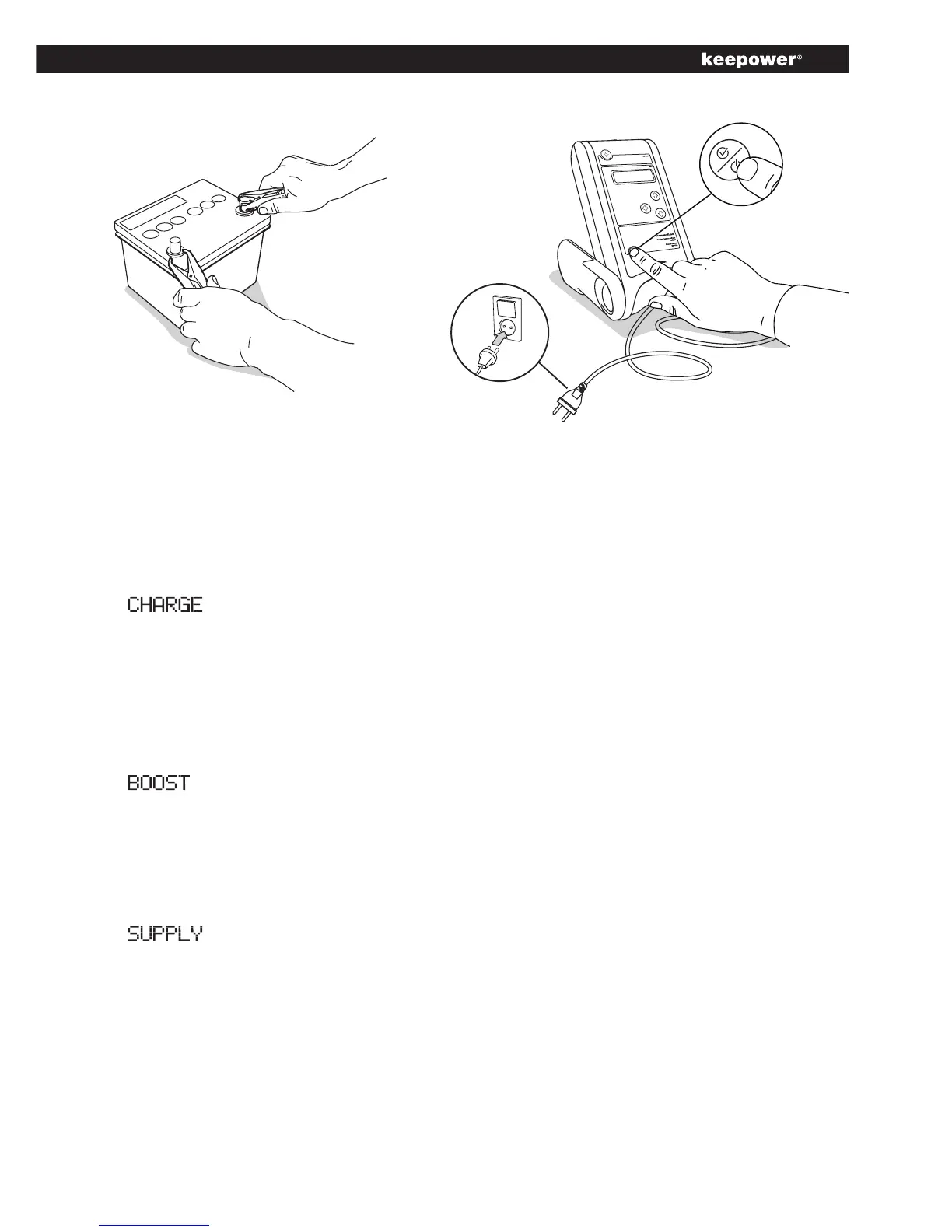
Selection button
Red clips to +
Black clips to -


 To Next Page