8
9
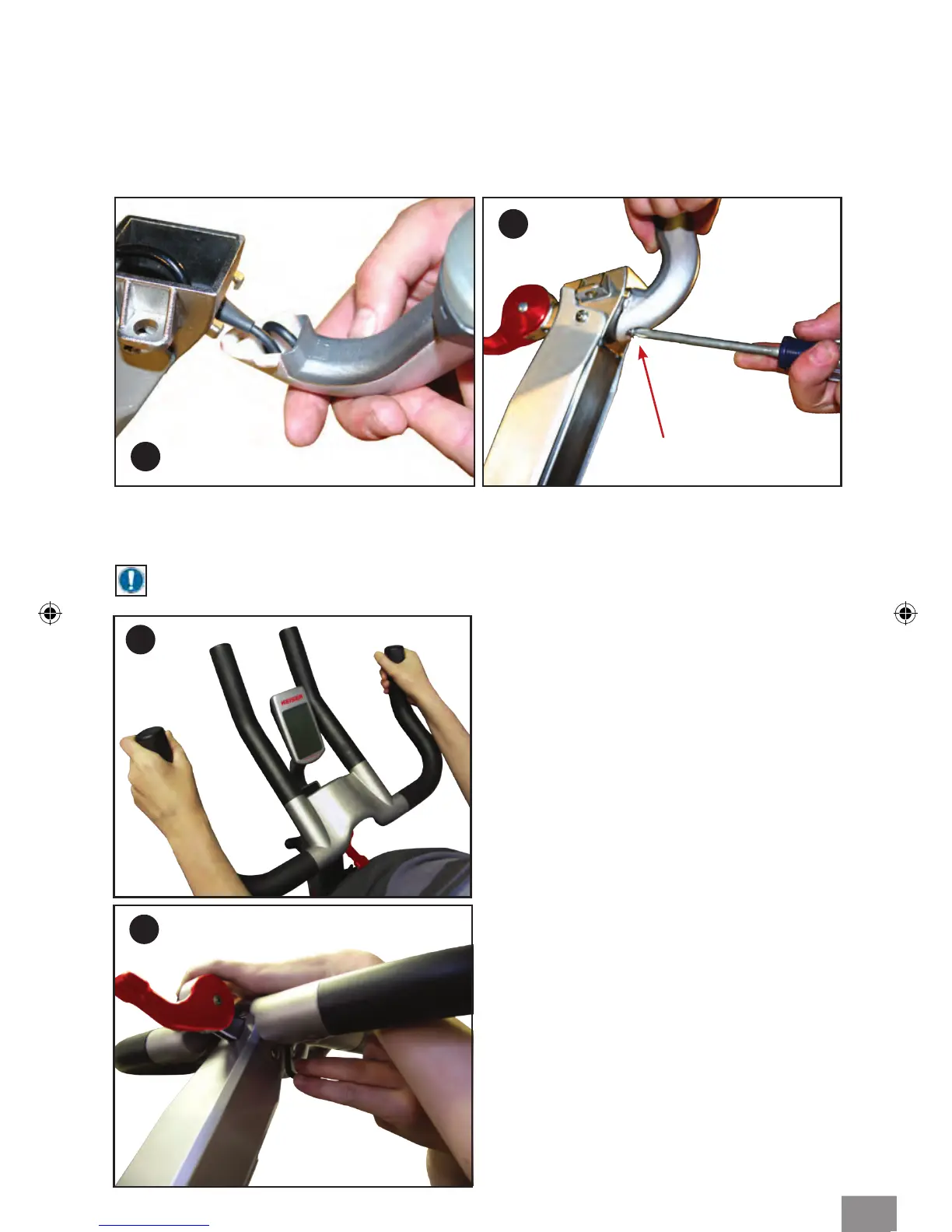
Computer mounting screw
MOUNTING M3 HANDLEBAR ASSEMBLY
FOR M3
+
HANDLEBAR ASSEMBLY, PROCEED TO PG. 7
NOTE: If installing computer please do so before mounting the handlebars.
10
Step 1: Obtain the handlebar assembly,
6mm Allen wrench, and the socket head
cap screws (M8x1.25 X 12 SS). Observe the
location of the two mounting anges on
the handlebar post. Place the handlebar
assembly on the post mounts, aligning the
mounting holes. (Fig. 10).
11
Step 2: Tilt the handlebar assembly slightly
to place the socket head cap screws
(M8x1.25 X 12 SS) into the mounting
holes (Fig. 11). Once each screw has been
started, place the palm of one hand on
the center of the handlebar pressing rmly
and evenly onto the handlebar post. With
the other hand tighten each screw with the
Allen wrench until the head of each screw
just makes contact with each hole. Now
tighten each screw evenly.
MOUNTING COMPUTER (MODELS WITH COMPUTER)
Step 1: Obtain the #2 Phillips screwdriver and remove the computer mounting screw
from the handlebar tube.
Step 2: Coil the computer cable into the computer mount cavity (Fig. 8).
Step 3: Slide the computer up into the two locking ears. Insert and secure the screw you
removed in Step 1 using the #2 Phillips screwdriver (Fig. 9).
6



 To Next Page