MOUNTING M3
+
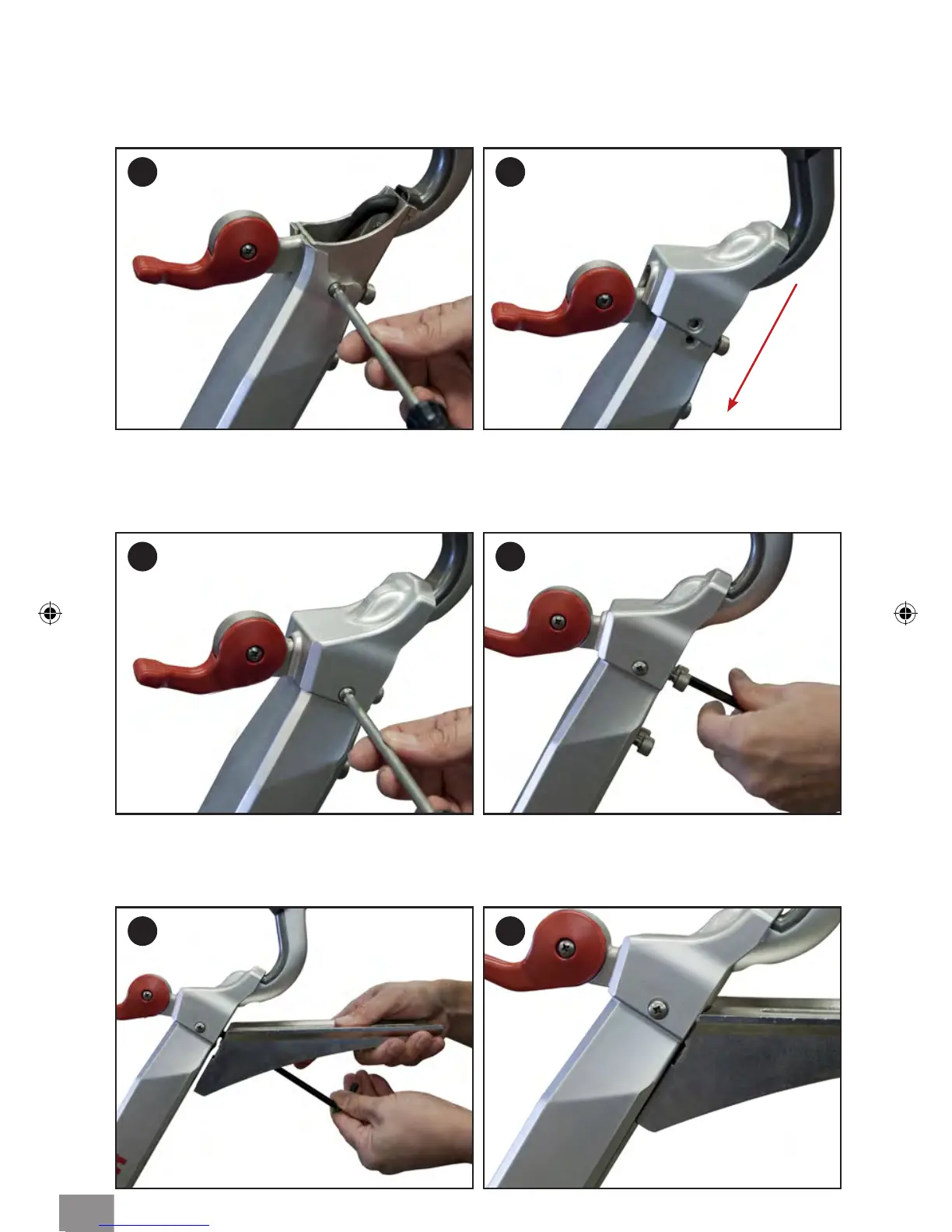
HANDLEBAR ASSEMBLY
5 6
3 4
Step 1: Remove screws from both sides of the Sweat Guard.
Step 2: Slide on the Guard Cover and snap it over and align with the mounting holes of
the Sweat Guard.
Step 3: Replace both screws, but do not over tighten.
Step 4: Remove the four (6mm allen) screws four screws from the Handlebar Tube,
located below the computer mount.
Step 3: Using a 6mm Allen wrench, and the four screws, assemble the Bottom Slide to
the Handlebar Tube. Tighten rmly, making sure there is no gap between the Slide and the
Handlebar Tube (Fig. 6).
1 2
7



 To Next Page