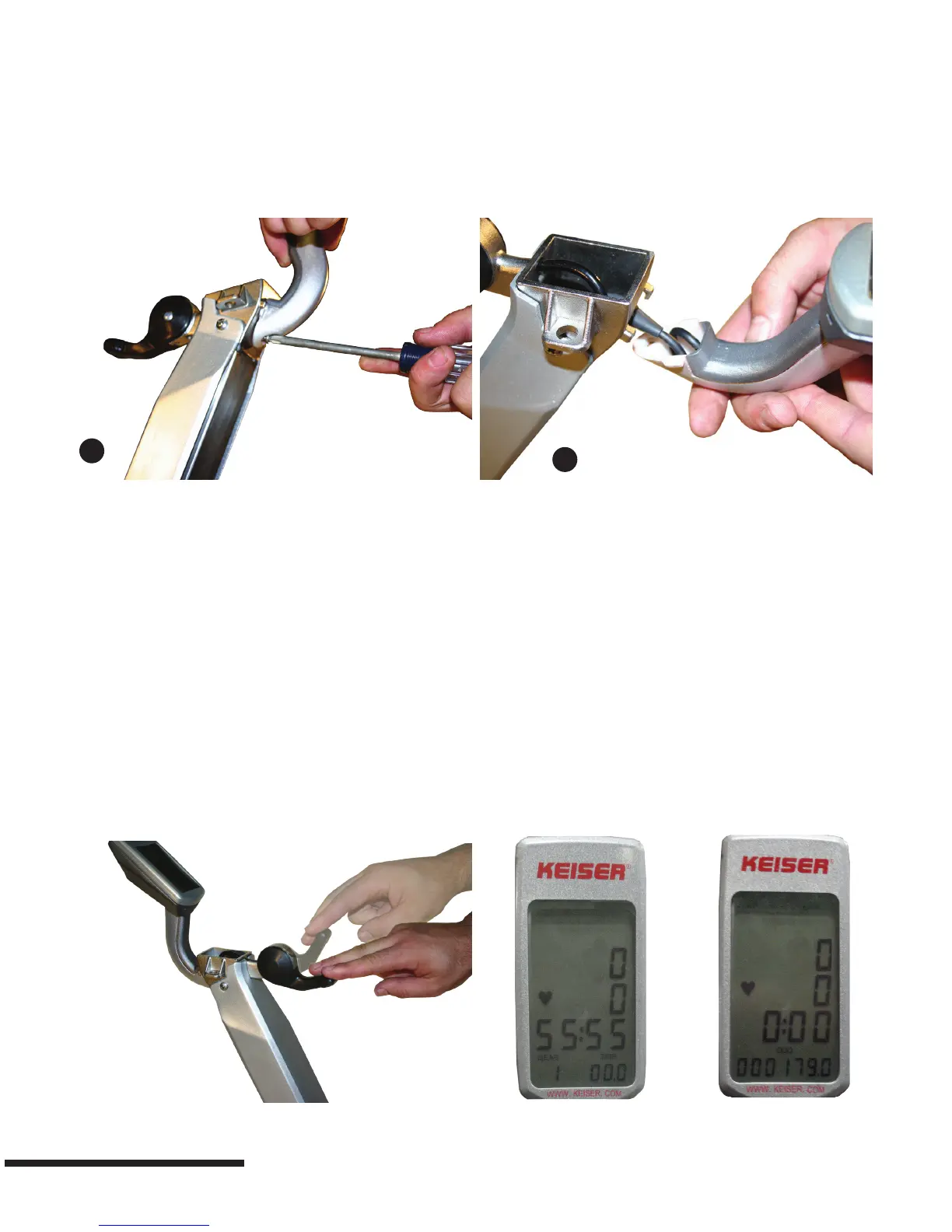
Mounting Computer
Step 1: Obtain the #2 Phillips screwdriver and remove the computer mounting screw from the handlebar tube.
Step 2: Coil the computer cable into the computer mount cavity.
Step 3: Slide the computer up into the two locking ears. Insert and secure the screw you removed in Step 1 using the #2
Phillips screwdriver.
Calibrating the Computer
To calibrate the computer:
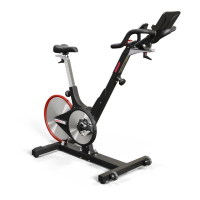
The shifter lever must be in the down position. Holding a pedal, rotate the crank arm in any direction to switch the
computer on. Once the computer is on, stop rotating the crank arm. Move the shifter lever from full bottom to full top a
minimum of ve times. When you see the computer display a set of number ves (55:55) in the time display, the computer
is calibrated.
1. Cycle display must be blank. If the display is not blank wait about 50 seconds until it is blank.
2. Activate the display by rotating the crank pedal. As soon as it is active stop the crank movement.
3. Move the shifter from full retract (lowest resistance) to full advanced (highest resistance) at least ve times. These ve
retractions must be done within ve seconds.
4. Computer will indicate it is calibrated by showing “55:55”. If you do not see the “55:55” start over from step # 1.
5. Retract shifter (lowest resistance) and computer should show gear “1”. Advance shifter (increase resistance) and
computer should show gears changing “1” through “24”.
6. Continue beyond gear “24” and “88” will ash. This is the emergency brake area, where the end of the shifter is about
1” to 1 ¼” off the top of the handlebar. If you do not see the ashing “88” start over from step # 1.
1
2
6


 To Next Page