Connect the Dell R-Series
Copyright © 2002 - 2016 KEMP Technologies, Inc. All Rights Reserved. 9
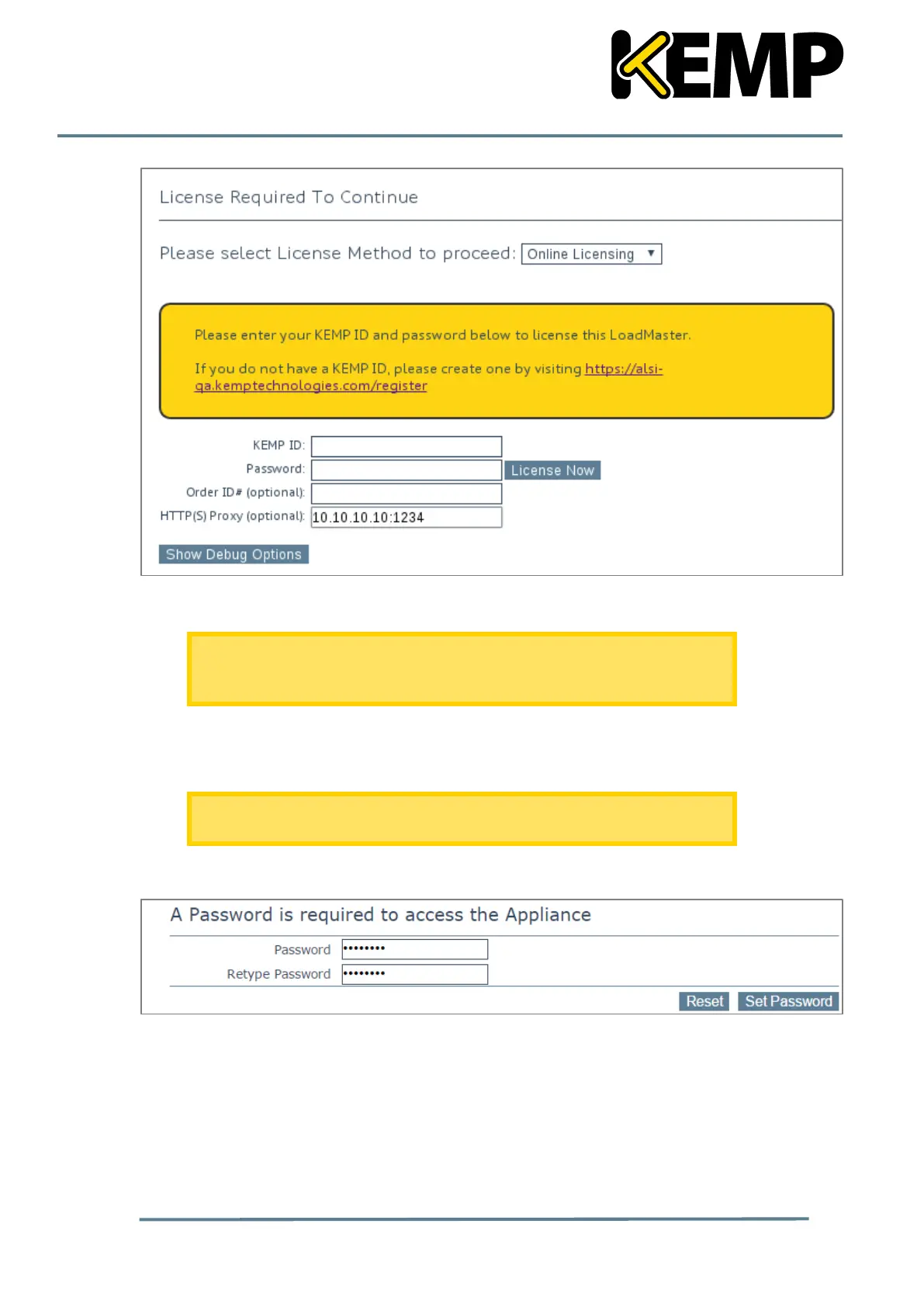
5. If using the Online licensing method, fill out the fields and click License Now.
If you are starting with a trial license, there is no need to enter an Order ID.
If you are starting with a permanent license, enter the KEMP Order ID# if
this was provided to you.
If using the Offline Licensing method, select Offline Licensing, obtain the license text,
paste it into the License field and click Apply License.
For detailed instructions on how to register for a KEMP ID and license the
LoadMaster, refer to the Licensing, Feature Description.
6. The Change Password screen appears.
Figure 2-7: Change password screen
7. Enter a password for the bal user in the Password field and retype it in the Retype
Password field.
8. The login screen appears again, enter the bal user name and the new password as
defined in the previous step.
9. In the screen informing that the password has changed, click the Continue button



 To Next Page