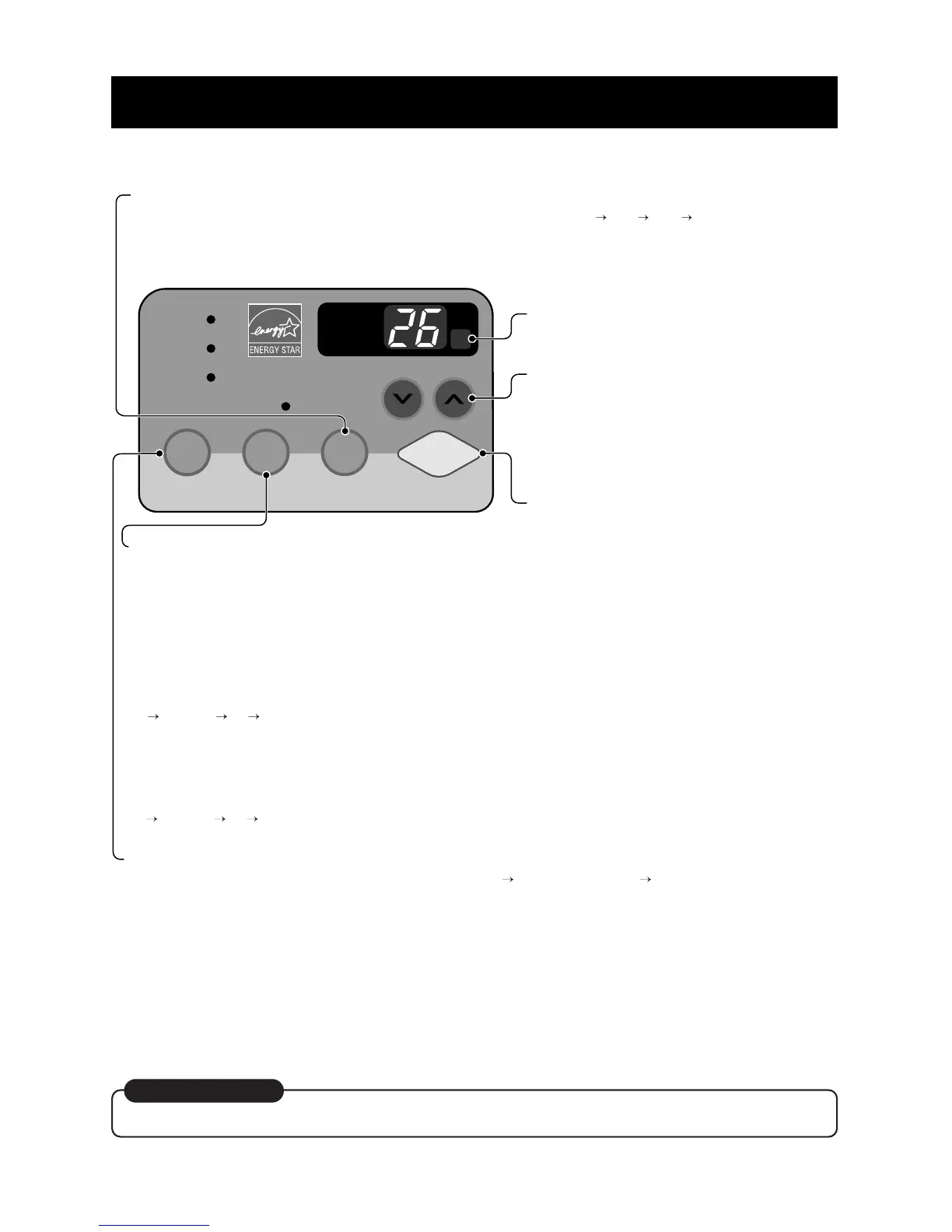
REMOTE CONTROL SIGNAL
RECEIVER
POWER
MODE
- Push this button to shift mode of operation from COOL ENERGY SAVER FAN.
- COOL:
• Fan runs continually for normal cooling operation
- ENERGY SAVER:
• The fan stops when the compressor stops cooling. Approximately every 3 minutes the fan will turn on
and the unit will check the room air temperature to determine if cooling is needed.
- FAN:
• Fan-only operation.
TIMER
- SHUT-OFF TIME
• You will usually use shut-off time while you sleep.
• If unit is running, use Timer to set number of
hours until shut-off.
• For your sleeping comfort, once Time is set, the
Temperature setting will raise 1°C after 30 min.,
and once again after another 30 min.
• Push Timer button to advance setting from 1Hour
2Hours ... 12Hours maximum.
- START TIME
• If unit is off, use Timer to set number of hours
before unit starts.
• Push Timer button to advance setting from 1Hour
2Hours ... 12Hours maximum.
TEMPERATURE SETTING
• Use this button to automatically control the
temperature of the room.
The temperature can be set within a range
of 60°F°(16°C) to 86°F(30°C) by increments of 11
• The setting appears in the display.
• To turn the air conditioner ON, push this
button.
To turn the air conditioner OFF, push the
button again.
• This button takes priority over any other
button.
• When you first turn it on, the unit is in
cool mode, High fan speed, Temperature
setting at 72°F(22°C)
.
FAN SPEED
• Every time you push this button, it advances the setting as follows:
{High Low Med High}



 To Next Page