i i1[1111111
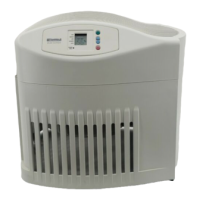
Operating Humidifier Controls
The operating controls of your Kenmore
Quiet Comfort I! evaporative humidifier are
located on the top center of the humidifier.
The controls are found under the smoked
cover, located between the air circulating
fans. Lift the control cover by placing your
finger in the round cutout and lifting. The
cover will stay open. Now you can clearly
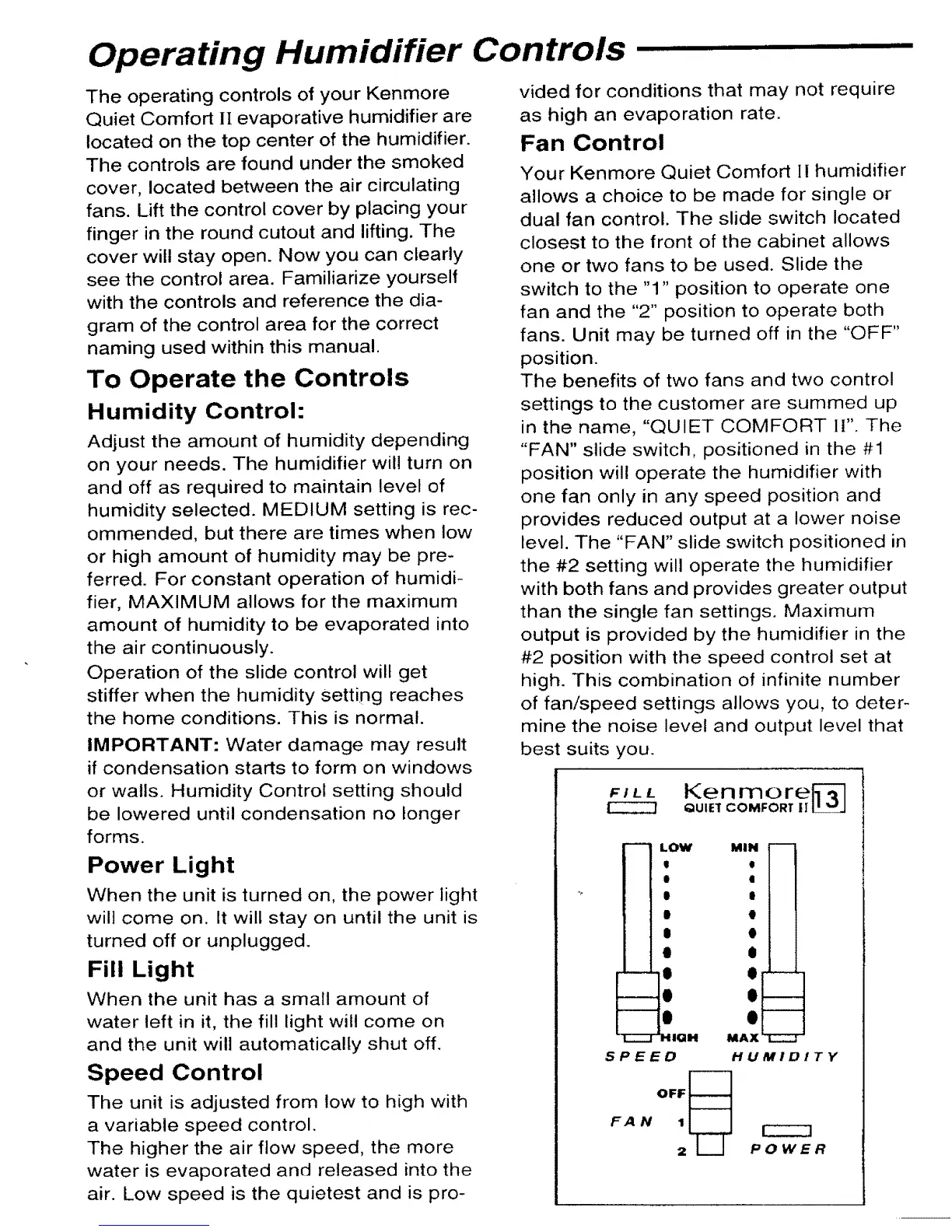
see the control area. Familiarize yourself
with the controls and reference the dia-
gram of the control area for the correct
naming used within this manual,
To Operate the Controls
Humidity Control:
Adjust the amount of humidity depending
on your needs. The humidifier will turn on
and off as required to maintain level of
humidity selected. MEDIUM setting is rec-
ommended, but there are times when low
or high amount of humidity may be pre-
ferred. For constant operation of humidi-
fier, MAXIMUM allows for the maximum
amount of humidity to be evaporated into
the air continuously.
Operation of the slide control will get
stiffer when the humidity setting reaches
the home conditions. This is normal.
IMPORTANT: Water damage may result
if condensation starts to form on windows
or walls. Humidity Control setting should
be lowered until condensation no longer
forms.
Power Light
When the unit is turned on, the power light
wilt come on. It will stay on until the unit is
turned off or unplugged.
Fill Light
When the unit has a small amount of
water left in it, the fill light will come on
and the unit will automatically shut off.
Speed Control
The unit is adjusted from low to high with
a variable speed control.
The higher the air flow speed, the more
water is evaporated and released into the
air. Low speed is the quietest and is pro-
vided for conditions that may not require
as high an evaporation rate.
Fan Control
Your Kenmore Quiet Comfort II humidifier
allows a choice to be made for single or
dual fan control. The slide switch located
closest to the front of the cabinet allows
one or two fans to be used. Slide the
switch to the "1" position to operate one
fan and the "2" position to operate both
fans. Unit may be turned off in the "OFF"
position.
The benefits of two fans and two control
settings to the customer are summed up
in the name, "QUIET COMFORT !I". The
"FAN" slide switch, positioned in the #1
position will operate the humidifier with
one fan only in any speed position and
provides reduced output at a lower noise
level. The "FAN" slide switch positioned in
the #2 setting will operate the humidifier
with both fans and provides greater output
than the single fan settings. Maximum
output is provided by the humidifier in the
#2 position with the speed control set at
high. This combination of infinite number
of fan/speed settings allows you, to deter-
mine the noise level and output level that
best suits you.
FILL
Ken more[_]
QUIE1 COMFORT |I"LL__
m
[
I
l
l
u
L__
I-
r----
LOW
I
e
II
|
$
O
e
e
o
HICIH
MIN
o
I
e
o
O
O
O
MAX
SPEED HUMIDITY
POWER



 To Next Page