Using Your Humidifier ,,
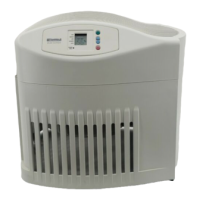
Step 1
Be sure unit is full of water and plugged
in.
Step 2
Set the Fan selection switch to "2". This
will allow both fans to operate if the humi-
distat senses humidity is needed.
Step 3
Set speed control to low.
Step 4
Set Humidity Control to medium position.
NOTE: Humidifier should operate with
humidity control on the recommended
MEDIUM setting. If it does not, the humidity
is at a relatively high level. To test the unit
under this condition, turn Humidity Control
all the way to MAXIMUM and unit should
begin to operate. After unit has been tested,
set Humidity Control to MEDIUM or desired
level.
Allow 24 hours for humidifier to adjust.
If humidity level in home is sufficient, the
humidifier will only operate with Humidity
Control set on maximum.
IMPORTANT: Water damage may result
if condensation starts to form on windows
or wails. Humidity Control setting should
be lowered until condensation no longer
forms.
III IIIIIII I IIIIIIIIIIIII I
Step 5
If humidifier stops running, the humidity
level is at the normal requirements for that
setting or it is adjusting to the home condi-
tions. The table below shows approximate
relative humidity percentages which cor-
respond to the various settings of the
Humidity Control.
The slide humidity switch shows settings
for 13 gallon model.
When Outdoor
Temperature is:
-10OF
0OF
10°F
20°F & above
Recommended
Indoor Relative
Humidity is:
20%
25%
30%
35%
.._J
HUMJDITY
8



 To Next Page